
- Key Features of Dynamics 365 Customer Insights
- How Does Dynamics 365 Customer Insights Increase Revenue?
- How Dynamics 365 Customer Insights Uses AI to Drive Growth
- Dynamics 365 Customer Insights Use Cases and Examples
- Dynamics 365 Customer Insights vs. Other CDP Platforms
- Why Businesses Choose Dynamics 365 Customer Insights
- Conclusion
- Frequently Asked Question
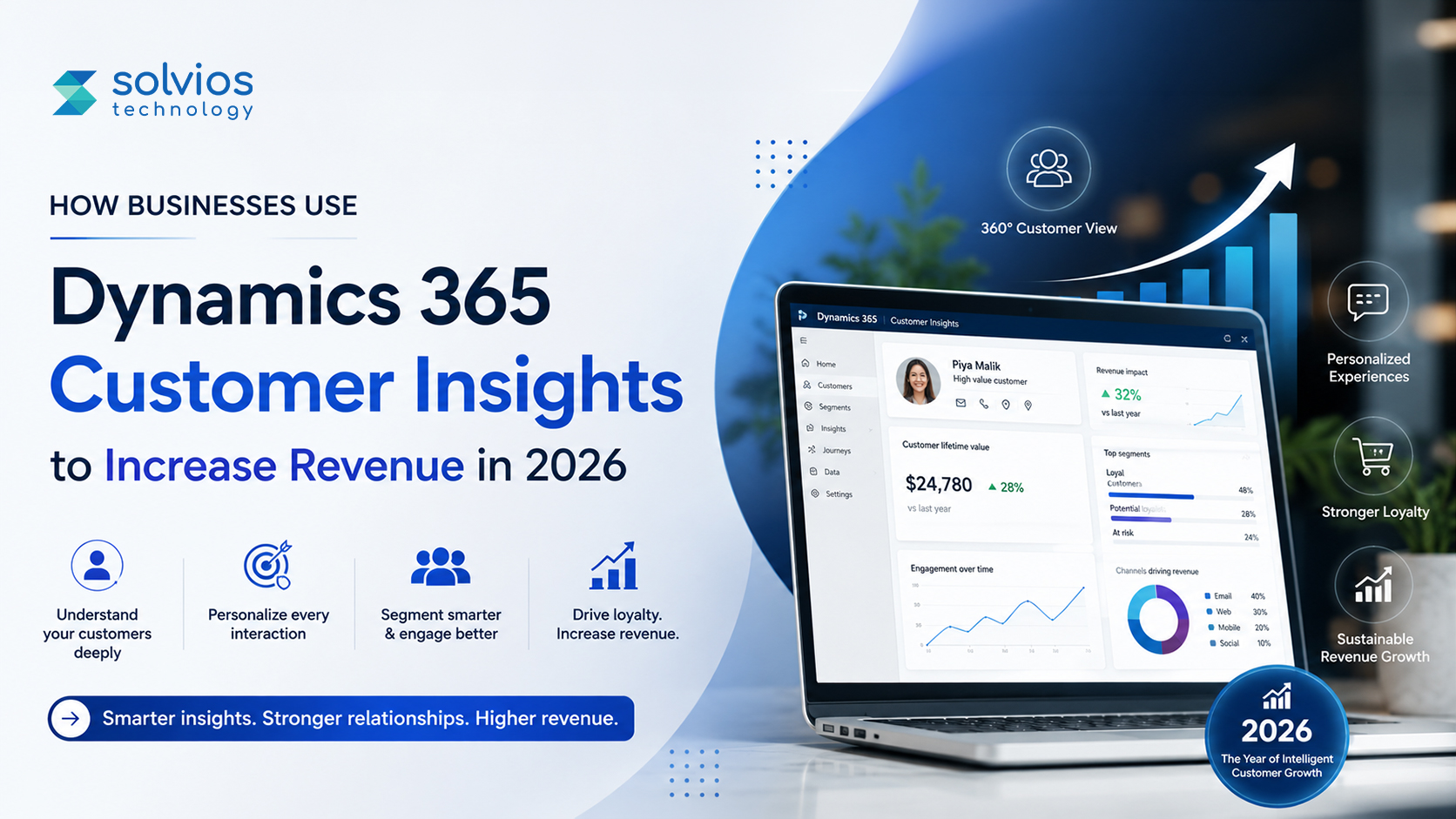
Dynamics 365 Customer Insights is Microsoft’s customer data platform that brings information from multiple systems into a unified customer profile. It helps businesses with a critical function: turning scattered customer data into revenue opportunities by extracting insights for real-time decision-making.
Data from McKinsey suggests that organizations that use data for decisions are 23x more likely to acquire customers. Yet the majority of businesses struggle to turn customer data into revenue.
However, the challenge in 2026 isn’t collecting more data. Most organizations already have plenty of it.
The real challenge is turning existing data into useful information before revenue-generating opportunities are lost. Businesses whose customer data isn’t segregated lose opportunities to upsell and cross-sell their customers, losing opportunities over time.
That’s why more businesses are turning to Dynamics 365 Customer Insights to connect their workflows at scale. The platform allows business owners to get clear insights into customers, explore opportunities, and personalize operations at scale.
In this article, we’ll take a closer look at how businesses use D365 to accelerate growth, improve customer engagement, and become smarter in 2026. We’ll also explore how Dynamics 365 implementation services will help you reach your next level of success.
Key Features of Dynamics 365 Customer Insights
Unified Customer Profiles
A unified customer profile combines customer information from different sources into a single record.
Most companies already have customer data. The problem is that nobody is looking at the same version of it. Marketing sees campaign engagement, sales sees opportunities, and support sees service history. Put three teams in a room, and you might get three different stories about the same customer.
Dynamics 365 Customer Insights tries to solve that disconnect. By matching records across systems, it builds a profile that more fully reflects the customer journey. It sounds simple, but having one version of the truth often changes how teams work together.
Real-Time Segmentation
Real-time segmentation allows customer audiences to update as behavior changes.
Customer segments tend to become outdated faster than people expect. Someone who looked interested last month may have already purchased, moved on, or stopped engaging altogether.
Instead of relying on lists that slowly lose relevance, Customer Insights adjusts audiences using current activity. That means teams spend less time questioning whether a segment is still accurate and more time deciding what to do with it.
AI-Powered Copilot
AI-powered Copilot lets users explore customer data through natural language prompts.
Not every useful insight starts with a dashboard. Sometimes it starts with a question.
A marketer might want to find customers who recently engaged but did not purchase. A sales manager may want to understand which accounts are showing stronger buying signals. Instead of building filters from scratch, Copilot helps surface answers through conversation. The experience feels closer to asking a colleague than operating a reporting tool.
Microsoft Ecosystem Integration
Microsoft ecosystem integration connects Customer Insights with other Microsoft business applications.
This feature tends to matter most after implementation and explore microsoft dynamic 365 implementation guide. On paper, integrations rarely sound exciting. In practice, disconnected systems create extra work every day.
Customer Insights integrates seamlessly with Dynamics 365, Dataverse, and Power Platform, so data can flow between teams. It sustains ecosystem unity and team alignment, providing a real-time version of the truth.
Privacy & Consent Management
Privacy and consent management help organizations track the collection and use of customer information
Most businesses want personalization, while customers want privacy. The challenge is finding a balance between the two.
It’s the challenge of being a business owner, juggling between privacy, consent, and evolving regulations around different regions. Dynamics 365 provides a platform that helps teams manage data under governance. It helps the team navigate data usage under different regulations.
How Does Dynamics 365 Customer Insights Increase Revenue?
Having Dynamics 365 Customer Insights on your platform replaces bottlenecks with efficiency. Here’s a detailed look at some commonly asked questions around how the platform manages data to increase sales.
How Does Customer Personalization Drive Sales?
Customer personalization allows teams to create personalized offers, recommendations, and patterns that improve chances of sale.
A customer who has been looking at running shoes for two weeks probably doesn’t need an email about formal footwear. That sounds obvious, but businesses get this wrong all the time.
Dynamics 365 Customer Insights brings teams closer to authentic customer behavior, rather than broad assumptions, often resulting in more meaningful interactions.
How Does Better Segmentation Improve Conversions?
Better segmentation improves conversions by helping businesses connect with people based on what they’re doing now, not what they did months ago.
Customer lists tend to lose potential when you take no action. A person interested in a product last quarter may have already bought it or moved on. Keeping people in the loop makes for a more relevant campaign and typically stronger engagement.
How Does It Reduce Customer Churn?
Dynamics 365 Customer Insights helps reduce churn by identifying changes in customer behavior before they become bigger problems.
Most customers don’t leave without warning. They buy less often, stop opening emails, or simply engage less than they used to. Those signals are easy to miss when information is spread across different systems.
How Does It Enable Smarter Sales Opportunities?
The platform helps sales teams identify opportunities that deserve attention before time is spent in the wrong places.
In many businesses, every lead looks important at first glance. The reality is that some customers are much closer to making a decision than others. Having that visibility changes how teams prioritize their day.
How Does Real-Time Journey Optimization Work?
Real-time journey optimization helps businesses respond to customer behavior in real time.
Customer journeys rarely move in a straight line. Dynamic 365 implementation pricing disappears for a week, and then returns through a campaign. Static workflows struggle with that. Real-time insights make those shifts easier to spot.
What Is Omnichannel Customer Experience in D365?
Omnichannel customer experience connects interactions across sales, marketing, service, and digital channels.
Customers don’t think about departments when they interact with a business. They simply expect continuity. Repeating the same information to three different teams is frustrating, and most people have experienced it at some point.
Ready to Make Customer Data More Useful?
Customer data already exists inside most organizations. The challenge is turning scattered information into something teams can actually use. Customer Insights Dynamics 365 helps bring those pieces together, making it easier to spot opportunities that support growth.
Ready to Customize Microsoft Dynamics for Better Business Performance?
Build It TogetherHow Dynamics 365 Customer Insights Uses AI to Drive Growth
AI is one of the biggest reasons Dynamics 365 Customer Insights looks very different in 2026 than it did a few years ago. Businesses already have customer data. The challenge is understanding what that data is telling them and acting on it before the opportunity passes.
Generative Segment Creation with Copilot
Copilot in Microsoft Dynamics 365 allows teams to create customer segments using natural language instead of manually building complex rules.
Not long ago, creating an audience often meant digging through filters and conditions. A marketer might spend time identifying which customers recently purchased but hadn’t engaged with a campaign in the last month. Now the request can be written almost like a sentence. Copilot translates that intent into an audience, making segmentation feel less like a technical task and more like a business conversation.
Agentic AI and Next-Best-Action
Agentic AI helps businesses identify the next action most likely to improve a customer outcome.
Imagine a customer who suddenly starts interacting less frequently. Before D365, you might have missed the change, but today AI can identify such changes, offer suggestions, and help teams win back those customers. This way, Dynamics 365 enables businesses to analyze reports themselves rather than waiting for professionals, so they can act on signals while they still matter.
Conversational SMS and Two-Way Messaging
Conversational SMS allows businesses to move beyond one-way messages and create more interactive customer conversations.
Most people are more likely to reply to a text than fill out a form. That simple behavior is changing how brands communicate. AI capabilities extend well beyond messaging and segmentation.
Companies are using predictive lead scoring to focus on higher-quality opportunities and churn prediction to identify customers who may be drifting away. AI-powered messaging further helps manage responses, keep conversations going, and help guide customers toward the next step, without making every interaction feel Dynamic 365 power automated.
Dynamics 365 Customer Insights Use Cases and Examples
Customer data means different things depending on the industry. A retailer is looking for buying patterns. A hospital is trying to improve patient communication. A B2B manufacturer may be tracking relationships that take months to convert. The common thread is that customer information becomes more useful when it is connected.
Retail Industry
A customer buys running shoes in January. In February, they start looking at fitness trackers. By March, they’re browsing training accessories.
Individually, those actions don’t say much. Together, they tell a story. Retailers use AI in Dynamics 365 Customer Service Insights to connect those moments and understand what customers are actually interested in. That information often shapes loyalty offers, product recommendations, and campaign timing in ways that feel more relevant than broad seasonal promotions.
E-Commerce
Every online store has customers who reach the checkout page and disappear. Sometimes they come back. Sometimes they don’t.
The difficult part is knowing the difference. One shopper may simply need a reminder, while another may be waiting for a discount. By understanding the customer intent, purchase history, and engagement patterns, sales teams have a better chance at deciding whom to follow up with.
Financial Services
A customer researching home loans might visit a website several times before speaking with an advisor. Another customer may be comparing investment products across different channels. Neither journey looks exactly the same.
Financial organizations often use customer insights to understand patterns, identify offers, and spot changes in purchase behavior. These small signals help brands make a major difference in how they present themselves to customers.
Healthcare
Missed appointments are rarely just scheduling problems.
Sometimes patients stop responding to messages. Sometimes communication arrives through the wrong channel. Sometimes people simply forget.
Healthcare providers use customer insights to understand those patterns and adjust communication accordingly. A small change in timing or outreach can make a noticeable difference when patient engagement starts dropping.
Manufacturing / B2B
B2B buying journeys can stretch across months. Occasionally, even longer.
A prospect attends a webinar, downloads a product guide, talks to sales once, and then disappears. Six months later, they return with a new requirement.
Without historical context, that account can appear to be a completely new opportunity. With connected customer data, sales teams can see the full journey and understand where the relationship actually stands before restarting the conversation.
Turn Customer Data Into Revenue Opportunities
Most businesses don’t have a shortage of customer information. What they often lack is context.
When customer activity spans multiple systems, important signals are easy to miss. Dynamics 365 Customer Insights helps bring those signals together, making it easier to spot opportunities that might otherwise stay hidden.
Dynamics 365 Customer Insights vs. Other CDP Platforms
At some point, most customer data platform evaluations start looking similar. The shortlist usually includes a few familiar names, and Dynamics 365 Customer Insights often ends up being compared with Salesforce to dynamic 365 implementation and Data Cloud and Adobe Real-Time CDP.
The platforms solve similar problems, but they don’t always fit the same type of business.
| Feature | Dynamics 365 Customer Insights | Salesforce Data Cloud | Adobe Real-Time CDP |
| Native ecosystem | Microsoft | Salesforce | Adobe |
| AI capabilities | Copilot, predictive insights | Einstein AI | Adobe Sensei |
| Data connectivity | Strong across Microsoft products | Strong across Salesforce products | Strong across Adobe products |
| Pricing approach | Often aligns with existing Microsoft investments | Salesforce licensing model | Enterprise-focused pricing |
| Best fit | Microsoft-centric organizations | Salesforce-centric organizations | Experience-led enterprises |
For example, a business already working inside Dynamics 365, Power Platform, and Microsoft tools will usually have a different experience than a company running most of its operations on Salesforce.
The comparison is often less about which platform has more features and more about where customer data already lives. That’s usually the factor that shapes the decision.
Want to see how Dynamics 365 Customer Insights can help you grow sales?
Talk to an ExpertWhy Businesses Choose Dynamics 365 Customer Insights
Most organizations don’t start looking for a customer data platform because they’re excited about customer data. They start looking because something feels disconnected.
Maybe marketing has one view of the customer and sales has another. Maybe customer information exists in five different systems, and nobody is completely sure which version is correct. Over time, those gaps start creating friction.
That’s one reason Microsoft Dynamics 365 for customer service has gained attention in recent years.
Turn Customer Information Into Action
Most businesses already have valuable customer data. The challenge is making it useful. Dynamics 365 Customer Insights helps connect those pieces so teams spend less time searching for context and more time acting on it.
Conclusion
Customer data isn’t hard to find anymore. Most businesses are surrounded by it. The real challenge is figuring out what actually matters and acting on it before the moment passes.
That’s where Dynamics 365 Customer Insights helps. It pulls data from multiple systems so that teams can spend less time gathering context and more time making decisions.
In a world where customer expectations are changing, understanding customer behavior can be a real differentiator.
Change the way your business runs. Get in touch with our team of Dynamics development experts at Solvios today!
Frequently Asked Question
Dynamics 365 Sales is for managing leads, accounts, and opportunities; Customer Insights is about pulling customer data together from different sources to get a better view of the customer.
There’s not a single price. Pricing is based on licensing, data needs, and what Microsoft products are already in place.
Yes, you can use Dynamics 365 Customer Insights with other Microsoft products. The platform allows seamless integration with other non-Microsoft products, databases, and third-party apps.
Some of the most common industries using Dynamics 365 are retail, eCommerce, financial services, healthcare, manufacturing, and other B2B companies.
Every timeline is unique, and implementation depends on the business’s specific requirements. Some projects move fast, some take longer, depending on integrations and business needs.
About Author

Dhwani Shah is the Co-Founder of Solvios Technology. She focuses on building strong relationships, guiding teams, and helping businesses move forward with clear direction. Her perspective comes from real-world experience, thoughtful leadership, and a genuine passion for creating long-term value for clients and partners.
Let’s ConnectTurn Insights Into Action
Planning something next? Let’s turn ideas into action.
- What is Salesforce Einstein AI?
- Quick Summary: Einstein AI vs Agentforce vs Traditional CRM
- What is Salesforce Agentforce?
- How Salesforce Einstein AI is Transforming CRM in 2026
- AI in CRM: Security, Compliance & Data Trust
- Getting Started: What Implementation Actually Looks Like
- Conclusion
- Frequently Asked Question
Key Takeaways
Salesforce Einstein AI and Agentforce are changing how businesses manage customer relationships in 2026 with smarter automation, predictive insights, and autonomous AI agents that reduce manual work and improve sales efficiency.
From AI-powered lead scoring to real-time forecasting and personalized customer interactions, modern CRM is shifting from simply storing data to helping teams take faster and better actions.
Want to future-proof your CRM strategy? Discover how Salesforce AI can help your business work smarter, sell faster, and scale with confidence.
Sales teams already have enough dashboards, reports, and notifications to deal with.
The bigger problem now is deciding what actually deserves attention:
- Which lead needs a follow-up?
- Which customer is likely to drop off?
- Which opportunity is moving in the right direction?
That’s one reason AI is showing up differently in CRM platforms in 2026. It’s no longer limited to suggestions on a screen. With Salesforce Einstein AI and Salesforce Agentforce, businesses are starting to use AI in ways that go beyond mere information tracking.
The focus is slowly shifting from managing customer data to helping teams act on it faster.
This blog takes a closer look at AI’s role in changing CRM in 2026. Let’s get started.
What is Salesforce Einstein AI?
Back in 2016, Salesforce Einstein AI entered the picture to help teams make better use of the information already sitting in CRM systems. At that stage, it mostly focused on predictions and recommendations. Things look quite different now. By 2026, it will have moved much further into everyday CRM activity and quietly sit behind a lot of what teams already do.
What changed over time?
A few years ago, most CRM systems were mainly used to store information. Contacts, opportunities, customer details; everything stayed there, but teams still had to figure out what to do with it.
That approach has been changing. CRM platforms are now expected to do more than hold information. They’re increasingly expected to help people decide what deserves attention first.
What does Salesforce Einstein AI actually do?
Some of this work is happening quietly in the background:
- Predictive lead scoring to find stronger opportunities
- Opportunity insights to bring deal movement and risks to the fore
- Einstein Copilot for conversational AI interactions
- Activity capture without manual entry
- Revenue intelligence for forecasting and sales visibility
Many of these are fast becoming common Salesforce AI Benefits in 2026 discussions, as teams want less manual work and faster decision-making.
Where does it fit inside Salesforce?
Instead of being a separate tool, Einstein is integrated into the Salesforce CRM Platform, where data, AI capabilities, and business information work together inside the same environment.
A simple example
Imagine a Mumbai-based NBFC that gets a large number of loan inquiries every week. Sales teams could still review every lead manually, but that usually takes time. Einstein Forecasting can help surface opportunities with stronger intent first, so teams are spending less time sorting and more time talking to customers.
Quick Summary: Einstein AI vs Agentforce vs Traditional CRM
| Capability | Traditional CRM | Salesforce Einstein AI | Salesforce Agentforce |
| Lead Scoring | Manual / Rule-based | AI-powered predictive scoring | Autonomous agent triggers action |
| Sales Forecasting | Spreadsheet-driven | Einstein Forecasting (ML) | Real-time adaptive forecasting |
| Customer Follow-ups | Rep-dependent | Suggested next-best action | Fully automated follow-up agents |
| Query Resolution | Human-only | Einstein Bots and case routing | Autonomous AI agents (24/7) |
| Data Entry & Logging | 100% manual | Auto-capture via Einstein Activity | Zero-touch via Agentforce agents |
| Personalization | Segment-based | Individual AI recommendations | Hyper-personalized at scale |
| Integration | API-heavy | Native Einstein 1 Platform | Built on the Einstein 1 Platform |
What is Salesforce Agentforce?
When Salesforce introduced Salesforce Agentforce at Dreamforce 2024, the discussion around AI inside CRM shifted a bit. Einstein had already helped teams predict outcomes and surface insights, but Agentforce took a different approach. Instead of helping people decide what to do next, the idea was to let AI start handling parts of the work itself. By 2026, that approach will have begun to be part of everyday workflows.
So what are autonomous AI agents?
The simplest way to think about autonomous AI agents is this: they don’t just provide suggestions and wait. They can observe information, make decisions within defined rules, and perform actions without someone having to press a button each time.
What can Salesforce Agentforce actually do?
A Salesforce Agentforce setup can take on work that usually sits with sales or service teams, such as:
- Responding to inbound sales questions
- Scheduling demos automatically
- Updating CRM records
- Routing customer service cases, sending personalized outreach messages
How it Connects the Einstein 1 Platform with Data Cloud
This is also where Salesforce AI agents differ from older chat systems. A chatbot may answer a question and stop there. Agentforce works across several steps.
These salesforce AI agents for sales teams data also pull context from the Salesforce Einstein 1 Platform and Salesforce Data Cloud, so actions are driven by real-time business information. Large IT services firms and BPO teams in India are already testing these workflows to reduce repetitive SDR work.
Curious About What Salesforce Implementation Could Cost Your Business?
Explore Salesforce PricingHow Salesforce Einstein AI is Transforming CRM in 2026
CRM systems are changing quietly. Earlier, most of the work happened after information was entered into the system. Teams reviewed data, followed processes, and manually advanced opportunities. That gap is starting to shrink as AI moves closer to everyday workflows.
AI-Powered Lead Scoring & Intelligence:
For many sales teams, getting leads is no longer the difficult part. The bigger challenge is deciding where to direct attention first. A CRM can have hundreds of contacts, but not every lead has the same intent.
Earlier, scoring often depended on simple actions. Opening an email, downloading a document, or filling out a form added points. The problem was that activity and buying intent did not always mean the same thing.
The Salesforce Einstein Impact
With Salesforce Einstein AI Guide, the process starts by looking more deeply into behavior patterns. Through Predictive analytics, CRM capabilities, and Machine learning in CRM, the system analyzes past interactions and engagement signals to highlight stronger opportunities.
Instead of spending time sorting through everything manually, sales teams can focus on the conversations more likely to move forward.
Autonomous AI Agents: The Agentforce Shift:
There was a time when sales teams moved opportunities one step at a time. A lead came in; someone checked the details, sent a reply, updated the records, scheduled a meeting, and then passed things to the next person. None of these tasks looked big on their own, but together they consumed a surprising amount of time.
That’s where Salesforce Agentforce begins to change the flow. Instead of waiting for someone to manually trigger every action, Autonomous AI agents can handle connected tasks in sequence.
The Salesforce Einstein Impact
A prospect submits an inquiry, an agent identifies intent, schedules a meeting, updates CRM information, and sends follow-up communication without stopping after the first step.
That difference matters because Salesforce AI automation are moving beyond answering questions. For many AI agents for sales teams, the goal is slowly shifting from assistance to execution.
Salesforce Einstein 1 Platform – The Unified AI Core:
Customer information rarely sits in one place. Sales data lives in CRM, service interactions live elsewhere, and marketing activity often sits inside another system. Teams spend more time connecting information than they realize.
The Salesforce Einstein 1 Platform was built around reducing that separation. Rather than treating CRM, AI, and business data as separate layers, it brings them closer together within a single environment.
Information from Salesforce Data Cloud becomes part of that process, helping systems work with the current customer context instead of isolated records.
The Salesforce Einstein Impact
The result is less switching between systems and fewer situations in which teams make decisions with incomplete information. Small changes like that usually become noticeable over time rather than immediately.
Salesforce AI for Small Business: Is It Accessible?:
A few years ago, AI often sounded like something primarily built for large enterprises with dedicated teams and large budgets. Smaller businesses mostly watched from the outside.
That picture has started changing. Salesforce AI for small-business conversations is becoming more common as automation is no longer limited to large organizations. Smaller sales teams are also dealing with repetitive work: follow-ups, lead prioritization, customer communication, and CRM updates.
The Salesforce Einstein Impact
The difference is that they usually have fewer people handling those responsibilities. AI is beginning to fit into these situations by reducing routine work rather than adding another layer of complexity.
AI in CRM: Security, Compliance & Data Trust:
The first question around AI is rarely “Can it do the work?” It usually turns into “What happens to customer data?” Businesses are becoming more comfortable with automation, but trust still sits in the middle of the conversation.
CRM platforms handle information that teams don’t want floating around without control over: customer records, conversations, deal history, financial information, and internal activity.
The Salesforce Einstein Impact
That’s one reason AI in CRM discussions now involves security and governance almost as much as automation itself.
As AI becomes more integrated into customer workflows, businesses want clearer visibility into permissions, access, and the use of information. Technology may be changing quickly, but trust still determines how far companies are willing to go.
Developer & Admin Experience:
CRM administrators used to spend a lot of time manually creating rules and workflows. Small changes often meant another setup task, another configuration, or another process sitting in the queue.
That routine has started changing. Instead of building every action step by step, teams now work more around guidance and automation. AI can help surface recommendations, suggest workflow changes, and reduce repetitive administrative work that usually sits behind the scenes.
The Salesforce Einstein Impact
This is also where many businesses begin working with Salesforce consulting services or an expert Salesforce consulting company. Once AI workflows start connecting with larger CRM & ERP Solutions, the focus often shifts toward making systems work together rather than simply adding features.
AI in CRM: Security, Compliance & Data Trust
The first reaction many businesses have to AI is not excitement. It’s caution. The question usually isn’t “Can AI automate this?” It’s more “What happens to our customer information if it does?”
CRM systems already hold a lot of sensitive information: customer conversations, purchase history, sales activity, support records, and internal notes.
Once AI starts working inside that environment, trust becomes part of the discussion. Businesses want to know who can access information, how data is being used, and whether decisions remain transparent.
That’s one reason AI in CRM conversations now includes governance and compliance almost as often as automation. Companies are becoming more open to AI, but they also want clearer boundaries.
Want to See How Salesforce Einstein AI Can Simplify Your Sales Process?
Contact UsGetting Started: What Implementation Actually Looks Like
Many businesses imagine AI implementation as a large project that changes everything at once. In reality, that usually isn’t how it starts. Most teams begin with one repetitive process rather than rebuilding the entire CRM system.
For some businesses, it could be lead scoring while others may require automation for their workflows. Once they trust the system, business owners start adding more layers to their operation.
Additionally, this is also where they reach out to professional Salesforce consulting Pricing implementation. For larger organizations using connected CRM & ERP solutions, implementation often becomes less about adding technology and more about making different systems work together in a practical way.
Conclusion
CRM platforms are gradually moving beyond storing customer information and generating reports. The shift happening in 2026 is more about action than data collection.
Salesforce Einstein AI is helping teams understand patterns and make quicker decisions, while Salesforce Agentforce is moving a step further by handling parts of the work itself.
The bigger change is not really AI replacing people. It’s reducing repetitive work and giving teams more time for conversations that need attention.
Businesses that successfully adopt AI usually do not replace processes overnight. They’re starting small, learning what works, and building from there.
Frequently Asked Question
Think of it this way: Einstein mostly helps with predictions and recommendations. Agentforce moves closer to action. Einstein can tell teams what looks important, while Agentforce can actually perform tasks across workflows.
Agentforce AI is the latest addition to Salesforce’s tools, which leverages AI to automate different parts of your daily operations.
Salesforce Einstein AI is an intelligence layer that helps teams maximize the use of customer data. It’s a great option for lead scoring, forecasting, and conversations.
No, AI is becoming a significant part of CRM, allowing businesses to leverage the latest technology to run their operations.
Yes, if you’re managing customers at any kind of scale. AI can augment decisions and automation, but without a CRM, information still gets spread across emails, spreadsheets, and disparate systems.
About Author

Dhwani Shah is the Co-Founder of Solvios Technology. She focuses on building strong relationships, guiding teams, and helping businesses move forward with clear direction. Her perspective comes from real-world experience, thoughtful leadership, and a genuine passion for creating long-term value for clients and partners.
Let’s ConnectTurn Insights Into Action
Planning something next? Let’s turn ideas into action.
- Quick Comparison – Umbraco Vs. WordPress in 2026
- What is Umbraco?
- What is WordPress?
- Umbraco Vs WordPress – Detailed Head-to-Head Comparison
- When to Choose Umbraco – What Makes it the Best Fit?
- When to Choose WordPress – What Makes it the Best Fit?
- Real-World Examples – Who Uses What
- Cost Comparison – Umbraco Vs WordPress
- The Verdict: Umbraco vs WordPress in 2026
- Frequently Asked Question
Key Takeaways
Still debating between Umbraco and WordPress? You’re not alone, and honestly, the answer isn’t as straightforward as most people think.
Both platforms have their strengths, both have their limits, and picking the wrong one can cost you more than just time.
We’ve done the full breakdown below from security and performance to real costs and who each CMS is actually built for. Read on, because the right choice might surprise you.
Between Umbraco vs WordPress in 2026 – choose WordPress if your focus is content, faster launches, and lower setup effort. Go with Umbraco if you need stronger governance, enterprise workflows, and deeper .NET flexibility.
Introduction
Picking CMS in 2026 is way different from what it was a few years ago.
Because, let’s be honest – the decision is not really about picking the “better” CMS anymore.
In 2026, businesses are looking beyond publishing pages and blogs. They want platforms that allow easy integration, security, and optimized performance at scale.
WordPress powers more than 40% of the world’s websites today, which is why many companies start there.
At the same time, platforms like Umbraco continue to gain traction among companies that need greater control over workflows and development environments.
The difficult part is that they both can work well.
For most companies, the real question is what happens after launch:
- How much effort goes into managing it?
- How dependent will your team become on developers?
- Will the platform still fit once the business starts growing?
That’s where the difference between WordPress and Umbraco starts becoming more obvious.
Quick Comparison – Umbraco Vs. WordPress in 2026
| Feature | Umbraco | WordPress |
| Type | Open-source CMS (.NET) | Open-source CMS (PHP) |
| Best For | Mid-market to enterprise | SMBs, blogs, content sites |
| Licensing Cost | Free (core) | Free (core) |
| Hosting | Self-hosted or Umbraco Cloud | Self-hosted or WordPress.com |
| Security | Enterprise-grade, fewer vulnerabilities | Plugin-dependent, frequent patches |
| Performance | High, .NET optimized | Variable, depends on plugins |
| Scalability | Excellent (load balancing, multi-site) | Good with optimization |
| Plugins/Add-ons | ~1,000+ packages | 60,000+ plugins |
| Learning Curve | Moderate to steep | Easy |
| Headless Support | Native (Heartcore, Delivery API) | Via REST API/plugins |
| Multilingual | Built-in | Via plugins (WPML, Polylang) |
| Community Size | ~220,000 developers | 40M+ users |
| Ideal Industries | Finance, healthcare, enterprise, .NET orgs | Blogging, e-commerce, agencies |
What is Umbraco?
Umbraco is a CMS built on Microsoft’s .NET framework. Businesses usually look at it when they need more control over how content is managed behind the scenes.
You’ll see Umbraco more often in larger setups: corporate websites, customer portals, internal systems, or businesses managing several websites from one place. That’s also why Umbraco for enterprise discussions comes up so often.
Why do businesses choose it?
Teams usually don’t move to Umbraco because they want more plugins. They move because they want flexibility around workflows and structure. As teams grow, things like permissions, publishing flows, and governance start becoming more relevant.
As websites become larger, performance also becomes part of the conversation. That’s where areas like performance optimization start getting attention.
What is WordPress?
WordPress started as a blogging platform, though it has long since moved far beyond that. Today, businesses use it for everything from simple websites to larger content platforms.
Marketing websites, blogs, business sites, and content-heavy platforms; this is usually where WordPress shows up. It also often appears in conversations about the Best CMS for eCommerce platform, especially when speed and flexibility matter.
Why do businesses choose it?
Many teams choose WordPress because getting started feels easier. Themes are available, plugins are available, and there’s less effort involved in getting a website off the ground.
That works well in the beginning. As websites become more custom, though, development needs can slowly start growing too.
Umbraco Vs WordPress – Detailed Head-to-Head Comparison
Security
Security usually becomes a bigger discussion once websites stop being simple content platforms. Customer information, user permissions, integrations, and internal access all add another layer to manage.
Umbraco
Umbraco often appears in projects where teams want tighter control over the environment. Since it runs on .NET and doesn’t rely heavily on large plugin stacks, there are fewer moving pieces to manage. Businesses operating in regulated industries also look at areas related to Umbraco compliance, especially when governance and structured workflows become part of the requirements.
WordPress
WordPress itself isn’t insecure. Most concerns usually come from the surrounding ecosystem. Themes, plugins, and outside additions add flexibility, but require regular updates and maintenance. A properly managed WordPress web app setup can remain safe.
Best fit:
If security requirements are stricter and governance matters more, Umbraco generally feels more comfortable.
Performance & Speed
Speed affects more than loading time. It influences user experience, search rankings, and in some cases, whether people stay on the site long enough to act.
Umbraco
Umbraco gives development teams more control over performance. That becomes useful when websites start becoming larger or more customized. Instead of depending on multiple external additions, teams can structure things around the project itself. Umbraco performance optimization is one of those topics that can get heated as soon as things start to scale with traffic, content, and integrations.
WordPress
WordPress performance can vary a lot. When it’s lean, it generally performs well, but adding lots of plugins or heavier themes can slow it down over time. Many companies fix this with caching tools, hosting upgrades, and optimization plugins.
Best fit:
For projects that require deeper performance control, Umbraco offers greater flexibility.
Ease of Use
The CMS is not only used during launch. Teams work inside it every day, which means small usability differences become noticeable over time.
Umbraco
Umbraco feels more structured once teams get used to it. Editors often get cleaner workflows and more organized content areas, but setup usually requires more involvement from development teams at the outset. It can take a little longer for everyone to become comfortable using it.
WordPress
WordPress generally feels familiar very quickly. Publishing content, creating pages, or making basic updates doesn’t usually require much training. That simplicity is one reason many teams continue choosing it for content-focused websites.
Best fit:
For teams that want something easier from day one, WordPress usually feels lighter.
Customization & Flexibility
Website requirements rarely stay the same. New features get added, workflows change, and teams often need the CMS to adapt later.
Umbraco
Umbraco gives developers more room to shape the platform around business requirements rather than forcing businesses to work around the CMS. Custom workflows, portals, and more complex digital experiences are often easier to build directly into the structure. It’s one reason discussions of larger projects and optimizing website performance through Umbraco can help web app development services.
WordPress
WordPress offers flexibility, too, mostly through themes and plugins. That works well for many businesses at the beginning, although highly customized implementations sometimes require more work as they grow.
Best fit:
If the project is expected to become more tailored over time, Umbraco generally creates fewer limitations.
Scalability
A website may start small, but it rarely stays that way. As a business grows, there is usually more content, more traffic, more teams, and new features.
Umbraco
Umbraco is often chosen when long-term growth is already part of the plan. Teams handling larger websites or multiple business units usually prefer having more control over how the system expands. This is also one reason Umbraco for enterprise discussions happens frequently. The platform is built to allow teams to add complexity without having to rebuild everything later.
WordPress
WordPress scales, too, and many large websites run on it successfully. The difference is that scaling sometimes depends more on the surrounding setup: plugins, hosting choices, and ongoing optimization efforts all start playing a larger role.
Best fit:
If long-term growth and larger structures are expected, Umbraco usually feels more comfortable.
Cost & Licensing
The best CMS platform itself is only part of the investment. Development effort, maintenance, hosting, and updates usually have a much greater impact on overall cost over time.
Umbraco
Umbraco
Umbraco is a free, open-source platform with no licensing fees. The major expense is often the implementation and development work. Businesses with custom workflows or well-structured environments often spend more on setup than on the platform itself.
WordPress
WordPress is also free to get started with, with no licensing fees, which is one reason smaller businesses tend to prefer it. Costs typically come later, in the form of plugins, premium themes, hosting upgrades, or maintenance work. Individually, these may feel small, although they can add up over time.
Best fit:
For simpler websites with tighter budgets, WordPress usually feels easier financially.
Plugins & Ecosystem
Very few businesses build every feature from scratch. Integrations and extensions usually become part of the process fairly early.
Umbraco
Umbraco has packages and extensions available, but the ecosystem stays smaller and more controlled. Teams often rely more on development work instead of installing multiple add-ons. That can reduce unnecessary complexity later.
WordPress
This is where WordPress usually stands out. The ecosystem is massive. SEO tools, forms, eCommerce functionality, marketing integrations; most things already exist as plugins. The challenge is that larger plugin stacks can sometimes become difficult to manage over time.
Best fit:
If quick feature availability matters, WordPress generally has the advantage.
Headless & Modern Architecture
Content no longer lives in one place. Teams now publish across websites, apps, portals, and other digital touchpoints simultaneously.
Umbraco
Umbraco fits naturally into more modern architecture discussions. Teams looking at APIs and headless CMS development services often prefer the flexibility it provides. It enables you to deliver content via multiple channels without everything being tied to a single frontend experience.
WordPress
WordPress is a good option for headless development; its recent updates have made the platform more flexible. Many businesses leverage APIs to connect WordPress to other custom frontends, while most teams continue to use WordPress as a traditional CMS.
Best fit:
Umbraco generally feels like a better fit for businesses planning more modern content architecture.
Multilingual & Multi-Site
Running one website is manageable. Things change once different regions, brands, or teams start entering the picture. Suddenly, content has to exist in multiple versions, and keeping everything aligned becomes harder than expected.
Umbraco
This is usually where headless Umbraco starts making more sense. Businesses that handle multiple websites often prefer to manage everything from one place rather than maintain separate systems. Language variations and content structures also feel more organized because they sit inside the same environment.
WordPress
WordPress can do this, too. Plenty of businesses run multilingual sites and multiple brands on them. The difference is that the setup often grows around plugins and additional configurations, which can add more moving pieces later.
Best fit:
For larger content operations spread across regions, Umbraco generally feels easier to manage over the long term.
Developer Experience
Editors use the CMS daily, but developers stay involved much longer. Once requirements change, the platform needs to provide enough room to accommodate those changes.
Umbraco
Developers usually like having more control. Umbraco offers that flexibility because it relies less on finding plugins and more on building directly around business requirements. This is one reason discussions of Web app development services often lean toward Umbraco as projects become more involved.
WordPress
WordPress gets moving quickly because a lot already exists. Theme, plugin, and template developers spend less time building things from scratch. As requirements become more specific, though, custom work gradually starts increasing.
Best fit:
If development flexibility matters more later on, Umbraco generally imposes fewer limitations.
Compliance & Governance
Not every website needs governance on day one. Once more teams get involved, it starts becoming harder to ignore. Permissions, approvals, and content ownership suddenly matter more.
Umbraco
Larger organizations often pay attention to Umbraco compliance and workflow controls because they need structure around publishing. Teams handling regulated environments also tend to prefer stronger controls instead of managing access manually. Discussions around Umbraco governance usually appear in these situations.
WordPress
WordPress can support governance requirements, too, though a CMS platform can help businesses often end up adding extra layers to meet them. For many teams, that works perfectly fine without becoming too complicated.
Best fit:
If governance requirements become part of daily operations, Umbraco generally feels stronger.
When to Choose Umbraco – What Makes it the Best Fit?
Umbraco is not something businesses pick just because they need a CMS. In most cases, the choice is made when the website stops being simple, and the requirements around it start to change.
- Your business already uses Microsoft technologies:
If teams already work with .NET systems or other Microsoft tools, Umbraco tends to sit more naturally inside that setup. There’s less effort spent on connecting separate environments later.
- You’re handling multiple websites at once:
One website is manageable, but five different sites across regions or brands is where things usually become messy. Content starts spreading out, and keeping everything aligned takes more effort than expected.
- Content goes through approvals before publishing:
Not every team hits publish immediately. Some businesses have reviews, permissions, and people involved at different stages. Once that process grows, structure starts mattering more.
- The website is likely to keep changing:
Most projects don’t stay close to the original scope. New features get requested, integrations appear, and different teams start using the platform. That’s often where enterprise conversations with Umbraco begin.
- You’re building something beyond a regular website:
Customer portals, internal platforms, or tailored digital experiences usually don’t fit neatly into ready-made structures. Flexibility tends to matter more here.
If more than a few of these situations sound familiar, Umbraco generally starts to make more sense without forcing a decision.
When to Choose WordPress – What Makes it the Best Fit?
WordPress usually starts making sense for a different reason. Most businesses don’t pick it because they need something complex. They pick it because they want to move quickly without adding too much overhead.
- Content is a big part of your strategy:
Some WordPress websites live on regular updates for easy access. Blogs, landing pages, articles, resource pages – content keeps moving. WordPress has always been comfortable in those environments because managing content doesn’t feel complicated.
- You want to get a website live without waiting too long:
Not every project has months for setup and development. Sometimes the priority is getting things running, with improvement coming later. WordPress tends to fit that kind of approach better.
- The team doesn’t want heavy developer involvement:
Making content updates or basic changes shouldn’t always need technical help. Many teams prefer to handle day-to-day work themselves rather than wait on developers.
- You rely on plugins and ready-made functionality:
Forms, SEO tools, analytics, and eCommerce features; most businesses eventually need these things. WordPress usually has an existing option before teams start building from scratch.
- The website may grow, but requirements are still evolving:
Some businesses are still figuring out what they need in the long term. WordPress works well here because changes can happen without rebuilding everything early.
If the goal is to launch faster and keep management simpler, WordPress usually feels like the easier choice.
Real-World Examples – Who Uses What
The difference between the two platforms becomes clearer when you look at where they usually appear.
WordPress can be of great help for teams working in content-heavy environments. Teams find it a great option for media websites, blogs, and online stores, as well as for marketing and landing pages. WordPress is fast, efficient, and easy to use.
Umbraco is more widely used in more structured setups. Common use cases are easy corporate websites through Umbraco, customer portals, multi-site setups, and companies with more rigorous workflow requirements.
The choice usually changes once complexity enters the picture. Smaller teams often lean toward speed. Larger organizations usually care more about control and long-term structure.
Cost Comparison – Umbraco Vs WordPress
| Area | Umbraco | WordPress |
| Platform Licensing | Free (Open Source) | Free (Open Source) |
| Implementation Cost | $5,000 – $8,000 | $2,000 – $8,000 |
| Plugin/Extension Costs | Usually fewer add-ons | Can range between $50-500 annually |
| Maintenance Costs | Moderate, depending on development | Moderate, increases with plugin usage |
A software CMS itself is rarely costly; it’s the development, customization, and add-ons that change the budget over time.
The Verdict: Umbraco vs WordPress in 2026
By this point, the answer is probably not “which CMS is better?” It’s more “which one creates fewer problems later?”
WordPress usually feels like the easier decision early on. Teams can get websites running faster, content is easier to manage, and there’s less effort involved in getting started. That’s a big reason many businesses continue to choose it.
Umbraco enters the picture differently. It usually becomes part of the conversation when websites stop being simple. Multiple teams, structured workflows, growing requirements, or long-term scalability start changing the decision.
Neither platform is wrong here. One simply favors speed and flexibility. The other leans more toward control and structure. The better choice is usually the one that still makes sense after the website grows beyond its first version.
Frequently Asked Question
WordPress and Umbraco are both different platforms. WordPress is good at speed and content management; on the other hand, Umbraco is better suited to a more structured approach. The best option depends on your unique use case.
Yes, both are different open-source platforms, but the costs usually add up after implementation, customization, and development.
Larger companies with more complex workflows and more content prefer Umbraco over WordPress for the most part.
While both platforms are secure, Umbraco is a safer option because it doesn’t include plugins that could compromise security.
Yes, Umbraco is a good option for eCommerce projects, especially when you scale.
Yes, WordPress is also a good option for websites, as many enterprises are using the platform for advanced use cases.
WordPress is generally more cost-effective to start over Umbraco. However, the price keeps going up as more customizations get involved.
Yes, Umbraco can be used for headless and is often used to provide content to apps, websites, and other platforms.
There is no single definitive answer to this. Both Umbraco and WordPress websites can run fast, depending on the plugins used or how they are customized.
Yes, you can move from WordPress to Umbraco based on your business needs.
No, but it might have a learning curve. Umbraco is fairly easy to start with.
Both of these platforms are great for SEO and will help you rank on search engines.
About Author

Dhwani Shah is the Co-Founder of Solvios Technology. She focuses on building strong relationships, guiding teams, and helping businesses move forward with clear direction. Her perspective comes from real-world experience, thoughtful leadership, and a genuine passion for creating long-term value for clients and partners.
Let’s ConnectTurn Insights Into Action
Planning something next? Let’s turn ideas into action.
- Who Is Best Suited for Each Platform?
- Changes in the Marketing Automation World
- Salesforce Marketing Cloud vs HubSpot – Discussed by Features
- HubSpot’s Key Advantages for Modern Marketing Teams
- When Salesforce Marketing Cloud Is a Better Fit
- AI Is Reshaping Marketing Automation
- Which Is Right for You?
- Frequently Asked Question
Key Takeaways
Salesforce Marketing Cloud and HubSpot are two of the most powerful marketing automation platforms available today — but they serve very different needs.
Salesforce is built for enterprise-level teams managing complex, multi-channel campaigns at scale, while HubSpot offers faster setup, easier adoption, and quicker ROI for small to mid-sized businesses.
Choosing the right platform comes down to your team’s size, technical capacity, and how complex your marketing operations are expected to get.
Marketing teams today are under pressure to do more with less.
Budgets are tighter, but expectations haven’t dropped. ROI is what everything gets measured against now.
At the same time, many teams still deal with scattered data and manual campaign work. Studies show marketers spend 30-40% of their time on repetitive tasks rather than strategy. That directly impacts campaign performance.
Automation changes that for different teams.
Companies using marketing automation often see higher lead conversion rates and faster campaign execution, simply because data and actions stay connected.
Interestingly, that’s where options like Salesforce Marketing Cloud and HubSpot make the difference. Both platforms aim to automate workflows, centralize campaigns, and improve how teams use data.
But despite doing similar work, the two differ in their approach. Salesforce leans towards scale and flexibility, while HubSpot is about speed and ease of use.
The real question is which one actually helps you get better returns from your campaigns, not just run them.
So if you’re tired of reading multiple blogs on Salesforce, insights on CRM, or connected with several HubSpot consulting services, this is the blog for you.
Continue reading as we take a closer look at Salesforce Marketing Cloud Vs. HubSpot in the followings sections.
Who Is Best Suited for Each Platform?
The better platform usually depends on how your marketing team operates today — and how complex things are expected to get later.
| Platform | Usually Fits Best For | What It Feels Like |
| Salesforce Marketing Cloud | Larger teams, enterprise campaigns, multi-channel operations | More control, more customization, heavier setup |
| HubSpot | Small to mid-sized businesses, growing marketing teams | Faster to manage, easier to adopt |
Salesforce Marketing Cloud
This works better for businesses already dealing with larger customer databases, multiple campaigns running together, or deeper personalization needs. It offers more freedom, but also more setup and more technical know-how.
HubSpot
HubSpot fits teams that want to move quickly without spending months configuring workflows. It’s easier to manage, especially for businesses building marketing operations without a large technical team.
Neither platform is “better” for everyone. The fit depends on how much complexity your team actually needs.
Still figuring out if HubSpot is the right fit for your team?
Contact Our ExpertChanges in the Marketing Automation World
Marketing automation has changed quite a bit over the last few years. Earlier, most teams used it mainly for email scheduling and follow-ups. Now the expectations are much higher.
Here’s a closer look at changes in the marketing automation world:
- Campaigns now run across multiple channels:
Email is only a part of your campaign now. Businesses manage ads, SMS, landing pages, CRM workflows, and social campaigns together. Customer journeys move across channels constantly instead of staying in one place.
- Customers interact with brands multiple times before converting:
Research suggests that nearly 91% of customers cross multiple touchpoints before they buy something. This is a major reason why disconnected campaigns continue to struggle more than ever.
- Automation is helping teams handle scale:
A large part of marketing time still goes into repetitive work. Industry studies continue to show that marketers spend close to 30% of their time on manual tasks rather than on strategy or optimization.
- AI has become a part of campaigns:
AI isn’t something teams add later anymore. It’s already built into how campaigns run. Lead scoring, segmentation, even personalization; a lot of this now happens in the background. Teams also rely on it to react faster instead of waiting on reports.
- ROI matters more than activity metrics:
Open rates and clicks still get tracked, but they don’t say much on their own. Today, most teams look at what really moves conversions and revenue, not just what people clicked on.
This shift is also why Salesforce Marketing Cloud and HubSpot are compared more seriously now. The discussion has moved beyond features. Teams want to know which platform actually improves campaign performance over time.
Salesforce Marketing Cloud vs HubSpot – Discussed by Features
Both Salesforce Marketing Cloud and HubSpot are a great options for business owners. However, not understanding their difference could result in complexities later.
Therefore, this section takes a closer look at both the marketing automation platform’s comparison.

1. CRM Architecture & Native Ecosystem
The biggest difference starts underneath the marketing layer.
Salesforce Marketing Cloud sits inside a much larger Salesforce ecosystem. That matters for businesses already using Salesforce CRM, Sales Cloud, or Service Cloud. Data moves deeper across teams, but the setup is usually heavier.
HubSpot is an intuitive platform that’s easy to use. The CRM is integrated within the platform so marketing and sales teams can share data without complex configuration. With HubSpot AI, teams spend less time managing the workflows.
Who is it best for?
Salesforce is a great option for companies that use a complex ecosystem. It’s scalable for fast-moving teams that need fewer dependencies.
On the contrary, HubSpot generally makes daily operations easier to manage.
2. Marketing Automation Capabilities
Both platforms automate campaigns well, but the way they handle workflows feels very different.
Salesforce Marketing Cloud is built for larger automation flows. Once you get the setup in place, it’s easier to manage multi-step journeys, behavioral triggers, and deeper segmentation. It gives more control, though it also needs more effort.
HubSpot is easier to use, and workflows are easier to set up, and most teams can manage the automation with minimal help from IT. HubSpot AI features help businesses scale at every level of their business.
Who is it best for?
If speed and execution are the priority, HubSpot feels lighter. If you expect the workflows to get more layered over time, Salesforce usually offers more room.
3. AI & Predictive Intelligence
AI is present in both, but it doesn’t behave the same way in day-to-day use.
Salesforce Marketing Cloud leans more into prediction.
It looks at larger datasets across the ecosystem and tries to surface patterns- things like engagement likelihood, scoring, or timing. This starts making more sense when there’s enough data behind it.
HubSpot keeps things simpler. The AI shows up more in content, emails, and small suggestions inside workflows. You don’t really spend time setting it up. It just starts helping in small ways.
Who is it best for?
Salesforce makes more sense if there’s already a lot of data to work with. HubSpot works better when teams just want AI to assist without having to think too much about how it’s configured.
4. Customer Journey Orchestration
This is usually where teams start noticing the gap. Salesforce Marketing Cloud can handle more layered journeys. Different channels, multiple steps, conditions based on behavior- it’s built for that kind of setup. But it does take time to get there.
HubSpot is more straightforward. Workflows are easier to follow, easier to change. But they don’t go as deep when things start getting complicated.
Who is it best for?
Salesforce fits better when journeys span channels and teams. HubSpot is easier when the goal is to keep workflows manageable and not too heavy.
5. Email Marketing & Campaign Management
Both platforms do email well. The difference shows up more in how teams actually use them.
Salesforce Marketing Cloud gives more control. You can have more segments, more layers of personalization, and more layers of campaigns. It is best for larger operations.
HubSpot is faster to work with. You can build, test, and send campaigns without much setup time. That usually matters for smaller teams.
Who is it best for?
Salesforce is a better fit as campaigns grow and become harder to manage. Whereas HubSpot is a great option for teams who want to move fast without putting much effort into implementation.
6. Lead Scoring, Grading & Nurturing
Lead scoring exists in both, but how far you can take it is different.
Salesforce Marketing Cloud connects scoring with a broader data setup. Behavior, engagement, CRM activity- everything can feed into how leads are ranked and nurtured. It works well when there’s already a structured sales process behind it.
HubSpot keeps getting easier to manage. You can assign points, set simple rules, and start nurturing with minimal setup. It’s not as deep, but it’s quicker to get running.
Who is it best for?
Salesforce works better when lead qualification requires more detail. On the contrary, HubSpot provides an intuitive user experience that makes it easy for teams who don’t want to deal with complex scoring systems.
7. CRM Integration & Third-Party Integrations
Integrations usually matter more once your stack starts growing. That’s when gaps show up.
Salesforce Marketing Cloud fits naturally if you’re already using Salesforce tools. Things connect better, and data flows without much effort. But outside that ecosystem, it can take more work to get everything aligned.
HubSpot is easier to plug into different tools. Most HubSpot-ERP integrations don’t take long, especially for commonly used apps, so teams don’t get stuck during setup.
Who is it best for?
If everything already sits in Salesforce, staying there makes sense. If your setup involves different tools and you want flexibility, HubSpot is easier to work with.
8. Data Management & Best Practices
Data looks fine in the beginning. Then more contacts come in, duplicates show up, fields get messy, it starts getting harder to keep things clean.
Salesforce Marketing Cloud gives you more control here. You can structure things the way you want, but it also means someone has to stay on top of it. It’s not something that just manages itself.
HubSpot is easier in comparison. It handles a lot of the basic cleanup without much effort, so teams don’t spend too much time fixing data issues. Besides, teams get the option to connect with professional HubSpot Consulting Partners to streamline their operations.
Who is it best for?
Teams who want more control and structure of their data rely on Salesforce. Whereas, teams that have less time to manage data prefer HubSpot as a better option.
9. Reporting, Analytics & Attribution
Reporting, analytics, and attribution are a critical part of operations and most teams spend their time on them.
With Salesforce Marketing Cloud, businesses get access to key insights without spending much time on it. Similarly, they can integrate it with other Salesforce Einstein AI to access key information.
With HubSpot, reporting becomes more accessible. Thanks to the intuitive UI/UX, dashboards are simple; it’s easier to track campaign performance, and teams can track operations without any complexity.
Who is it best for?
Salesforce works better for detailed, cross-channel reporting. Similarly, HubSpot is easier for teams that want quick visibility without extra setup.
10. Landing Pages & Conversion Optimization
Landing pages are part of most campaigns, so this becomes important quickly.
Salesforce Marketing Cloud supports landing pages, but it’s not always the easiest place to build them. Many teams end up using additional tools or integrations to launch their pages.
On the contrary, HubSpot has built-in landing pages. Creating, editing, and optimizing them feels more straightforward, especially for marketing teams working independently. Besides, business owners have the option to connect with professional HubSpot consulting services to get the job done.
Who is it best for?
Salesforce fits setups where landing pages are handled through a broader ecosystem. HubSpot works better when teams want everything in one place and easy to manage.
11. Omnichannel Marketing Capabilities
Not every team runs campaigns on just one channel anymore. That’s where this starts to matter.
Salesforce Marketing Cloud is built for that kind of setup. Email, SMS, ads, push — everything can fit into a single flow if needed. It’s not always quick to set up, but once it’s there, it handles multi-channel campaigns better.
HubSpot supports multiple channels too, but it usually feels more email-first. Other channels are there, just not always as tightly connected from the start.
Who is it best for?
Salesforce makes more sense when campaigns are spread across channels. HubSpot works better when most activity still sits around email and CRM.
12. Social Media & Webinar Capabilities
This part depends a lot on how teams actually run campaigns.
Salesforce Marketing Cloud includes social features, but they don’t always feel central. In many cases, teams still rely on other tools and connect them. Webinars follow a similar pattern.
HubSpot keeps things more direct. Social scheduling, tracking, and basic reporting are easier to handle inside the platform. Webinar integrations also feel quicker to plug in.
Who is it best for?
Salesforce is better for environments where social media is just a part of a bigger system. HubSpot is better when teams want less tools to manage.
13. User Interface & Ease of Use
This is usually noticeable within the first few days.
Salesforce Marketing Cloud takes some getting used to. There are more options, more sections, and more things happening at once. It’s not confusing, just heavier.
HubSpot feels easier to navigate. Most features are where you expect them to be, and teams don’t spend much time figuring things out.
Who is it best for?
Salesforce suits teams that are already comfortable with complex tools. HubSpot works better for teams that want to get started without a steep learning curve.
14. Implementation Complexity
Getting everything live doesn’t look the same in both cases.
Salesforce Marketing Cloud usually takes longer. There are more pieces involved: data setup, integrations, configurations. It’s not something most teams finish in a few days.
HubSpot is quicker to roll out. You can get campaigns running without waiting too long, which helps teams that want to move fast.
Who is it best for?
If you have the time and resources to set it up, Salesforce is your best bet. For teams that want to get up and running without the long Salesforce implementation costs, HubSpot is better.
15. Scalability & Enterprise Readiness
Both platforms scale, but they don’t feel the same as things grow.
Salesforce Marketing Cloud is built with larger setups in mind. More data, more teams, more regions- it handles that without needing major changes. That’s where it starts making more sense.
HubSpot can scale too, but it feels more comfortable up to a certain level. After that, teams sometimes need to adjust how they use it or hire HubSpot consulting service professionals for help.
Who is it best for?
Salesforce is better for larger, enterprise-level setups. HubSpot works well for growing teams that don’t want to overcomplicate things early.
16. Pricing & Total Cost of Ownership
Pricing doesn’t stay the same once you start using either platform. That’s usually where things get clearer.
With Salesforce Marketing Cloud, the base cost is just one part. Setup, integrations, sometimes external support – it adds up depending on how far the setup goes. Most teams don’t see the full picture on day one.
HubSpot feels easier to follow in the beginning. You pick a plan, start using it. Costs increase later, but not suddenly. It’s easier to track.
Who is it best for?
Salesforce fits setups where a higher cost is already expected. Similarly, HubSpot works better when teams want to stay in control of spend early on.
17. Customer Support & Training Resources
This usually matters when something slows down or breaks.
Salesforce does offer support, but many teams don’t rely on it alone. They work with partners, agencies, or consultants, especially during setup. That becomes part of the workflow.
HubSpot feels different here.Most answers are easy to find, and teams don’t always need to reach out. The learning curve is lighter, so support doesn’t become a bottleneck as often.
Who is it best for?
Salesforce is best for teams used to working with partners. HubSpot is best for teams that want to do everything in house.
18. Customization & Flexibility
This is less about “which is better” and more about how much control you actually need.
Salesforce Marketing Cloud allows deeper changes. Data structures, workflows, integrations- you can shape things quite a bit. But it’s not quick. It usually takes effort, sometimes more than expected.
HubSpot doesn’t go as far, but it’s easier to adjust. Changes don’t feel heavy. Most teams can manage without pulling in technical help.
Who is it best for?
Salesforce works when customization is a priority.On the contrary, HubSpot works when flexibility is needed without slowing things down.
19. Security, Compliance & Governance
This doesn’t come up much in the beginning, but it matters later.
Salesforce Marketing Cloud is built with enterprise requirements in mind. Permissions, compliance layers, governance- it handles those better when things get complex.
HubSpot covers what most teams need. For many businesses, that’s enough. Additionally, business owners also have the opton to hire a HubSpot consulting partner when requirements become stricter.
Who is it best for?
Salesforce fits environments where compliance is a bigger concern. HubSpot is a great option when you have lighter requirements.
20. ROI & Time-to-Value
This is usually the deciding factor. Salesforce Marketing Cloud takes longer to settle in. There’s setup, learning, adjustments. It’s not instant. But once it’s working properly, it handles scale better.
HubSpot shows results earlier. Teams can launch campaigns quickly and start seeing movement without waiting too long.
Who is it best for?
Salesforce works better when the focus is on long-term scale. Whereas HubSpot fits teams that want to see results sooner.
Already running complex campaigns but not getting the ROI you expected?
Salesforce Consulting TeamHubSpot’s Key Advantages for Modern Marketing Teams
There are multiple HubSpot AI tools for marketing that streamline how operations are performed. Let’s take a closer look at what makes HubSpot the go-to option for teams:
1. Faster Time-to-Value
Most teams don’t wait too long before using it properly. Campaigns usually go live early, so you’re not stuck in setup while everything else is on hold.
2. Superior Ease of Use
It’s just easier to use. Teams don’t spend days learning where things are or how to build workflows. You open it, and you more or less figure it out.
3. Better All-in-One Ecosystem
A lot of things are already connected. CRM, campaigns, reporting- you’re not constantly switching tools or fixing integrations just to get basic work done.
4. Easier Marketing Automation for Non-Technical Teams
Automation doesn’t feel heavy here. You can build workflows without needing someone technical every time. That alone changes how quickly teams can move.
5. Better for Inbound Marketing
If your focus is content, HubSpot marketing fits naturally. Blogs, SEO, landing pages everything is already there, so you’re not stitching together different tools.
6. Faster Campaign Deployment
Campaigns don’t get delayed much. You build, test, and launch with fewer steps in between, which matters when timelines are already tight.
7. Clearer Pricing & Reduced Operational Complexity
Pricing is easier to understand. There aren’t a lot of moving parts early on, so teams can plan without the fear that costs will change unexpectedly down the line.
8. Better Adoption Across Small & Mid-Sized Teams
People actually start using it. That’s the difference. You don’t need long onboarding cycles before teams feel comfortable working inside the platform.
9. Stronger Native Content Marketing Capabilities
Content sits at the center here. Managing blogs, pages, and SEO doesn’t feel like an add-on. It’s part of the platform from the start.
10. Better Unified Reporting for Smaller Organizations
You don’t need complex dashboards just to see what’s working. HubSpot marketing automation makes it easier to follow reports, which helps when teams don’t have dedicated analysts.
11. Better Suited for Growing Companies
Companies don’t feel too heavy in the beginning. You can grow into it rather than building everything at once, which is helpful when teams are still figuring things out.
12. Less Technical Dependence
Most things don’t need developers. This is key as it removes delays when marketing teams need to quickly update or launch something.
13. Teams Get Better User Experience
Daily use is more smooth. You do not waste time on navigation or minor fixes.That adds up when teams are working on multiple campaigns
14. Better Alignment for Revenue Teams
Sales and marketing aren’t working in silos. Data flows between the two, so it’s easier to track what actually contributes to the pipeline and revenue.
15. Faster ROI Realization
You usually see results sooner. Not because it’s better, but because teams start using it earlier without waiting for a long setup phase.
Managing your operations alone can be challenging, therefore, it’s best to connect with a HubSpot consulting partner before you upgrade.
When Salesforce Marketing Cloud Is a Better Fit
Salesforce is evolving with AI the platform now introduces features that make it a great option for scaling businesses. However, despite the unique features, it isn’t the best option for businesses who are just starting out or have no idea about the Salesforce.
Therefore, to save you from the confusion, we have listed certain conditions where the platform makes more sense for your business:
- If your ecosystem already works on Salesforce:
If sales, support, and customer data are already inside Salesforce, then adding Marketing Cloud feels like an extension. Data flows more naturally, and you don’t spend time reconnecting systems.
- When campaigns are spread across multiple channels:
Email alone isn’t enough in some cases. If you’re running campaigns across SMS, ads, push, and Salesforce CRM AI Automation triggers together, Salesforce handles that better once it’s set up properly.
- When customer journeys are not simple anymore:
Some workflows don’t stay linear. They branch, depend on behavior, and run across touchpoints. This is where Salesforce gives more control, even if it takes longer to build.
- When teams handle increasing data volume:
Complex data takes longer to manage and create campaigns. Teams dealing with large data sets often face problem in managing personalization, customer segment, and reporting without a proper system.
- When teams are already structured for it:
Salesforce needs dedicated tools and resources to ensure efficient operations. As a business owner, you must have a team of dedicated admins, developers, and partners who manage it for you.
In most cases, Salesforce Marketing Cloud fits environments that are already complex, not ones trying to stay simple. Besides, businesses facing complex operations generally get help from Salesforce pricing consulting professionals.
HubSpot or Salesforce — still not sure which one won't slow your team down?
Let's make the call togetherAI Is Reshaping Marketing Automation
Things have shifted quietly over time. A lot of what used to take manual effort now happens in the background, and that’s changed how teams approach campaigns.
AI-powered marketing automation
You don’t see every step anymore. A lot of campaign setup, timing, and targeting runs automatically once things are in place.
Predictive analytics & lead scoring
It’s less about who clicked and more about who’s likely to convert. That’s where most teams are focusing now.
Hyper-personalization across channels
Messages don’t stay the same for everyone. Content changes based on behavior, not just in email but across multiple touchpoints.
First-party data & privacy-focused marketing
There’s more attention on where data comes from. Teams need to rely less on third-party sources while being careful with consent.
Omnichannel customer journey orchestration
Customers don’t follow a fixed path anymore. They move across channels, and campaigns need to keep up without breaking in the middle.
AI-driven attribution & ROI tracking
Basic metrics don’t deliver the right details. Businesses are now focused on what drives leads to convert alongside revenue.
Demand for operational simplicity & unified platforms
Having multiple tools within the workflow slows down operations. Teams are trying to bring things into fewer systems that work together.
Scalability & future-readiness
Scaling businesses run bigger campaigns that need to run without constant fixes. That’s becoming a bigger factor in platform decisions.
Which Is Right for You?
There’s no clear winner here. It depends more on how your team works than the features themselves.
Some teams need speed. Others need control. Some are still building their marketing setup, while others are already dealing with scale. That’s where the choice starts to make sense.
HubSpot usually fits when the focus is on getting campaigns live quickly, without too much setup or dependency. It’s easier to manage, and teams don’t spend much time figuring things; making it the best CRM for marketing automation.
Salesforce Marketing Cloud starts making more sense when things are already complex. Multiple channels, larger datasets, deeper segmentation, that’s where it holds up better, even if it takes longer to get there.
If you’re somewhere in between, the decision usually comes down to how much complexity your team is ready to handle.
Quick Comparison – What’s best for you?
| Scenario | Better Fit |
| – Small to mid-sized team – Faster time-to-value – Limited technical resources – Simple campaign execution – Lower initial cost & easier setup | HubSpot |
| – Enterprise or multi-region campaigns – Advanced segmentation & personalization – Multi-channel journey orchestration – Complex marketing operations – Long-term scalability with high data volume | Salesforce Marketing Cloud |
| Mixed scenario (you have simpler campaigns but with multiple channels) | When working with a unique requirement, it’s best to connect with a HubSpot consultancy or Salesforce professionals who can guide you about the tools to start with. |
Remember, HubSpot or Salesforce Marketing Cloud work best when you have a clear idea of the environment you want them integrated into.
Frequently Asked Question
Not across the board. It really depends on how complicated your setup is. If things are already layered, Salesforce fits. If not, it can feel like overkill pretty quickly.
HubSpot, usually. Most teams don’t spend much time figuring it out. Salesforce takes longer to get comfortable with, especially if you’re new to it.
HubSpot tends to show results earlier. You can start running campaigns without waiting too long. Salesforce takes more time upfront before things start clicking.
It can, but not always. If the setup isn’t complex yet, it might feel heavier than what’s actually needed. Some teams grow into it later instead.
Salesforce does more here. It’s built for campaigns that run across different channels at the same time. HubSpot can do it too, just not as deeply.
HubSpot is quicker. You can get things moving without too much setup. Salesforce takes longer because there’s more to configure before everything runs properly.
Both Salesforce and HubSpot are great option for CRM campaign ROI comparison. However, the ultimate usage is determined by the users.
You can reach out to HubSpot consulting service professionals if you’re facing issues in everyday operations and need a team to streamline it.
About Author

Dhwani Shah is the Co-Founder of Solvios Technology. She focuses on building strong relationships, guiding teams, and helping businesses move forward with clear direction. Her perspective comes from real-world experience, thoughtful leadership, and a genuine passion for creating long-term value for clients and partners.
Let’s ConnectTurn Insights Into Action
Planning something next? Let’s turn ideas into action.
- What Is Salesforce Implementation? (And What You’re Actually Paying For)
- Salesforce Pricing vs Implementation Cost – Key Difference
- Salesforce Implementation Pricing Breakdown (What You Actually Pay For)
- How Much Does Salesforce Implementation Cost? (Real Estimates)
- What Is the Average Cost of Salesforce Implementation?
- Key Factors That Affect Salesforce Implementation Cost
- Salesforce Implementation Models & Pricing Approaches
- Salesforce Implementation Pricing by Industry (Use Cases & Cost Examples)
- What Is the ROI of Salesforce Implementation? Cost vs Business Value
- How to Plan a Salesforce Implementation Budget
- How Solvios Helps With Salesforce Implementation Cost Planning
- Frequently Asked Question
Key Takeaways
- Salesforce implementation cost depends on business size, customization, integrations, and project complexity.
- Average Salesforce implementation costs typically range from $5K for small businesses to $500K+ for enterprise setups.
- Salesforce licensing fees are separate from implementation costs, which include setup, migration, training, and customization.
- Proper planning and the right Salesforce consulting partner can reduce costs, improve ROI, and prevent budget overruns.
So, how much does it cost to implement Salesforce?
There’s no fixed cost for a Salesforce implementation; it rarely is. Salesforce implementation pricing varies widely depending on customization, integrations, and business requirements.
Some businesses spend a few thousand, and others cross six figures without realizing how it adds up.
The gap comes from what sits behind the setup, not the software itself.
Most teams assume the license is the main cost, but it’s not. The real spend comes from how Salesforce is configured, connected, and used across the business. Integrations, custom workflows, data cleanup: this is where budgets start moving.
This is also the area where estimates usually go wrong. Costs look simple at the start, then expand as requirements become clearer.
This guide breaks it down properly: what you actually pay for, where costs increase, and how to plan without getting surprised midway.
What Is Salesforce Implementation? (And What You’re Actually Paying For)
Salesforce implementation isn’t just about making the system live… real operations start after go-live.
You’re customizing the platform around how your business runs – sales processes, support flows, and reporting. All of which need to be aligned with your workflow.
This is where Salesforce Consulting Services often play a critical role, helping businesses design the platform around actual operational needs instead of generic system defaults.
Salesforce comes with a lot of different products, like:
- Sales Cloud
- Service Cloud
- Marketing Cloud
Each one handles a different part of the business, but when they aren’t aligned with your operations, these add-ons are generic.
Implementation makes it usable.
It usually includes system setup, workflow configuration, custom fields, integrations with other tools, and moving your existing data into the system. Then comes user training and adoption.
That’s what businesses pay for: not just the integration, but the alignment of Salesforce with your operations.
If you’re still evaluating whether Salesforce is the right platform, understanding why businesses choose Salesforce CRM can help clarify the bigger picture.
Salesforce Pricing vs Implementation Cost – Key Difference
Most business owners confuse pricing and implementation cost.
Salesforce pricing and implementation costs are not the same thing. A license is a fee you pay per month for usage. In contrast, the implementation is a one-time expense.
Let’s break down the difference:
| Cost | What You Pay for | How it Works |
| Licensing | Monthly fees for using Salesforce | Recurring, fixed cost |
| Implementation | This includes setup, customization, integration, and data migration | One-time setup fees |
In many cases, implementations cost more than the license. That’s why choosing the right Salesforce consulting partner early can make a major difference in budget control.
Salesforce Implementation Pricing Breakdown (What You Actually Pay For)
When moving to Salesforce, the pricing doesn’t come from a single source. It’s split between access and the work around it.
Here’s what that usually looks like:
Licensing Costs
This is the monthly fee. It stays steady unless you add users or change plans.
Implementation Services
This is where most of the effort goes. Set up, make adjustments, and make the system fit how your team works.
Integrations
Salesforce needs to connect with other tools. Some connections are simple; others take more work. Reviewing these Salesforce integration essentials before starting often prevents unnecessary expenses.
Data Migration
Data rarely moves cleanly. It needs to be sorted, mapped, and checked before it’s usable.
Training & Adoption
Teams need time to get used to it. Without that, even a good setup doesn’t get used properly.
Support & Maintenance
Once it’s live, small fixes and updates continue. These don’t stop after launch.
Want to break down your Salesforce implementation costs?
See Pricing DetailsHow Much Does Salesforce Implementation Cost? (Real Estimates)
There’s no fixed cost for Salesforce implementation. It mostly depends on the level of customization you’re opting for.
Here’s a closer look at the implementation cost based on business size:
| Business Size | What Setup Looks Like | Estimated Cost |
| Small | Basic CRM setup with minimal customization | Costs between $5,000 -25,000 |
| Medium | Custom workflows with a few integrations | Costs between $25,000 – 1,00,000 |
| Enterprise | Multiple integrations with more customization | Costs between $100,000- 500,000 |
The price difference depends on the level of customization, adding to the cost of implementation. Businesses looking for advanced flexibility often benefit from exploring custom Salesforce solutions before finalizing scope.
What Is the Average Cost of Salesforce Implementation?
The average cost of Salesforce implementation typically ranges between $25,000 and $150,000 for mid-sized businesses, depending on customization, integrations, and project complexity.
Key Factors That Affect Salesforce Implementation Cost
Level of Customization
The level of customization you need on your Salesforce platform is directly proportional to the cost. The higher the level of customization, the higher the implementation cost.
Number of Users
More users means more setup, more roles, and more data to manage. It’s not just licensing that grows.
Integrations
Every system you connect adds another layer. Some are simple. Others need custom work.
Industry Complexity
Certain industries need more structure. Compliance, approvals, and reporting can make setups heavier.
Data Quality
If your existing data is messy, it slows everything down. Cleaning it takes effort before migration even starts.
Want to understand Salesforce cost factors?
Talk to a Salesforce ExpertSalesforce Implementation Models & Pricing Approaches
The structure of your implementation determines how your project behaves later. Here’s a closer look at the different implementation and pricing approaches:
| Model | When It’s Used | What Happens to Cost |
| Fixed Price | Well-defined scope | You get predictable costs that change with the level of customization |
| Time & Materials | If you have evolving requirements | The cost depends on the time and labor |
| Hybrid | It’s a mix of well-defined scope and evolving requirements | It offers limited control and flexibility |
Therefore, use:
Fixed Price:
Best when teams have laid out an implementation strategy and are ready for additional costs for customization.
Time & Materials:
Best when the requirements are not very clear. You get the flexibility to pay by the hour.
Hybrid:
Best when there’s an approach to implementation. This works best when teams have partial clarity. Following structured Salesforce implementation steps can also reduce scope creep.
Salesforce Implementation Pricing by Industry (Use Cases & Cost Examples)
SaaS / Tech Companies
Tech or SaaS companies generally focus on lead tracking, sales pipeline, and reporting. This results in a lighter setup for them compared to other industries.
Approximate pricing: $10k – $50k
Retail / E-commerce
Retail and eCommerce brands need more integrations in their system. This adds to the cost of your basic CRM setup, increasing the overall cost.
Approximate pricing: $25k – $100k
Manufacturing
Manufacturing businesses include workflows, system integrations, and approvals that require a more structured layout. It results in higher costs than in other industries.
Approximate pricing: $50k – $200k+
The difference usually comes down to the number of integrations and the depth of the workflow.
What Is the ROI of Salesforce Implementation? Cost vs Business Value
Considering the overall Salesforce implementation cost, Salesforce doesn’t give ROI upon integration. When migrating to the platform, you need to pay for setup and team training.
Here’s what the overall cost of using Salesforce looks like:
| Timeline | Salesforce Cost | Business Value |
| 1st Year | High | Initial setup requires costTeams need to adjustAdjustments need to be made |
| 2nd Year | Stable | More streamlined processesRequires less manual work |
| 3rd Year Onwards | Controlled | Better insights into operationsStronger pipelineConsistent usage |
Changes don’t happen overnight. Your system attracts ROI through consistent improvement. Many businesses also improve returns faster by learning how Salesforce improves sales processes.
How to Plan a Salesforce Implementation Budget
To control Salesforce implementation pricing, Most budgets go off track because everything is planned at once. However, it’s best to break down the implementation into several stages.
Here’s a clear breakdown on how you can define your budget:
- Define what you actually need: It’s best to list down your core requirements at the beginning. Remember, not every feature needs to be there during the initial phase.
- Start with a smaller scope: Don’t focus on adding all the features at once. Remember, a small setup is easier to manage and gives you the flexibility to make changes.
- Prioritize key modules: Focus on the parts that impact daily work first. Others can come later.
- List integrations upfront: Know which systems need to connect. This avoids surprises once implementation starts.
- Set aside a buffer: Unexpected changes come up. Keeping a 10–20% buffer helps manage that without disruption.
How Solvios Helps With Salesforce Implementation Cost Planning
Most cost issues don’t come from Salesforce itself. They come from how the project is planned.
Solvios works on that part first. Instead of jumping into setup, our team focuses on defining your unique requirements and managing your workflows to avoid complications later. We plan integrations and data migration from the start, so there are no surprises later.
Remember, you don’t implement Salesforce every day; ensure you get the right team for successful implementation.
Frequently Asked Question
Salesforce implementation cost typically ranges from $5,000 to $150,000+, depending on customization, integrations, data migration, and business complexity. Enterprise implementations can exceed $500,000 for advanced workflows and multi-system integrations.
The biggest cost drivers include customization level, number of integrations, data quality, user count, and industry complexity. Poor planning or unclear requirements often increase costs during implementation.
Yes, in most cases, Salesforce implementation costs more than licensing. While licensing is a recurring monthly fee, implementation is a one-time investment covering setup, customization, integrations, and data migration.
Most businesses start seeing ROI within 12–24 months. Initial costs are higher in year one, but efficiency, automation, and better insights drive long-term value and cost recovery.
To reduce Salesforce implementation costs, start with a smaller scope, prioritize essential features, plan integrations early, clean your data, and work with experienced implementation partners.
Fixed pricing works best for well-defined projects, while time-based models suit evolving requirements. Many businesses choose a hybrid approach to balance cost control with flexibility.
About Author

Dhwani Shah is the Co-Founder of Solvios Technology. She focuses on building strong relationships, guiding teams, and helping businesses move forward with clear direction. Her perspective comes from real-world experience, thoughtful leadership, and a genuine passion for creating long-term value for clients and partners.
Let’s ConnectTurn Insights Into Action
Planning something next? Let’s turn ideas into action.
- Top AI Tools for HubSpot: What Makes Them Stand Out
- Top HubSpot AI Tools in 2026 (Best AI Tools for Marketing, Sales & Support Service Automation)
- How AI Tools Integrate with HubSpot (APIs, Automation & Data Sync)
- Real-World Use Cases of HubSpot AI Tools (Marketing, Sales & Support)
- Business Impact of HubSpot AI Tools – Key Metrics & ROI Improvements
- How to Choose the Best AI Tools for HubSpot
- Best Practices for Implementing HubSpot AI Tools Successfully
- Common Challenges And How to Solve Them with HubSpot AI Tools?
- How Solvios Can Help – AI Strategy & HubSpot Integration Services
- Frequently Asked Question
Key Takeaways
- HubSpot AI tools enhance marketing, sales, and customer support by using real-time CRM data to automate workflows, improve personalization, and enable faster decision-making.
- Effective AI implementation in HubSpot depends on clean, structured CRM data and seamless integration, ensuring accurate insights and consistent performance across teams.
- AI tools within HubSpot streamline key business functions such as lead generation, content creation, outreach automation, and customer support, reducing manual workload and improving efficiency.
- Choosing the right HubSpot AI tools requires aligning them with business goals, scalability needs, and measurable ROI, ensuring long-term value across marketing, sales, and service operations.
The business ecosystem has become more real-time post-AI… Decisions need to be made in real time, and teams must act faster.
However, many organizations remain hindered because they can’t integrate AI without changing their workflows.
Enter HubSpot, the key to integrating AI with your tech stack.
HubSpot’s open ecosystem allows business owners to optimize their workflow with AI without any modifications. Your old systems stay exactly as they are.
However, the platform reaches its true potential when CRM data meets AI. Access to user history, engagement, and relevant data turns information into insight. It enables faster decision-making between teams.
The best HubSpot AI tools help businesses automate marketing, sales, and customer service using real-time CRM data.
In this guide, we cover the best AI tools for HubSpot, how they work, and how to choose the right solution for your business.
Top AI Tools for HubSpot: What Makes Them Stand Out
Not every AI tool works seamlessly with HubSpot. The value of your integration determines its overall output, which is why choosing the right HubSpot Consulting Services can make a significant difference.
Here’s what makes an AI tool valuable in HubSpot:
1. Seamless integration with HubSpot workflows
Teams resist using disconnected tools. You must use AI modules that feel like part of the workflow, not forced additions.
2. Real-time CRM data utilization
The accuracy and structure of your data play a crucial role in AI integration. The tools extract information from your CRM to ensure the data is accurate when integrated with HubSpot.
3. Support for automated tasks
AI should work as an enabler inside your workflow. It should handle repetitive tasks that consume your bandwidth.
4. Personalization at scale
Personalization is the key to customer communication. Your AI tool should personalize communication using actual customer data, not templates.
5. Measurable ROI
The benefits should be obvious: improved conversion rates, faster implementation, and less manual labor over time.
You can explore key HubSpot AI features to understand what drives results.
Planning to optimize your workflows with the right AI tools?
Consult our expertsTop HubSpot AI Tools in 2026 (Best AI Tools for Marketing, Sales & Support Service Automation)
HubSpot AI Tools for Sales Enablement
Sales teams spend a lot of time drafting emails, finding leads, and following up. Thanks to AI, you can replace these multiple tasks with a single tool that manages them efficiently.
Lavender
Lavendar is a great HubSpot ai tool for accelerating email outputs. It helps teams create email sequences and provides instant feedback on the message’s overall appeal.
- Real-time email scoring and suggestions
- Improves reply rates with better subject lines
- Works within Gmail/Outlook + HubSpot workflows
Price – Starting at $29–$49/user/month
Apollo.io
Apollo.io is a great prospecting HubSpot ai tool for extracting data like contacts and other information and syncing it with HubSpot. It saves time for the team while prospecting.
- AI-based contact discovery and enrichment
- Syncs leads directly into HubSpot CRM
- Outreach based on behavior signals, not static lists
Price – Free plan available, paid starts ~$49/user/month
Outreach.ai
Outreach.ai is designed to handle the follow-ups of your prospects. This HubSpot ai tool automates follow-ups to ensure teams don’t have to do everything manually.
- AI-driven sequencing and follow-up suggestions
- Pipeline insights and basic forecasting support
- Reduces manual tracking across large pipelines
Price – Custom pricing (typically enterprise-focused)
| Tool | Best used for |
| Lavender | AI sales writing |
| Apollo.io | AI leads discovery and engagement |
| Outreach.ai | Automating the sales suite |
HubSpot AI Tools for Marketing Automation
Marketing teams are generally responsible for designing campaigns, initiating follow-ups, and delivering content. Here are some HubSpot ai tools designed to streamline work for an entire team while improving their output.
Eesel.ai
Eesel.ai works as a workflow assistant for business owners. This HubSpot ai tool uses CRM data to suggest changes and analyze live sequences in active campaigns.
- Suggests content ideas, drawn from your CRM data
- Assists in planning email sequences and campaigns
- Integrates seamlessly into your existing workflows
Price – Custom pricing, based on usage
Jasper.ai
Jasper.ai is among the leading HubSpot ai tools for creating content for your workflows. It allows you to create email sequences, blogs, and landing pages in record time.
- It helps you write blog introductions and email drafts
- It generates landing pages and ad copies
- Keeps your content operations running smoothly
Price – Starts around $39/month (varies by plan)
MeetNotes AI
MeetNotes AI captures meeting insights during every call. This HubSpot ai tool captures conversations, offering a summary of each one, and simultaneously updates your CRM.
- Gives meeting insights
- Updates meeting records in HubSpot
- Assists teams in tracking conversations and follow-ups
Price – Typically usage-based or custom
| Tool | Best used for |
| Eesel.ai | Planning campaign and workflow automation |
| Jasper.ai | Content generation |
| MeetNotes AI | CRM updates and meeting summaries |
HubSpot AI Tools for Customer Support & Experience
Support teams often find themselves dealing with multiple pain points. They have to deal with active support tickets and repetitive queries, which result in delayed customer response. Here’s a list of best HubSpot ai tools for customer support and experience:
Intercom (AI Chatbots for Support)
Intercom is a platform designed to handle first-stage queries using AI. It also assists agents when they talk to customers.
- Automated responses for common questions
- Provides swift replies for customer service teams
- Enhances customer support during busy periods
Price – Begins at approximately $39/month, depending on usage
Zendesk (AI Integration)
Zendesk utilizes AI to manage support tickets. It uses stored data from your CRM to prioritize and assign tickets, focusing on customer needs.
- Classifies customer tickets using AI
- Offers response suggestions based on previous exchanges
- Synchronizes updates with HubSpot contact timelines
Price – Starts around $49 per agent every month
AI-Powered Sentiment & Feedback Tools (15Five, Tone Analyzer)
These tools analyze customer sentiment by examining tone, feedback, and trends over time.
- Classifies sentiment in support interactions
- Identifies negative trends or recurring problems
- Assists teams in enhancing response quality
Price – Typically starts at $10–$20 per user every month.
| Tool | Best used for |
| Intercom | AI chatbots for customer support |
| Zendesk | AI-powered customer ticket support |
| Sentiment & Feedback Tools | Understand customer sentiments |
For a more strategic approach to automation, you can review these practical HubSpot marketing automation strategies used by growing teams.
HubSpot AI Tools for Productivity & Team Collaboration
Teams spend a lot of time in meetings, follow-ups, and moving data between tools. These tools help reduce that overhead.
Fellow AI
Fellow AI is employed in meetings to discuss outlines or documents. It further integrates the data with your HubSpot CRM.
- Automates meeting notes and action items
- Simplifies tracking follow-ups with automation
- Offers HubSpot engagement integration
Price – Begins at approximately $7–$15 per user per month.
Zapier AI
Zapier integrates HubSpot with various other tools. The addition of AI makes workflows more adaptable and reduces the need for extensive manual configuration.
- Automates repetitive tasks for the team
- It also handles data movement between HubSpot and other applications.
- This means less reliance on manual updates.
Price – Free plan; Paid options start at $19 per month.
n8n.io
n8n offers more flexibility than most automation tools. It allows businesses to add customization logic in their workflow.
- Enables custom automation using HubSpot data.
- Supports scripting for intricate workflows.
- Beneficial for teams managing several systems.
Price – Free (self-hosted), with paid plans available.
| Tool | Best used for |
| Fellow AI | Employs AI in meetings to discuss documents |
| Zapier AI | Integrates HubSpot with other tools |
| n8n | Adds custom logic to your automation |
Looking to streamline marketing, sales, and support with AI?
Schedule a strategy callHow AI Tools Integrate with HubSpot (APIs, Automation & Data Sync)
Every AI tool is unique, and they integrate with HubSpot differently. The setup depends on the level of control or flexibility your operation requires.
Native Marketplace Connectors
HubSpot allows users to access a number of connectors for their workflow. These tools are integrated directly into your workflow and require minimal setup.
API + Webhooks
The use of API and webhooks simplifies custom workflows while adding more control. It moves data based on triggers and events in real-time.
Middleware Platforms (Zapier, n8n, Workato)
Middleware platforms like n8n, Zapier, and Workato act as a connector between different tools.
Data Pipe Tools (Airbyte, Segment)
Data pipeline tools like Segment and Airbyte are used to manage large datasets. They are best to train your AI models with CRM data.
If you’re still in the early stages of adoption, this Hubspot ai guide for businesses can help you understand the bigger picture.
Real-World Use Cases of HubSpot AI Tools (Marketing, Sales & Support)
AI in HubSpot starts to make sense when you look at how it’s used day to day. Most teams apply it to speed up decisions and reduce manual work.
Lead Qualification & Scoring
AI reviews past deals and engagement patterns to identify which leads are more likely to convert.
- Predicts conversion likelihood based on CRM activity
- Updates lead scores using real-time data
- Reduces time spent on low-intent leads
Automated Outreach
Outreach no longer depends fully on manual writing. AI helps draft and adjust communication at scale.
- Crafts email sequences tailored to user actions
- Customizes messages leveraging CRM information
- Ensures unified outreach across different teams
Content Personalization
Content adapts depending on user engagement with your platform.
- Automated engagement models
- Customized landing page based on user intent
- Specific messages based on user behavior
Support Ticket Automation
Helps teams accelerate the customer support process by categorizing different requests using a ticketing system. It helps:
- Understand customer intent by analyzing support tickets
- Suggest responses to improve turnaround
- Streamlines customer support during high-volume engagement
Business Impact of HubSpot AI Tools – Key Metrics & ROI Improvements
1. Sales cycle reduction
AI tools streamline the entire sales cycle of a store. It moves deals faster, automates follow-ups, and scores customers so there’s no manual tracking.
2. Increased lead conversions
Better customer targeting and timing help close deals faster. HubSpot with AI lets you streamline customer outreach and close deals based on customer behavior.
3. Lower manual workload
Introducing AI enables businesses to automate repetitive tasks, freeing teams to focus on other high-value aspects of operations.
4. Higher customer satisfaction scores
Prompt customer support is the key to improved customer satisfaction. With AI, organizations can streamline customer management in real time.
5. Better campaign performance
Integrating HubSpot with AI allows you to make real-time adjustments to ongoing campaigns. It saves budgets, improves engagement, and adds sales.
How to Choose the Best AI Tools for HubSpot
Choosing the right AI tools for your HubSpot stack is crucial. It allows you to stay in control of your operations over time.
Here are some takeaways on choosing the right AI tools for HubSpot:
Integration depth with HubSpot
Understand the impact the AI tool has on your workflow and among teams. If it doesn’t deliver the results you want, AI tools isn’t helpful in the long run.
Ease of configuration
Setups that take too long to configure risk friction in adoption. Businesses need tools that can be used without much technical support.
Data privacy & governance
Understand how the platform handles your data. Data privacy and governance are crucial aspects of any live workflow.
Cross-department utility
Is your AI tool usable across different workflows? Tools that can be used across sales, support, and marketing add more value.
ROI and measurable outcomes
Look for the impact AI tools have on your workflow. Do they save time, effort, and money in the long term?
Best Practices for Implementing HubSpot AI Tools Successfully
1. Start with clean CRM data:
Start HubSpot AI integration with clean, organized data. The quality of your data determines the performance of your tools, as AI Transforms HubSpot CRM by turning structured data into actionable insights.
2. Map business goals first:
Before you integrate AI into your operations, understand its role in streamlining them. Does it meet your future goals?
3. Build low-risk pilots before scaling:
Always test your workflows before they are live. Continuous testing and feedback ensure that your workflows won’t crash once the system is live.
4. Document automation flows:
Always make notes of the integrations that are a part of your workflow. When you audit the process, you get an idea of what’s working for your business.
5. Monitor analytics and feedback loops:
Create feedback loops and monitor operations to understand how your workflow operates over time. It keeps you aligned with your vision.
Common Challenges And How to Solve Them with HubSpot AI Tools?
AI in HubSpot works well, but a few concerns arise early in adoption.
Data privacy concerns
Set clear permissions and consent rules. Use built-in controls to manage how customer data is accessed and used.
AI misuse or bias
Keep a review layer in place. Human checks and simple guardrails help avoid incorrect or biased outputs.
Integration complexity
Start simple. Use middleware or work with implementation partners when workflows become harder to manage.
How Solvios Can Help – AI Strategy & HubSpot Integration Services
At Solvios Technology, we help connect your AI layer to HubSpot. Our experts bring years of experience to streamline your operations, so your team is ready for 100% efficiency from day one.
Connect with our team if your organization needs a HubSpot integration partner that:
- Optimizes prompts
- Finetunes models
- Customizes workflows
- Ensures 100% data protection
Need expert support to connect AI with HubSpot effectively?
Connect with our specialists TodayFrequently Asked Question
The best HubSpot AI tools include Lavender (email AI), Apollo.io (lead generation), Jasper (content creation), and Zapier AI (workflow automation). These tools help businesses automate sales, marketing, and support workflows using real-time CRM data.
Yes, HubSpot offers built-in AI features like content generation, predictive analytics, and automation. However, many businesses use external AI tools for HubSpot to extend functionality and enable deeper customization and integrations.
Most AI tools for HubSpot integrate via native marketplace apps, APIs, or middleware like Zapier. These integrations sync CRM data in real time, automate workflows, and improve decision-making across sales, marketing, and operations teams.
The best HubSpot AI tools for sales include Apollo.io for lead generation, Lavender for email optimization, and Outreach.ai for follow-ups. These tools help sales teams automate prospecting, improve outreach, and increase conversion rates.
Yes, the best AI tools for HubSpot can significantly reduce manual work, improve lead quality, and accelerate sales cycles. For most businesses, the ROI comes from automation, better targeting, and improved team productivity.
To choose the right HubSpot AI tools, evaluate integration depth, ease of use, data security, and ROI. Decision-makers should prioritize tools that align with business goals, support cross-team workflows, and scale with operational needs.
About Author

Dhwani Shah is the Co-Founder of Solvios Technology. She focuses on building strong relationships, guiding teams, and helping businesses move forward with clear direction. Her perspective comes from real-world experience, thoughtful leadership, and a genuine passion for creating long-term value for clients and partners.
Let’s ConnectTurn Insights Into Action
Planning something next? Let’s turn ideas into action.
- What Is WooCommerce + ERPNext Integration?
- Core Benefits of Integrating WooCommerce with ERPNext
- WooCommerce ERPNext Integration Methods (APIs, Plugins & Middleware)
- How to Integrate WooCommerce with ERPNext (Step-by-Step Guide)
- Data Types You Can Sync – And Why They Matter
- Best Practices for WooCommerce ERPNext Integration
- Common WooCommerce ERPNext Integration Issues (and Fixes)
- Advanced Integration Scenarios (Enterprise-Focused)
- How Solvios Can Help With WooCommerce + ERPNext Integration
- Frequently Asked Question
Key Takeaways
- WooCommerce and ERPNext integration enables real-time syncing of orders, inventory, and customer data, reducing manual errors and improving efficiency.
- Businesses can integrate WooCommerce with ERPNext using APIs, webhooks, connectors, or middleware based on their technical needs and scale.
- Proper configuration, including API keys, webhooks, and SKU consistency, is essential for accurate data synchronization.
- A well-implemented integration streamlines operations, automates workflows, and supports scalable eCommerce growth.
You can integrate WooCommerce with ERPNext using APIs, webhooks, or third-party connectors to sync orders, inventory, and customer data automatically in real time.
Because most eCommerce issues come from disconnected systems.
Online stores often run WooCommerce on the front end, while orders, inventory, and accounting are handled elsewhere. This split creates delays, duplicate entries, and frequent mismatches in stock and order data. Teams end up fixing errors instead of focusing on growth
For businesses planning a smooth setup, investing in ERPNext Implementation Services early can help avoid integration challenges and ensure a stable workflow between systems..
WooCommerce works well for managing the storefront while ERPNext manages backend operations. However, both systems fail to work together without integration.
Connecting WooCommerce with ERPNext syncs data throughout your workflows. It allows:
- Seamless flow of orders
- Real-time inventory updates
- Automation across the system
This improves accuracy, speeds up fulfillment, and keeps operations consistent as the business scales.
The following sections take a closer look at highlighting WooCommerce ERPNext integration benefits for a seamless eCommerce management experience.
What Is WooCommerce + ERPNext Integration?
A WooCommerce–ERPNext integration means the two systems share data rather than operate separately.
In simple terms, you no longer need to change things manually across the back end and front end. The system replicates changes throughout your workflow.
The integration covers your entire workflow:
- Orders placed in the frontend
- Product information and customer data
- Current inventory levels
For a deeper understanding of how ERPNext functions across different business areas, you can explore this guide on ERPNext modules for operations.
For example, when a customer places an order, it automatically appears in ERPNext. Stock updates in real time, and order processing starts without delay.
The goal is simple: keep data consistent, reduce manual work, and avoid errors across your e-commerce operations.
Core Benefits of Integrating WooCommerce with ERPNext
| What It Means | |
| Live Order Sync | It updates WooCommerce orders directly in ERPNext, reducing manual data entry and the scope for errors. |
| Unified Inventory Management | Stocks are updated in real time across your inventory to avoid stockouts or overselling. |
| Centralized Customer Profiles | The platform maintains customer data consistently across the backend for a seamless experience. |
| Financial Automation | All financial details are in one place, giving real-time updates and keeping accounts streamlined. |
| Better Fulfillment & Reporting | ERPNext uses order data to track performance, improve fulfillment, and forecast demand. |
Looking to simplify your store and backend operations together?
Talk to an ExpertWooCommerce ERPNext Integration Methods (APIs, Plugins & Middleware)
1. Native ERPNext Integration (API + Webhooks)
This is the direct method, where you integrate the platform into your workflow. WooCommerce APIs and webhooks send order and product data to ERPNext. It gives full control but needs technical setup and maintenance.
If you’re planning a structured setup, this ERPNext implementation guide can help you understand the process better.
2. Connector Plugins & Third-Party Tools
Pre-built connectors and third-party tools are designed to reduce effort during integration. They come with dashboards for mapping fields, scheduling syncs, and tracking errors. Suitable for quicker deployments.
3. Middleware & iPaaS
Middleware and iPaaS are reliable integration methods for complex workflows. Platforms like AppSeconnect manage multiple systems, data flows, and custom logic in one place.
Choice depends on scale. Simple setups go native or connectors. Complex operations lean towards middleware.
How to Integrate WooCommerce with ERPNext (Step-by-Step Guide)
To integrate WooCommerce with ERPNext, follow these steps:
Step 1: Generate WooCommerce API Credentials
Upon entering the WooCommerce dashboard, click on ‘Settings.’ It takes you to the ‘Advanced’ section of the dashboard, from where you need to click on REST API to generate a unique key for your operations. These credentials are important to ensure access to in-store data.
Step 2: Setting Up ERPNext WooCommerce
Once done, click on ERPNext and navigate to ‘WooCommerce settings.’ You’ll find this under the ‘Integration’ option, where you need to input the following:
- Store URL
- API key
This step links both platforms.
Step 3: Configure WooCommerce Webhooks
Getting your WooCommerce webhooks configured at the outset is a real time-saver when things get busy. You can set them up to trigger particular functions within your store.
Step 4: Sync Products & Inventory
Make sure your products and inventory are synced across all your stores. It’s crucial that the SKU numbers are identical to keep everything consistent.
Step 5: Test & Monitor Sync
Don’t jump into go-live once you have configured WooCommerce with ERPNext. Test and monitor the overall data sync to ensure consistent operations from day one.
Want to know the cost of integrating WooCommerce with ERPNext for your business?
Get Pricing DetailsData Types You Can Sync – And Why They Matter
| Data Type | Sync Direction | Why It Matters |
| Orders | Synced from WooCommerce to ERPNext | Automates fulfillment |
| Customers | Synced from WooCommerce to ERPNext | Centralized data |
| Products Inventory | Synced from ERPNext to WooCommerce | Accurate updates prevent stockouts or overselling |
| Pricing | Synced from ERPNext to WooCommerce | Offers centralized control |
Best Practices for WooCommerce ERPNext Integration
Validate API keys and secure endpoints
Validate your API keys and secure endpoints before launch. Minor integration errors at this stage can halt operations.
Use matching SKUs across systems
Use matching Serial Keeping Units (SKUs) across the ecosystem. A change in any of your SKUs can cause irregularities while syncing.
Set up a test store first
Don’t go live directly; test everything over a demo setup first. Remember, it’s safer to run a test store and fix issues than to fix issues later.
Monitor logs regularly
Audit your logs at regular intervals. It enables you to find problems before they break your operations.
Backup before enabling sync
Don’t just add new integrations to your workflow; back up your systems before you synchronize them. It gives you the flexibility to roll back.
Build automation rules in ERPNext
Set pre-defined rules for fulfillment and order handling so your system doesn’t rely on manual steps.
If you’re evaluating the investment side, this ERPNext implementation pricing guide can help you plan better.
Ready to connect WooCommerce with ERPNext and simplify your operations?
Get Expert HelpCommon WooCommerce ERPNext Integration Issues (and Fixes)
1. Orders not syncing
Orders failing to sync? First, examine your webhook configuration. Often, the issue stems from an incorrect endpoint or insufficient permissions.
2. Inventory mismatches
Check SKU consistency to gauge the speed of inventory updates. Order delays or mismatched SKUs are usually the culprits.
3. Custom product attributes are not syncing
Review field mapping; custom fields often require manual configuration in middleware or connectors to facilitate data transfer.
Advanced Integration Scenarios (Enterprise-Focused)
Multi-Store Sync
Organizations running multiple eCommerce stores can integrate their database with a single ERPNext setup. It keeps customers, orders, and product inventory over a single platform, simplifying management operations.
Multi-Warehouse Stock Routing
Ease of inventory tracking simplifies operations across multiple warehouses. Order delivery and tracking can be separated based on availability, location, and delivery.
Custom Pricing Rules
Prices don’t always need to be static. When running promotions and other campaigns, you can leverage dynamic pricing across different systems.
Refunds & Returns Automation
Returns and refunds across WooCommerce can be moved to ERPNext. This aligns your stock update with financial records without any manual intervention.
For a broader perspective, this complete ERPNext guide for businesses explains how ERPNext supports scaling operations.
How Solvios Can Help With WooCommerce + ERPNext Integration
Running your business alone is challenging, let alone managing multiple integrations inside your workflow. Integrating ERPNext with WooCommerce can be a real headache for teams. It doesn’t just slow things down; it also creates unnecessary complications in day-to-day operations.
At Solvios Technology, we bring you the team and experts who help you simplify the entire integration process. We automate the entire integration process so your team can:
- Focus on the quality of sales
- Simplify everyday operations
- Enjoy streamlined management
As a worldwide ERPNext implementation company, Solvios has helped organizations across the USA, Canada, the UK, and beyond make this transition with confidence.
Need expert guidance on WooCommerce + ERPNext integration?
Call with our experts NowFrequently Asked Question
WooCommerce can be integrated with ERPNext using REST APIs, webhooks, or middleware tools to sync orders, inventory, customers, and pricing automatically across both systems in real time.
The best method depends on complexity: APIs for full control, plugins for quick setup, and middleware for enterprise workflows involving multiple systems, automation rules, and scalability requirements.
Basic integrations take 1–2 weeks, while custom or enterprise integrations with multiple workflows, data mapping, and automation can take 4–8 weeks depending on complexity and system dependencies.
You can sync orders, customers, products, inventory, pricing, taxes, and order statuses, ensuring consistent data flow and eliminating manual updates across eCommerce and backend ERP operations.
Common issues include API misconfiguration, SKU mismatches, webhook failures, and data mapping errors, which can disrupt syncing and require proper validation, testing, and monitoring to resolve.
Costs vary from $1,000 to $10,000+ depending on integration method, customization level, number of systems, and automation requirements, with enterprise setups requiring higher investment.
About Author

Dhwani Shah is the Co-Founder of Solvios Technology. She focuses on building strong relationships, guiding teams, and helping businesses move forward with clear direction. Her perspective comes from real-world experience, thoughtful leadership, and a genuine passion for creating long-term value for clients and partners.
Let’s ConnectTurn Insights Into Action
Planning something next? Let’s turn ideas into action.
- Summary
- What Is Microsoft Dynamics 365 & Business Central?
- Dynamics 365 Implementation Cost Breakdown: Key Components Explained
- Dynamics 365 Implementation Cost Breakdown (Realistic Pricing by Business Size)
- Dynamics 365 Implementation Cost by Industry: Real-World Business Scenarios
- Key Factors That Affect Dynamics 365 Implementation Cost
- Hidden Dynamics 365 Implementation Costs You Should Know
- Is Dynamics 365 Worth the Implementation Cost? ROI, Benefits & Business Value
- Dynamics 365 Implementation Models and Their Impact on Total Cost
- How to Estimate Dynamics 365 Implementation Cost (Step-by-Step Budget Guide)
- How Solvios Helps With Dynamics 365 Implementation Cost Planning
- Frequently Asked Question
Key Takeaways
- Dynamics 365 implementation costs usually range from $25,000 to over $1 million, depending on business size, required modules, integrations, and custom development.
- The largest cost factors are licensing, implementation services, data migration, third-party integrations, training, and ongoing support.
- Small businesses often spend $25k–$75k, while enterprise organizations with multiple modules and complex workflows can exceed $1M.
- Businesses can reduce implementation costs by defining a clear scope, using phased rollouts, limiting customization, and reusing existing systems where possible.
Summary
The cost of Dynamics 365 implementation is rarely fixed. Most businesses expect a fixed number, but the reality is different.
The Dynamics 365 implementation cost varies significantly depending on modules, integrations, and customization requirements.
Wonder why?
Microsoft Dynamics 365 brings ERP and CRM into a single cloud platform. It connects:
- Finance
- Sales
- Operations
- Customer data
It enables teams to work within a single system rather than multiple disconnected tools. It offers visibility and control, depending on how well the system is implemented.
This is why implementation cost plays a major role. The real investment is not just what you pay, but how the system is planned, built, and scaled.
In this guide, we break down the cost of a Dynamics 365 implementation in detail: what you pay, where the money goes, and why it varies.
What Is Microsoft Dynamics 365 & Business Central?
Microsoft Dynamics 365
Microsoft Dynamics 365 is a set of business tools that runs on the cloud. It brings CRM and ERP functions into one place. Sales, finance, operations, and customer service all work within the same system, so teams don’t have to rely on separate tools for individual operations.
If you want a broader overview of the platform, explore our Microsoft Dynamics 365 guide.
Microsoft Business Central
Business Central is part of the Dynamics 365 platform, a comprehensive cloud-based solution designed for mid-sized companies. It is a practical ERP that manages finance, inventory, and operations without the complexity of large enterprise deployments.
Users can access Business Central under a Microsoft Dynamics 365 subscription. However, most owners confuse licensing with software implementation.
- The license fee is a recurring cost users pay to keep using the platform.
- Implementation is an entire process that involves system configuration, workflow customization, and integration with other tools.
The difference between licensing and implementation usually determines the overall costs of Dynamics 365 implementation.
Dynamics 365 Implementation Cost Breakdown: Key Components Explained
Software Licensing
Licensing is generally the first step in Dynamics 365. It follows a per-user, monthly pricing model, with options such as Business Central and Finance & Operations for businesses that are small, growing, or already operating at scale.
Implementation Services
Implementation is where the budget shifts. It includes project scoping, requirement mapping, system configuration, and any custom development. The more tailored the setup, the higher the cost.
Most businesses rely on professional Dynamics 365 Implementation Services to manage configuration, customization, and integration without increasing long-term project costs.
Integration Costs
Dynamics 365 usually needs to connect with other systems already in use. This could be a CRM, an ecommerce platform, payroll software, or a reporting tool, requiring direct integration or customization. Such add-ons increase the overall costs.
Data Migration
Moving from legacy systems involves more than just a transfer. Data needs cleaning, mapping, and validation. Poor data quality costs the organization more time and investment.
Training & Change Management
A system is only useful if teams adopt it. Admin training, user onboarding, and process alignment all factor in. Skipping this often leads to post-go-live delays.
Support & Maintenance
Costs associated with Dynamics 365 don’t stop once the system is live. The system requires ongoing support, small fixes, and periodic upgrades, which are usually considered as future costs of the platform.
Need Help Estimating Your Dynamics 365 Implementation Cost?
Contact us today for a custom estimateDynamics 365 Implementation Cost Breakdown (Realistic Pricing by Business Size)
How much does Dynamics 365 implementation cost?
There’s no fixed number; it usually depends on how big the setup is and how much needs to be built around it.
The Dynamics 365 implementation cost typically ranges from $25,000 to $1,000,000+, depending on business size, modules, integrations, and customization. Small businesses spend less, while enterprise implementations require higher investment due to complexity.
Still, most projects land somewhere in these ranges:
| Size of Business | Scope of Implementation | Estimated Cost |
| Small or Growing Business | Basic operations with standard configuration | $25k – $75k |
| Mid or Established Business | Custom workflows with more integrations | $75k – $250k |
| Enterprise Business | Has a multi-module setup with complex integrations | $250k – $1M+ |
The ultimate price tag hinges on the extent of the required system modifications. Custom workflows, for instance, demand additional resources. Integrations mean more data moving between systems. Compliance adds its own layer of checks.
Because of this, the ERP implementation cost doesn’t stay the same. More depth usually means more work.
Dynamics 365 Implementation Cost by Industry: Real-World Business Scenarios
Costs start to make more sense when you look at how Dynamics 365 is actually used in different businesses. The system stays the same, but the setup changes.
Scenario A: Retail Chain
A retail setup usually needs sales, POS, and inventory to stay connected. Stock levels, orders, and store activity need to be reflected in real time.
Approx.: $60k – $150k
The cost here is mostly tied to integrations and handling multiple locations.
Scenario B: Manufacturing
Manufacturing setups are heavier. Production planning, inventory movement, and warehouse coordination all come into play.
Approx.: $120k – $400k
Costs increase because workflows are more detailed and interdependent.
Scenario C: Professional Services
Service businesses focus more on project tracking, billing, and time management. The structure is simpler compared to manufacturing.
Approx.: $40k – $120k
Costs stay relatively lower unless reporting or billing logic becomes complex.
Across these business central cost scenarios, the difference usually comes down to how much the system needs to manage at once.
Key Factors That Affect Dynamics 365 Implementation Cost
What drives the cost for Dynamics 365?
In most cases, the overall cost of implementing Dynamics 365 depends on the decisions made before the project begins. However, there are a few cost drivers you can control midday, namely:
Scope clarity
A predefined scope of work reduces rework and delays, saving costs from unexpected changes mid-implementation.
Standard vs custom processes
Standard features are plug-and-play, whereas customization requires manual input, increasing effort and time.
Integration strategy
Limiting the number of integrations in your workflow and planning them well reduces maintenance efforts in the long term.
Modular approach (phased rollout)
Going all-in on the integration can be risky. Rolling out in phases reduces costs and overall risks while keeping implementation simple.
Reuse of existing systems
Developing new systems for your business can be costly. Using existing systems where possible reduces overall project cost.
Template usage
Using a template where possible can significantly reduce implementation time, saving effort and overall costs.
Hidden Dynamics 365 Implementation Costs You Should Know
Most Dynamics 365 implementation costs are listed and visible in your daily operations. However, there are a few hidden costs most businesses overlook, namely:
Organizational change management
People take time to adjust. Training sessions, internal alignment, and day-to-day support slowly add to the cost.
Testing & UAT cycles
Testing doesn’t end with one round; it requires multiple tests. Running multiple testing and UAT cycles extends the timeline and costs.
Regression testing during upgrades
Each update requires users to recheck existing workflows to ensure there are no changes in the system after the upgrade.
API usage charges
Frequent data exchange between systems increases API usage, ultimately adding to charges.
Third-party extensions
Third-party extensions and other tools attract additional licensing fees, which may require you to hire someone for support or maintenance.
Infrastructure costs (Azure/AWS/On-Prem)
Infrastructure costs are often variable for Dynamics 365. Hosting, storage, or computing operations add costs as they scale.
Concerned About Hidden Dynamics 365 Costs?
Get a Cost EstimateIs Dynamics 365 Worth the Implementation Cost? ROI, Benefits & Business Value
Is Business Dynamics 365 worth the cost?
The answer depends on how you use the platform. Most businesses don’t experience immediate ROI, but the shift happens slowly.
Here’s a closer look at business value vs cost:
Efficiency Improvements
Dynamics 365 handles multiple elements of your business. Work that once moved through emails and spreadsheets is handled within the workflow. Many businesses also reduce manual work through Dynamics 365 automation.
Reduced IT Fragmentation
Instead of using multiple tools for their operations, businesses now leverage a single setup. Data sits in one place to avoid confusion between teams.
Better Compliance & Audit Trails
Actions are recorded in real-time throughout your system. It helps you audit the system more effectively and in real time.
Real-time Reporting & Dashboards
Reporting isn’t manual anymore. The real-time updates throughout workflows give transparent insights into operations. Businesses also benefit from understanding AI in Dynamics 365 to improve forecasting, reporting, and decision-making.
Alignment with the Microsoft Ecosystem
Teams used to the Microsoft platform will find the ecosystem familiar. It results in them taking less time to adjust to the new platform.
| Timeline | Investment | Insights |
| Year 1 | High upfront investment | Changes in setup and overall workflow to figure out the system. |
| Year 2 | Stable or fixed investment | Teams use the system for their daily operation. |
| Year 3 Onwards | More stable foundation | You experience ROI with consistent usage. |
The upfront cost might seem on the higher end. However, teams begin to see ROI as they use the system regularly.
Dynamics 365 Implementation Models and Their Impact on Total Cost
The price of a project changes depending on how costs behave later in the project. It’s not just about developing the project but how you approach it:
| Model | When it Works | What Happens to Cost |
| Fixed-price | The project has a clear scope | Development is practical, attracting additional costs for changes |
| Time & Materials | The requirements keep changing | Changes with the project development and time spent. |
| Hybrid | A mix of clarity and changes in the project | Offers some control over costs while also attracting additional fees at certain locations. |
Fixed-Price Engagements
Used when everything is defined early. The number stays stable, but any change later usually adds to it.
Time & Materials
Works when things are still being figured out. Cost depends on how much time and effort go into it.
Hybrid Model
The hybrid model is a mix of both approaches. It offers some control over costs while the scope for development remains unclear.
In the end, your chosen model will determine the flexibility of your project.
How to Estimate Dynamics 365 Implementation Cost (Step-by-Step Budget Guide)
How do you plan a Dynamics 365 budget? Start with clarity, not assumptions. Break it down step by step.
1. Assess business processes
Examine your workflow to identify where it falls short and how Dynamics 365 can streamline it to improve performance.
Before starting implementation, many companies first evaluate whether their current systems are limiting growth. These are often the early signs of when to migrate to Dynamics 365.
2. Define minimum viable scope
Don’t start with a complete overhaul; move with a structured integration plan during the early stages.
3. Prioritize modules
Choose the modules that impact your business. Don’t rush to deploy the entire suite at once.
4. Identify third-party systems
Create a list of existing tools, such as eCommerce, CRM, and payroll systems, that need to be integrated with Dynamics 365.
5. Prepare the integration landscape
Create a workflow for how data is exchanged, the update frequency, and dependencies across different platforms.
6. Plan for contingency buffer (10–20%)
Keep a buffer for unexpected changes, delays, or additional requirements that surface during implementation.
7. Include a budget template or checklist
Use a simple checklist or template to clearly track costs, scope, integrations, and ongoing expenses.
How Solvios Helps With Dynamics 365 Implementation Cost Planning
Planning the implementation cost for Dynamics 365 can be challenging, especially if you make midcourse modifications. Team Solvios works with decision makers early, before anything is built.
We keep the scope clear and realistic, and maintain simple workflows that give you detailed insights into cost breakdowns and staged rollouts.
As your team, we don’t stop at go-live; we stay as your partners post that to support, fix issues, and improve the system as needs change.
Need Help Planning Your Dynamics 365 Budget?
Get Your Personalized Cost Estimate Today!
Frequently Asked Question
Dynamics 365 implementation typically takes 2–12 months depending on business size, modules, integrations, and customization complexity. Phased rollouts can reduce risk and accelerate time-to-value.
Key cost drivers include customization, number of modules, integrations, data migration complexity, and user training. Poor planning or scope changes can significantly increase overall implementation costs.
Dynamics 365 can be more cost-efficient than traditional ERP systems due to cloud deployment, flexible licensing, and scalability, but implementation costs vary based on customization and integration requirements.
Licensing is a recurring subscription fee, while implementation cost is a one-time investment covering setup, customization, integrations, and deployment of the Dynamics 365 system.
Yes, costs can be reduced by defining clear scope, limiting customization, using standard modules, adopting phased implementation, and reusing existing systems wherever possible.
ROI from Dynamics 365 comes through improved efficiency, reduced operational costs, better data visibility, and streamlined workflows, typically realized within 1–3 years after implementation
About Author

Dhwani Shah is the Co-Founder of Solvios Technology. She focuses on building strong relationships, guiding teams, and helping businesses move forward with clear direction. Her perspective comes from real-world experience, thoughtful leadership, and a genuine passion for creating long-term value for clients and partners.
Let’s ConnectTurn Insights Into Action
Planning something next? Let’s turn ideas into action.
- Introduction
- Why is a Headless CMS Crucial for the Enterprise?
- What Makes Strapi Stand Out
- What are The Core Enterprise Advantages of Using Strapi?
- Headless CMS vs Traditional CMS – What Enterprises Should Know
- Top Enterprise Use Cases for Strapi
- How Solvios Helps Enterprises Build with Strapi
- Conclusion – Future-Proof Your Content Strategy
- Frequently Asked Question
Key Takeaways
- Enterprises move to headless CMS when traditional platforms can no longer keep pace with multi-channel delivery, global workflows, and growing integration demands.
- Strapi stands out with its API-first design, open-source flexibility, and support for both REST and GraphQL — making it a reliable foundation for enterprise content infrastructure.
- Strapi’s modular architecture, custom content modeling, and scalable deployment make it a strong fit for enterprises managing high traffic, global markets, and complex use cases.
- Partnering with an expert team like Solvios ensures enterprises build, migrate, and scale their Strapi-powered CMS with a clear technical strategy from the start.
Introduction
Most enterprise CMS problems don’t appear at the start. They show up later.
As businesses grow, content no longer lives in one place. Websites multiply, and more integrations are added to the workflow as the business scales globally.
What once worked fine begins to feel restrictive. Publishing slows down. Integrations feel bolted on. Scaling under pressure becomes harder than expected.
This is usually when teams start questioning the CMS itself. Not because it’s no longer efficient, but because it wasn’t built for multi-channel delivery, API-driven development, or global content workflows at scale. The structure starts getting in the way of progress.
Interestingly, this is where headless CMS makes a difference.
It separates content from the front end, giving enterprises room to adapt without constantly reworking the underlying system.
When considering headless CRMs, platforms like Strapi are often the go-to option for business owners, not as a trend, but as a means of changing content requirements. Strapi doesn’t just improve content management, but enterprise handles it as they scale.
This blog takes a closer look at why enterprises choose Strapi for a scalable, future-proof headless CMS in the following sections.
Why is a Headless CMS Crucial for the Enterprise?
Organizations move toward a headless CMS when content and delivery fail to keep pace.
Teams create content in one place, but it needs to show up everywhere. Websites, apps, internal tools, and newer interfaces all pull from the same source. Traditional CMS setups aren’t designed to manage content across multiple platforms.
However, things are different in a headless model. The content is stored centrally and delivered through APIs, while the frontend is handled separately , which is often part of a headless CMS set up and implementation. REST or GraphQL moves content where it’s needed, without assuming how it will be displayed.
It separates how teams use the workflow regularly. The platform’s flexibility allows business owners to develop an interface without restrictions, allowing them to focus on the backend rather than templates, which is one reason headless CMS solutions increase agility and scalability. Updates occur independently rather than waiting for a single release cycle.
Platforms like Strapi are often considered when enterprises reach this point. Not because of features, but because the model fits how systems evolve.
Traditional CMS vs Headless CMS (Strapi)
| Area | Traditional CMS | Headless CMS (Strapi) |
| Structure | Backend and frontend are tied together. | Separate front and back end. |
| Delivery | Built mainly for websites | Content is delivered through APIs |
| Frontend choice | Limited by the CMS | Chosen independently |
| Channel reuse | Content is often duplicated | Content is reused |
| Scaling | Gets harder over time | Feels more predictable |
| New platforms | Require changes | Use existing content |
Thinking about moving to a headless architecture?
Talk to Our Headless CMS Experts NowWhat Makes Strapi Stand Out
1. Open-source and community-driven
Strapi is open-source, which changes how teams approach it. The codebase is visible, extensible, and shaped over time by a large developer community rather than locked behind vendor-controlled updates.
2. API-first by design
With Strapi, APIs can’t be added later; they’re the foundation. Content is created with delivery in mind, which makes it easier to connect frontends, services, and internal tools without forcing workarounds.
3. REST and GraphQL out of the box
Different teams prefer different approaches: some rely on REST, while others prefer GraphQL. Strapi supports both without additional layers, which keeps delivery flexible as requirements change.
4. Modular and extensible architecture
Strapi isn’t designed to stay static. Users can add features as needed, not all at once. Plugins, extensions, and custom logic fit into the core without changing how the system behaves elsewhere.
5. Custom content modeling
With Strapi, content structures aren’t predefined, which is why many enterprises exploring headless CMS benefits and use cases evaluate it early. Teams model content based on real use cases, not templates. That flexibility becomes important as content grows more complex across regions, channels, and products.
What are The Core Enterprise Advantages of Using Strapi?
API-first headless architecture:
Strapi doesn’t treat APIs as an extra layer. Content has been created, and endpoints are already in place. This gives the architect the flexibility to use REST or GraphQL depending on the situation. The backend remains separate, keeping frontend choices from being locked in early.
Flexibility and customization (open-source power):
Customization rarely stays small. Over time, changes stack up. Closed systems make this harder to manage. Strapi’s open-source model leaves room to adjust logic, workflows, and structure as needs change.
Scalable architecture for high traffic:
Traffic patterns don’t stay stable for long. Usage grows, drops, and changes shape. Strapi is often used during these phases. Deployments vary, but the focus remains on maintaining steady delivery as demand increases.
Security and compliance built for enterprise:
Access control usually tightens over time. More users, more roles, more reviews. Strapi follows standard API security patterns, which helps teams manage growth without constantly revisiting core setup.
Multilingual and global content support:
Global content rarely moves at the same pace everywhere. Some regions update faster than others. Strapi handles this through localized structures that prevent workflows from splitting as markets expand.
Want these Strapi advantages working for your business?
Get a Free Strapi ConsultationHeadless CMS vs Traditional CMS – What Enterprises Should Know
| Feature | Traditional CMS | Headless CMS (Strapi) |
| API-first | APIs are usually added later | APIs exist from the start |
| Multi-channel delivery | Mainly designed for websites | Used across websites, apps, and other interfaces |
| Frontend flexibility | Tied to templates and themes | Frontend is handled independently |
| Scalability | Works up to a point | Designed to scale as usage grows |
| Full customization | Changes are more constrained | Structure and logic can be adjusted freely |
Top Enterprise Use Cases for Strapi
1. Omnichannel content delivery
Content usually starts in one place and ends up everywhere. Websites, apps, and internal tools pull from the same source. Strapi is often used when teams want content to move without rebuilding it each time.
2. Global marketing platforms
Global campaigns rarely move at the same pace. Some regions publish faster. Others lag behind. Strapi is used to keep content connected while still allowing markets to operate independently.
3. Headless eCommerce backends
Commerce stacks change often. Frontends evolve, integrations shift, and catalogs grow. Strapi is commonly placed behind the storefront to manage product content without tying it to the store’s build. Teams looking to build websites with a headless CMS often find this separation of concerns particularly valuable in eCommerce contexts.
4. SaaS admin panels
SaaS products usually need internal views that customers never see. User data, plans, and configurations live there. Strapi is a good fit when structured data needs to power those panels without extra overhead.
5. Mobile apps and internal portals
Mobile apps and internal tools tend to share more content than expected. Strapi is used to serve that content consistently, instead of maintaining separate systems for each use.
How Solvios Helps Enterprises Build with Strapi
Architecture and deployment
Most Strapi projects are shaped early by a few technical decisions. Hosting, scaling, and security choices tend to stay in place longer than expected. This is usually where Solvios gets involved first, before those decisions become hard to undo.
Integrations and APIs
Strapi rarely sits alone. Content needs to move into ERP systems, CRM tools, and other platforms. These connections work best when they’re planned rather than added later to fill gaps.
Frontend and backend work
Frontend and backend teams often move at different speeds. When APIs and interfaces aren’t aligned, friction shows up quickly. Solvios works across both layers, so the system evolves as one, not in pieces, similar to how a headless cms development company approaches long-term scalability.
Legacy CMS migration
Migration usually carries more assumptions than expected. Old content models, workflows, and shortcuts don’t always translate cleanly. Reviewing these early helps avoid rebuilding the same constraints in a new setup.
Stability after launch
Launch isn’t the end. Traffic grows. Usage changes. New requirements appear. Ongoing work around performance, security, and observability helps keep the system steady as it’s used in the real world.
If you’re planning to build or expand with Strapi, starting with a clear technical direction often saves time later. especially when supported by a team experienced in strapi development.
Conclusion – Future-Proof Your Content Strategy
Most enterprise content challenges don’t come from volume alone. They come from systems that can’t adapt to changing requirements. Channels multiply, teams grow, and delivery expectations shift faster than traditional CMS platforms can keep up.
This is why many CTOs, CIOs, and enterprise leaders move toward headless architectures. Flexibility in how content is modeled, scalability under real traffic, and security that evolves with the organization become baseline needs, not differentiators.
This is usually where headless CMS enters the discussion. Not as a trend, but as a response to systems that can’t change easily. Flexibility, scale, and security stop being separate concerns once content starts moving across more teams and platforms.
Platforms like Strapi tend to fit into this shift because they don’t force decisions too early. Content, delivery, and infrastructure can evolve at different speeds, giving teams room to adjust as priorities change.
Need a Future-Proof CMS Strategy?
Call Us NowFrequently Asked Question
Enterprises choose Strapi for headless CMS development due to its open-source flexibility, API-first architecture, customization capabilities, and ability to scale across multi-channel, enterprise-level content workflows.
Yes, Strapi is suitable for enterprise applications as it supports scalable architecture, role-based access control, API-driven delivery, and flexible integrations with ERP, CRM, and modern frontend frameworks.
Strapi offers better flexibility, API-first content delivery, frontend independence, and scalability compared to traditional CMS, making it ideal for omnichannel content management and enterprise digital ecosystems.
The cost of a Strapi-based headless CMS solution depends on customization, integrations, and infrastructure, typically ranging from mid to high investment for enterprise-grade scalability and performance requirements.
Developing a Strapi headless CMS for enterprise typically takes several weeks to months, depending on content complexity, integrations, frontend development, and scalability requirements.
Businesses should migrate to a headless CMS like Strapi when they need better scalability, faster content delivery, omnichannel publishing, and flexibility beyond the limitations of traditional CMS platforms.
About Author

Dhwani Shah is the Co-Founder of Solvios Technology. She focuses on building strong relationships, guiding teams, and helping businesses move forward with clear direction. Her perspective comes from real-world experience, thoughtful leadership, and a genuine passion for creating long-term value for clients and partners.
Let’s ConnectTurn Insights Into Action
Planning something next? Let’s turn ideas into action.
- Introduction
- What Is a Headless CMS? (Explained for Business & Technical Leaders)
- Why Headless CMS Is Ideal for Scalable, Enterprise Websites
- Common Website Architectures Using Headless CMS
- Step-by-Step: How to Build a Website with a Headless CMS
- Example Stack: Headless CMS + Next.js (Enterprise Favorite)
- Component Libraries & Design Systems for Long-Term Scalability
- No-Code + Headless CMS: When Does It Make Sense?
- Key Challenges & How Enterprises Overcome Them
- How Solvios Helps Enterprises Build Headless CMS Websites
- Frequently Asked Question
Key Takeaways
- A headless CMS separates content from presentation and delivers it via REST or GraphQL APIs to any frontend.
- Enterprise websites use headless CMS for omnichannel delivery across web, mobile, and portals without content duplication.
- Next.js is the most popular headless CMS stack for enterprises, supporting SSG, SSR, and ISR in one framework.
- To build a scalable website with headless CMS: define content structure → build frontend independently → connect via API → configure CDN.
Introduction
Enterprise websites are no longer limited by content – they are a part of marketing, analytics, sales, integrations, and customer experience.
With operations spanning multiple touchpoints, traditional CMS architectures are reaching their limits.
Tightly coupled systems slow releases, restrict frontend flexibility, and make scaling across channels difficult.
Every update depends on backend constraints.
At the same time, enterprises now deliver content across the web, mobile, portals, and emerging platforms. This shift toward API-driven, omnichannel delivery has changed how websites must be built.
A headless CMS separates content from presentation, enabling scalable, flexible enterprise website architecture. For organizations looking to build a website with a headless CMS, the goal is no longer just publishing; it’s future readiness.
This blog takes a closer look at how to build scalable, future-ready websites. Let’s get started.
What Is a Headless CMS? (Explained for Business & Technical Leaders)
A headless CMS is easier to understand if you stop thinking of it as a website builder.
Traditional CMS platforms were designed to manage content and control how that content appears on a website. The backend and the frontend live together. Templates, themes, rendering; everything depends on the same system.
That model works until it doesn’t.
If you’re still exploring the basics, this guide on what a headless CMS is and helps businesses explains the concept in a more practical context.
CMS As A Content Hub – Not A Website Builder
A headless CMS takes a different approach. It focuses only on managing structured content. It stores articles, product data, media, and components in a way that can be reused anywhere. It does not decide how that content should look.
Instead, APIs like REST or GraphQL send content to the frontend, which may then publish it on its own, no matter if you use a React website, mobile app, or some other frontend.
Traditional Vs Headless CMS – A Tabular Representation
| Traditional CMS | Headless CMS |
| Same back and front end | Independent back and front end |
| CMS control page rendering | Front-end control page rendering |
| Limited content delivery flexibility | Content delivered through APIs |
| Slower release cycle | Faster turnaround |
The key difference between traditional and headless CMS is control. In a traditional CMS, everything is built on the platform. However, in a headless CMS, the frontend and content are separate.
Why Headless CMS Is Ideal for Scalable, Enterprise Websites
Frontend Freedom
Enterprise teams rarely want their CMS to decide how the user experience should be built. With a headless setup, your content remains separate from the frontend, allowing developers to use frontend frameworks such as Vue, React, Next.js, or Angular.
Performance at Scale
As traffic grows, performance becomes less forgiving. Headless architectures often work alongside static generation, server-side rendering, and CDN-based delivery. The platform doesn’t rely on a single rendering layer; instead, it scales to ensure effective content distribution during peak traffic.
To understand how this improves agility and scaling in real-world scenarios, you can explore how headless CMS improves scalability.
Omnichannel Delivery
Enterprise content doesn’t stay in one place. It supports websites, mobile applications, customer portals, and internal systems. Because a headless CMS delivers content through APIs, the same structured content can serve multiple interfaces without duplication.
Independent Scaling of Frontend and Backend
Frontend load can strain a traditional CMS setup. Thanks to the headless model, scaling the frontend doesn’t affect the content. Each element can be expanded to suit your scalability needs.
A Future-Proof Technology Stack
Frontend technology changes frequently. With a headless CMS, businesses can update or replace their frontend frameworks without moving all their content. The infrastructure stays the same, but the experience layer changes over time.
Looking for a More Scalable Enterprise Website?
Contact Us TodayCommon Website Architectures Using Headless CMS
4.1 Static Site Generation (SSG)
Static Site Generation creates pages during build time rather than when someone visits your site. The output is a set of ready-made files.
This approach is common among content-focused marketing pages and websites. Since SSG processes most websites earlier, the runtime stays light. Companies opt for SSG when they prefer stability and speed over personalization.
4.2 Server-Side Rendering (SSR)
Server-Side Rendering works differently. Pages are assembled when a request comes in. Content is pulled, rendered, and then sent to the browser.
Teams prefer the SSR model when content changes frequently or when user context is affected by what’s shown. It allows more flexibility, though it requires more runtime handling than static approaches.
4.3 Client-Side Rendering (SPA)
Client-Side Rendering loads a base application first. After that, content updates happen within the browser itself.
The SPA model gives the appeal of modern software rather than a traditional website. It’s common in portals, dashboards, and environments where users interact continuously rather than consume static pages.
Enterprise Tip: Hybrid Architectures
Most enterprise builds don’t rely on a single method. Some pages are generated ahead of time. Others are rendered dynamically. Frameworks such as Next.js and Nuxt let you mix strategies by page type rather than locking the entire site into a single model.
If you want a deeper understanding of implementation approaches, this breakdown of headless CMS setup and implementation gives a clearer technical view.
Step-by-Step: How to Build a Website with a Headless CMS
Step 1: Define the Content Structure First
Start with what needs to exist:
- Pages
- Product entries
- Articles
- Shared sections
Lay out what needs to be there in the structure, decide how they connect, and where they appear. If this isn’t clear early, you’ll keep adjusting the model later. That usually slows everything down.
Step 2: Select A Headless CMS That Fits Your Operating Model
Pick a system that matches how your team operates. Some companies prefer SaaS to avoid infrastructure management. Others need self-hosted control to comply with internal IT rules. Look at permissions, API access, workflow limits, and long-term flexibility before deciding.
Step 3: Build the Frontend as an Independent Application
The frontend stands on its own. Use frameworks like React, Next.js, or Vue to build reusable components. Keeping it separate from the CMS makes future design changes easier.
Step 4: Connect the CMS Through APIs
Integration happens through REST or GraphQL. Once connected, the CMS simply provides structured data. The frontend handles how it appears.
Step 5: Address Performance Early
Set up caching and CDN support from the beginning. Fixing performance later is harder once traffic grows.
Step 6: Deploy With Scalability in Mind
Use CI/CD for controlled releases. Choose hosting that can grow with demand. Scaling works better when it’s planned rather than reactive.
If you’re evaluating options, understanding different headless CMS benefits and architecture can help you make a more informed decision.
Looking for the Right Approach to Build a Headless CMS Website?
Let’s TalkExample Stack: Headless CMS + Next.js (Enterprise Favorite)
Why Next.js Is Popular in Enterprise Builds
Next.js is one of the most popular stacks for headless CMS since it makes it easier for the front end and back end to work together. It works with React and handles many publishing tasks, so teams can focus on what’s most important.
1. SSG, SSR, and ISR Advantages
One reason enterprises prefer Next.js is rendering flexibility. Some pages are generated ahead of time. Others are rendered when requested. In some cases, pages update in the background without full rebuilds. This allows performance decisions to vary by page type.
2. Content Previews and Staging
Preview capability matters in enterprise environments. Editors need to see changes before publishing. Next.js works cleanly with CMS preview endpoints and staging setups, which helps teams manage releases without exposing unfinished work.
3. Security and Performance
When deployed behind a CDN or edge platform, the frontend handles most traffic directly. The CMS stays isolated. That separation reduces surface exposure and keeps performance stable during traffic increases.
Component Libraries & Design Systems for Long-Term Scalability
Enterprise websites rarely underperform under traffic; they collapse when the structure becomes inconsistent. A headless CMS becomes an asset for your brand when you use it alongside a reusable component library backed by a design system.
Instead of customizing layouts and designs for every page request or campaign, teams work with an underlying structure, adding stability to operations. When design models and content structures align from the start, publishing content becomes more reliable.
Having such a structure means:
- Fewer revisions
- Less friction between teams
- A consistent experience across regions, devices, and digital properties.
Over time, this approach protects the codebase from unnecessary complexity.
No-Code + Headless CMS: When Does It Make Sense?
No-code works when the job is simple: a marketing site, a campaign page.
An early MVP that just needs to go live. In these cases, teams usually prioritize speed over deep customization. If the structure is straightforward and integrations are limited, a no-code layer connected to a headless CMS can do the job.
But once the platform takes on more responsibility, its limits show. Complex workflows, multiple system integrations, performance tuning, and stricter security controls are harder to manage in a pure no-code setup.
That is when custom development becomes necessary.
In practice, many enterprises combine both. Marketing gets flexibility within guardrails. Engineering manages the foundation, integrations, and scale.
Key Challenges & How Enterprises Overcome Them
1. Higher initial setup effort:
Headless projects rarely start light, and there is planning involved. Content structure, APIs, and frontend logic must all be aligned before launch. It feels heavier at the beginning. Enterprises that accept this as groundwork, not delay, usually avoid bigger issues later.
2. Content preview complexity:
Editors often preview first. What you see in the CMS does not always match what appears on the site. The fix is tighter preview integration and clearer staging flows. Once that layer is stable, publishing becomes predictable.
3. Frontend–CMS coordination:
When content teams and developers don’t align, friction builds throughout the system. Here’s what happens:
- Fields change
- Components shift
- Expectations differ
Having a clear structure reduces monotony throughout.
4. API rate limits & caching:
APIs burn faster when traffic grows. When you don’t plan for caching and performance, the system experiences slowdowns.
How Solvios Helps Enterprises Build Headless CMS Websites
Headless projects usually fail when decisions are rushed. Solvios begins with clarity. The team helps enterprises evaluate CMS options based on structure, workflow needs, and long-term growth, not just feature lists.
Solvios provides headless cms development services and develops both the front end and the back end with scalability in mind.
We create systems where:
- Content models stay clean
- APIs remain manageable
- Integrations with ERP and CRM systems are handled early
We also consider SEO and the overall performance of the systems during development and post-launch.
Want Expert Advice on the Right Headless CMS Approach?
Book a Headless CMS ConsultationFrequently Asked Question
The best way to build a website with a headless CMS is to define content models first, then develop a scalable frontend using frameworks like React or Next.js, connected via APIs.
Yes, headless CMS is ideal for enterprise website development due to its scalability, API-driven architecture, omnichannel delivery, and flexibility to integrate with complex systems like ERP and CRM.
A headless CMS improves website scalability by separating frontend and backend, enabling independent scaling, faster performance through CDNs, and efficient content delivery across multiple digital platforms.
Common challenges in headless CMS development include higher initial setup, content preview complexity, API rate limits, and frontend–backend coordination, which require proper architecture planning and experienced development teams.
The cost to build a headless CMS website varies based on complexity, integrations, and scalability needs, typically ranging from mid to high investment for enterprise-grade architecture and custom development.
For scalable websites, headless CMS is better than traditional CMS due to its flexibility, performance optimization, and ability to support modern frontend frameworks and omnichannel content delivery.
About Author

Dhwani Shah is the Co-Founder of Solvios Technology. She focuses on building strong relationships, guiding teams, and helping businesses move forward with clear direction. Her perspective comes from real-world experience, thoughtful leadership, and a genuine passion for creating long-term value for clients and partners.
Let’s ConnectTurn Insights Into Action
Planning something next? Let’s turn ideas into action.