
Month: March 2026
Why Enterprises Choose Strapi to Build Flexible, Future-Proof Headless CMS Solutions
- 9 Min Reads
-

- By Dhwani Shah
- Introduction
- Why is a Headless CMS Crucial for the Enterprise?
- What Makes Strapi Stand Out
- What are The Core Enterprise Advantages of Using Strapi?
- Headless CMS vs Traditional CMS – What Enterprises Should Know
- Top Enterprise Use Cases for Strapi
- How Solvios Helps Enterprises Build with Strapi
- Conclusion – Future-Proof Your Content Strategy
- Frequently Asked Question
Key Takeaways
- Enterprises move to headless CMS when traditional platforms can no longer keep pace with multi-channel delivery, global workflows, and growing integration demands.
- Strapi stands out with its API-first design, open-source flexibility, and support for both REST and GraphQL — making it a reliable foundation for enterprise content infrastructure.
- Strapi’s modular architecture, custom content modeling, and scalable deployment make it a strong fit for enterprises managing high traffic, global markets, and complex use cases.
- Partnering with an expert team like Solvios ensures enterprises build, migrate, and scale their Strapi-powered CMS with a clear technical strategy from the start.
Introduction
Most enterprise CMS problems don’t appear at the start. They show up later.
As businesses grow, content no longer lives in one place. Websites multiply, and more integrations are added to the workflow as the business scales globally.
What once worked fine begins to feel restrictive. Publishing slows down. Integrations feel bolted on. Scaling under pressure becomes harder than expected.
This is usually when teams start questioning the CMS itself. Not because it’s no longer efficient, but because it wasn’t built for multi-channel delivery, API-driven development, or global content workflows at scale. The structure starts getting in the way of progress.
Interestingly, this is where headless CMS makes a difference.
It separates content from the front end, giving enterprises room to adapt without constantly reworking the underlying system.
When considering headless CRMs, platforms like Strapi are often the go-to option for business owners, not as a trend, but as a means of changing content requirements. Strapi doesn’t just improve content management, but enterprise handles it as they scale.
This blog takes a closer look at why enterprises choose Strapi for a scalable, future-proof headless CMS in the following sections.
Why is a Headless CMS Crucial for the Enterprise?
Organizations move toward a headless CMS when content and delivery fail to keep pace.
Teams create content in one place, but it needs to show up everywhere. Websites, apps, internal tools, and newer interfaces all pull from the same source. Traditional CMS setups aren’t designed to manage content across multiple platforms.
However, things are different in a headless model. The content is stored centrally and delivered through APIs, while the frontend is handled separately , which is often part of a headless CMS set up and implementation. REST or GraphQL moves content where it’s needed, without assuming how it will be displayed.
It separates how teams use the workflow regularly. The platform’s flexibility allows business owners to develop an interface without restrictions, allowing them to focus on the backend rather than templates, which is one reason headless CMS solutions increase agility and scalability. Updates occur independently rather than waiting for a single release cycle.
Platforms like Strapi are often considered when enterprises reach this point. Not because of features, but because the model fits how systems evolve.
Traditional CMS vs Headless CMS (Strapi)
| Area | Traditional CMS | Headless CMS (Strapi) |
| Structure | Backend and frontend are tied together. | Separate front and back end. |
| Delivery | Built mainly for websites | Content is delivered through APIs |
| Frontend choice | Limited by the CMS | Chosen independently |
| Channel reuse | Content is often duplicated | Content is reused |
| Scaling | Gets harder over time | Feels more predictable |
| New platforms | Require changes | Use existing content |
Thinking about moving to a headless architecture?
Talk to Our Headless CMS Experts NowWhat Makes Strapi Stand Out
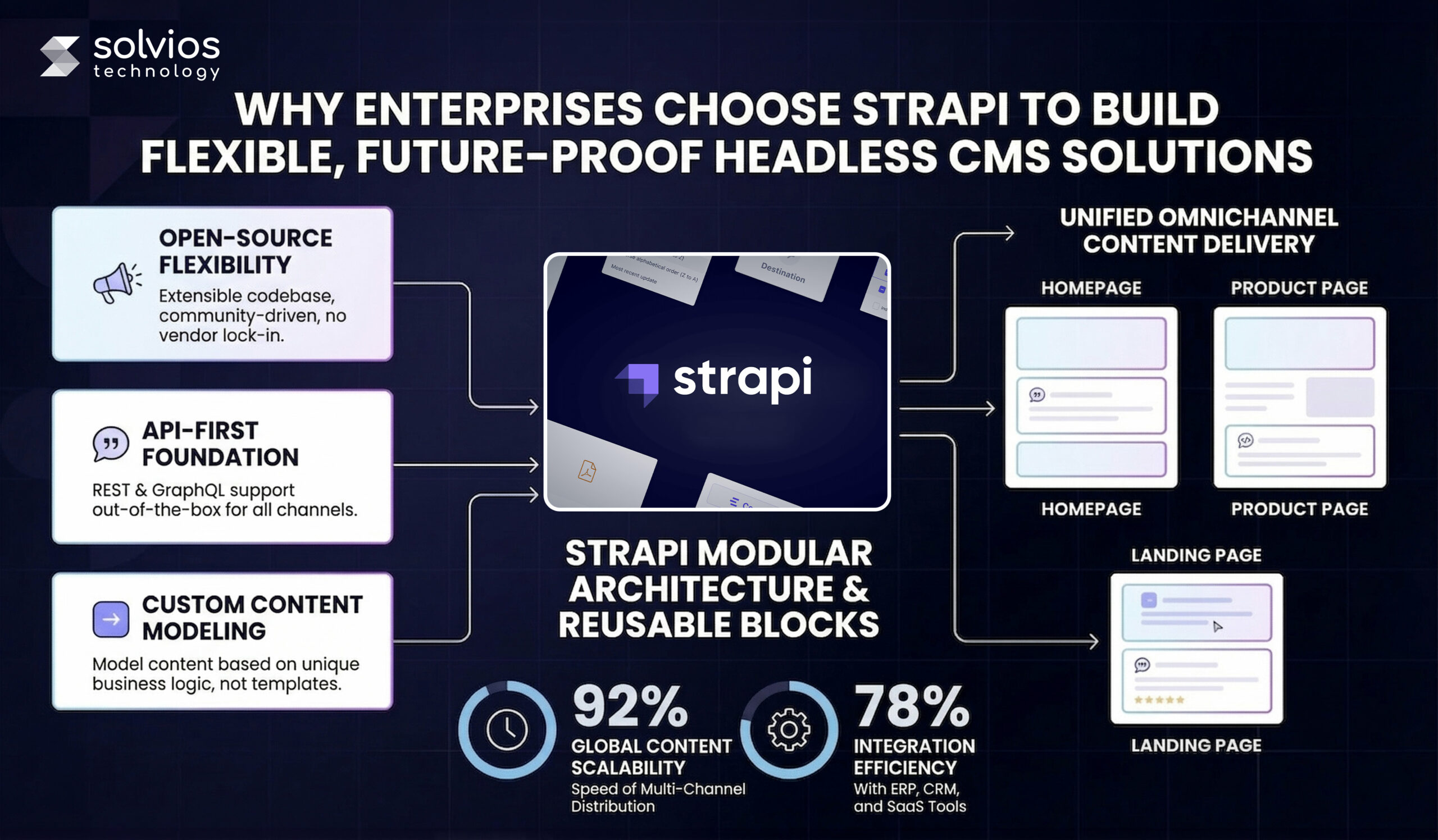
1. Open-source and community-driven
Strapi is open-source, which changes how teams approach it. The codebase is visible, extensible, and shaped over time by a large developer community rather than locked behind vendor-controlled updates.
2. API-first by design
With Strapi, APIs can’t be added later; they’re the foundation. Content is created with delivery in mind, which makes it easier to connect frontends, services, and internal tools without forcing workarounds.
3. REST and GraphQL out of the box
Different teams prefer different approaches: some rely on REST, while others prefer GraphQL. Strapi supports both without additional layers, which keeps delivery flexible as requirements change.
4. Modular and extensible architecture
Strapi isn’t designed to stay static. Users can add features as needed, not all at once. Plugins, extensions, and custom logic fit into the core without changing how the system behaves elsewhere.
5. Custom content modeling
With Strapi, content structures aren’t predefined, which is why many enterprises exploring headless CMS benefits and use cases evaluate it early. Teams model content based on real use cases, not templates. That flexibility becomes important as content grows more complex across regions, channels, and products.
What are The Core Enterprise Advantages of Using Strapi?
API-first headless architecture:
Strapi doesn’t treat APIs as an extra layer. Content has been created, and endpoints are already in place. This gives the architect the flexibility to use REST or GraphQL depending on the situation. The backend remains separate, keeping frontend choices from being locked in early.
Flexibility and customization (open-source power):
Customization rarely stays small. Over time, changes stack up. Closed systems make this harder to manage. Strapi’s open-source model leaves room to adjust logic, workflows, and structure as needs change.
Scalable architecture for high traffic:
Traffic patterns don’t stay stable for long. Usage grows, drops, and changes shape. Strapi is often used during these phases. Deployments vary, but the focus remains on maintaining steady delivery as demand increases.
Security and compliance built for enterprise:
Access control usually tightens over time. More users, more roles, more reviews. Strapi follows standard API security patterns, which helps teams manage growth without constantly revisiting core setup.
Multilingual and global content support:
Global content rarely moves at the same pace everywhere. Some regions update faster than others. Strapi handles this through localized structures that prevent workflows from splitting as markets expand.
Want these Strapi advantages working for your business?
Get a Free Strapi ConsultationHeadless CMS vs Traditional CMS – What Enterprises Should Know
| Feature | Traditional CMS | Headless CMS (Strapi) |
| API-first | APIs are usually added later | APIs exist from the start |
| Multi-channel delivery | Mainly designed for websites | Used across websites, apps, and other interfaces |
| Frontend flexibility | Tied to templates and themes | Frontend is handled independently |
| Scalability | Works up to a point | Designed to scale as usage grows |
| Full customization | Changes are more constrained | Structure and logic can be adjusted freely |
Top Enterprise Use Cases for Strapi
1. Omnichannel content delivery
Content usually starts in one place and ends up everywhere. Websites, apps, and internal tools pull from the same source. Strapi is often used when teams want content to move without rebuilding it each time.
2. Global marketing platforms
Global campaigns rarely move at the same pace. Some regions publish faster. Others lag behind. Strapi is used to keep content connected while still allowing markets to operate independently.
3. Headless eCommerce backends
Commerce stacks change often. Frontends evolve, integrations shift, and catalogs grow. Strapi is commonly placed behind the storefront to manage product content without tying it to the store’s build. Teams looking to build websites with a headless CMS often find this separation of concerns particularly valuable in eCommerce contexts.
4. SaaS admin panels
SaaS products usually need internal views that customers never see. User data, plans, and configurations live there. Strapi is a good fit when structured data needs to power those panels without extra overhead.
5. Mobile apps and internal portals
Mobile apps and internal tools tend to share more content than expected. Strapi is used to serve that content consistently, instead of maintaining separate systems for each use.
How Solvios Helps Enterprises Build with Strapi
Architecture and deployment
Most Strapi projects are shaped early by a few technical decisions. Hosting, scaling, and security choices tend to stay in place longer than expected. This is usually where Solvios gets involved first, before those decisions become hard to undo.
Integrations and APIs
Strapi rarely sits alone. Content needs to move into ERP systems, CRM tools, and other platforms. These connections work best when they’re planned rather than added later to fill gaps.
Frontend and backend work
Frontend and backend teams often move at different speeds. When APIs and interfaces aren’t aligned, friction shows up quickly. Solvios works across both layers, so the system evolves as one, not in pieces, similar to how a headless cms development company approaches long-term scalability.
Legacy CMS migration
Migration usually carries more assumptions than expected. Old content models, workflows, and shortcuts don’t always translate cleanly. Reviewing these early helps avoid rebuilding the same constraints in a new setup.
Stability after launch
Launch isn’t the end. Traffic grows. Usage changes. New requirements appear. Ongoing work around performance, security, and observability helps keep the system steady as it’s used in the real world.
If you’re planning to build or expand with Strapi, starting with a clear technical direction often saves time later. especially when supported by a team experienced in strapi development.
Conclusion – Future-Proof Your Content Strategy
Most enterprise content challenges don’t come from volume alone. They come from systems that can’t adapt to changing requirements. Channels multiply, teams grow, and delivery expectations shift faster than traditional CMS platforms can keep up.
This is why many CTOs, CIOs, and enterprise leaders move toward headless architectures. Flexibility in how content is modeled, scalability under real traffic, and security that evolves with the organization become baseline needs, not differentiators.
This is usually where headless CMS enters the discussion. Not as a trend, but as a response to systems that can’t change easily. Flexibility, scale, and security stop being separate concerns once content starts moving across more teams and platforms.
Platforms like Strapi tend to fit into this shift because they don’t force decisions too early. Content, delivery, and infrastructure can evolve at different speeds, giving teams room to adjust as priorities change.
Need a Future-Proof CMS Strategy?
Call Us NowFrequently Asked Question
Enterprises choose Strapi for headless CMS development due to its open-source flexibility, API-first architecture, customization capabilities, and ability to scale across multi-channel, enterprise-level content workflows.
Yes, Strapi is suitable for enterprise applications as it supports scalable architecture, role-based access control, API-driven delivery, and flexible integrations with ERP, CRM, and modern frontend frameworks.
Strapi offers better flexibility, API-first content delivery, frontend independence, and scalability compared to traditional CMS, making it ideal for omnichannel content management and enterprise digital ecosystems.
The cost of a Strapi-based headless CMS solution depends on customization, integrations, and infrastructure, typically ranging from mid to high investment for enterprise-grade scalability and performance requirements.
Developing a Strapi headless CMS for enterprise typically takes several weeks to months, depending on content complexity, integrations, frontend development, and scalability requirements.
Businesses should migrate to a headless CMS like Strapi when they need better scalability, faster content delivery, omnichannel publishing, and flexibility beyond the limitations of traditional CMS platforms.
About Author
Like What You See? Share with a Friend
Turn Insights Into Action
Planning something next? Let’s turn ideas into action.
How to Build Scalable Websites with a Headless CMS (Enterprise Guide)
- 11 Min Reads
-
- By Dhwani Shah
- Introduction
- What Is a Headless CMS? (Explained for Business & Technical Leaders)
- Why Headless CMS Is Ideal for Scalable, Enterprise Websites
- Common Website Architectures Using Headless CMS
- Step-by-Step: How to Build a Website with a Headless CMS
- Example Stack: Headless CMS + Next.js (Enterprise Favorite)
- Component Libraries & Design Systems for Long-Term Scalability
- No-Code + Headless CMS: When Does It Make Sense?
- Key Challenges & How Enterprises Overcome Them
- How Solvios Helps Enterprises Build Headless CMS Websites
- Frequently Asked Question
Key Takeaways
- A headless CMS separates content from presentation and delivers it via REST or GraphQL APIs to any frontend.
- Enterprise websites use headless CMS for omnichannel delivery across web, mobile, and portals without content duplication.
- Next.js is the most popular headless CMS stack for enterprises, supporting SSG, SSR, and ISR in one framework.
- To build a scalable website with headless CMS: define content structure → build frontend independently → connect via API → configure CDN.
Introduction
Enterprise websites are no longer limited by content – they are a part of marketing, analytics, sales, integrations, and customer experience.
With operations spanning multiple touchpoints, traditional CMS architectures are reaching their limits.
Tightly coupled systems slow releases, restrict frontend flexibility, and make scaling across channels difficult.
Every update depends on backend constraints.
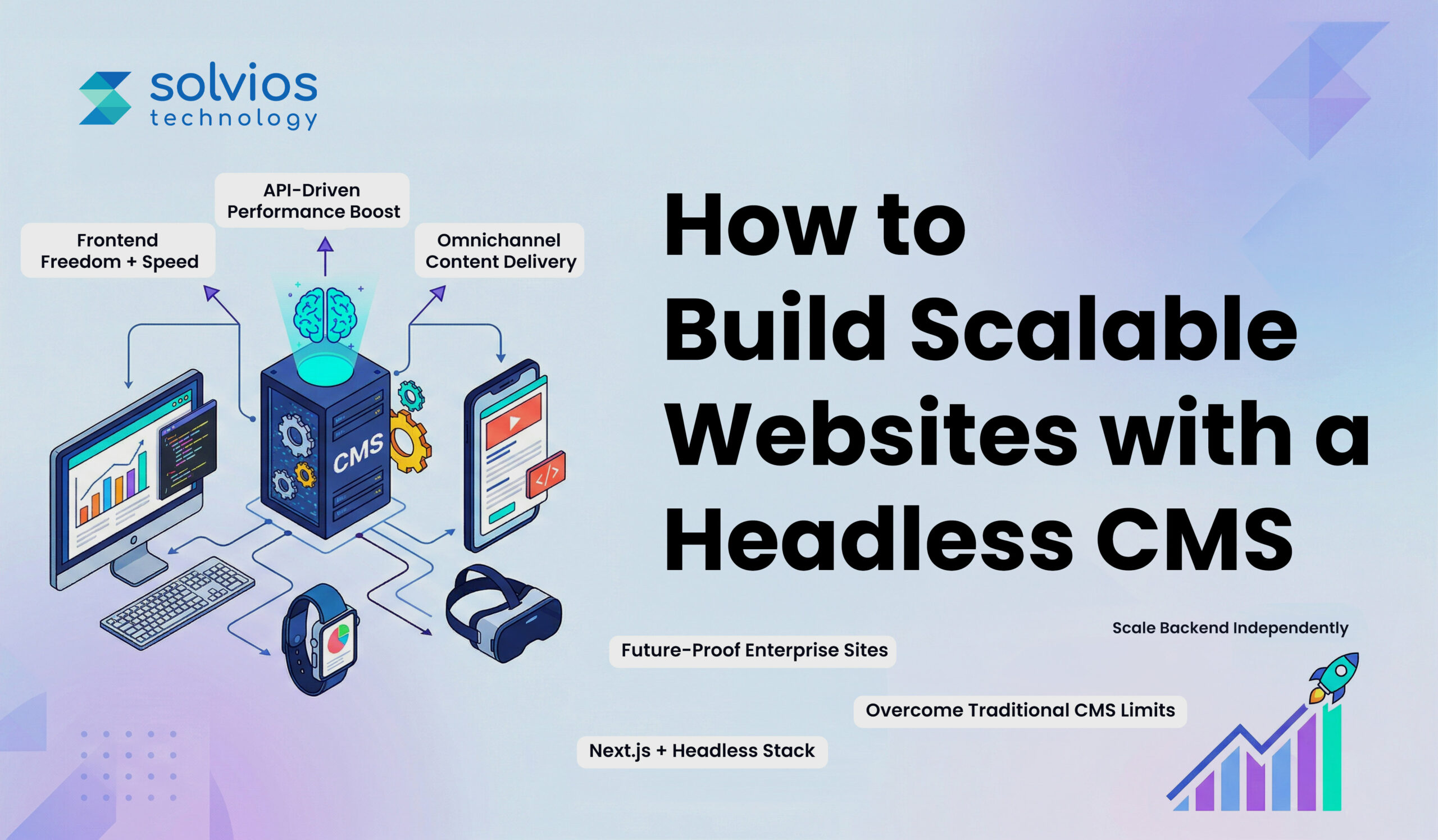
At the same time, enterprises now deliver content across the web, mobile, portals, and emerging platforms. This shift toward API-driven, omnichannel delivery has changed how websites must be built.
A headless CMS separates content from presentation, enabling scalable, flexible enterprise website architecture. For organizations looking to build a website with a headless CMS, the goal is no longer just publishing; it’s future readiness.
This blog takes a closer look at how to build scalable, future-ready websites. Let’s get started.
What Is a Headless CMS? (Explained for Business & Technical Leaders)
A headless CMS is easier to understand if you stop thinking of it as a website builder.
Traditional CMS platforms were designed to manage content and control how that content appears on a website. The backend and the frontend live together. Templates, themes, rendering; everything depends on the same system.
That model works until it doesn’t.
If you’re still exploring the basics, this guide on what a headless CMS is and helps businesses explains the concept in a more practical context.
CMS As A Content Hub – Not A Website Builder
A headless CMS takes a different approach. It focuses only on managing structured content. It stores articles, product data, media, and components in a way that can be reused anywhere. It does not decide how that content should look.
Instead, APIs like REST or GraphQL send content to the frontend, which may then publish it on its own, no matter if you use a React website, mobile app, or some other frontend.
Traditional Vs Headless CMS – A Tabular Representation
| Traditional CMS | Headless CMS |
| Same back and front end | Independent back and front end |
| CMS control page rendering | Front-end control page rendering |
| Limited content delivery flexibility | Content delivered through APIs |
| Slower release cycle | Faster turnaround |
The key difference between traditional and headless CMS is control. In a traditional CMS, everything is built on the platform. However, in a headless CMS, the frontend and content are separate.
Why Headless CMS Is Ideal for Scalable, Enterprise Websites
Frontend Freedom
Enterprise teams rarely want their CMS to decide how the user experience should be built. With a headless setup, your content remains separate from the frontend, allowing developers to use frontend frameworks such as Vue, React, Next.js, or Angular.
Performance at Scale
As traffic grows, performance becomes less forgiving. Headless architectures often work alongside static generation, server-side rendering, and CDN-based delivery. The platform doesn’t rely on a single rendering layer; instead, it scales to ensure effective content distribution during peak traffic.
To understand how this improves agility and scaling in real-world scenarios, you can explore how headless CMS improves scalability.
Omnichannel Delivery
Enterprise content doesn’t stay in one place. It supports websites, mobile applications, customer portals, and internal systems. Because a headless CMS delivers content through APIs, the same structured content can serve multiple interfaces without duplication.
Independent Scaling of Frontend and Backend
Frontend load can strain a traditional CMS setup. Thanks to the headless model, scaling the frontend doesn’t affect the content. Each element can be expanded to suit your scalability needs.
A Future-Proof Technology Stack
Frontend technology changes frequently. With a headless CMS, businesses can update or replace their frontend frameworks without moving all their content. The infrastructure stays the same, but the experience layer changes over time.
Looking for a More Scalable Enterprise Website?
Contact Us TodayCommon Website Architectures Using Headless CMS
4.1 Static Site Generation (SSG)
Static Site Generation creates pages during build time rather than when someone visits your site. The output is a set of ready-made files.
This approach is common among content-focused marketing pages and websites. Since SSG processes most websites earlier, the runtime stays light. Companies opt for SSG when they prefer stability and speed over personalization.
4.2 Server-Side Rendering (SSR)
Server-Side Rendering works differently. Pages are assembled when a request comes in. Content is pulled, rendered, and then sent to the browser.
Teams prefer the SSR model when content changes frequently or when user context is affected by what’s shown. It allows more flexibility, though it requires more runtime handling than static approaches.
4.3 Client-Side Rendering (SPA)
Client-Side Rendering loads a base application first. After that, content updates happen within the browser itself.
The SPA model gives the appeal of modern software rather than a traditional website. It’s common in portals, dashboards, and environments where users interact continuously rather than consume static pages.
Enterprise Tip: Hybrid Architectures
Most enterprise builds don’t rely on a single method. Some pages are generated ahead of time. Others are rendered dynamically. Frameworks such as Next.js and Nuxt let you mix strategies by page type rather than locking the entire site into a single model.
If you want a deeper understanding of implementation approaches, this breakdown of headless CMS setup and implementation gives a clearer technical view.
Step-by-Step: How to Build a Website with a Headless CMS
Step 1: Define the Content Structure First
Start with what needs to exist:
- Pages
- Product entries
- Articles
- Shared sections
Lay out what needs to be there in the structure, decide how they connect, and where they appear. If this isn’t clear early, you’ll keep adjusting the model later. That usually slows everything down.
Step 2: Select A Headless CMS That Fits Your Operating Model
Pick a system that matches how your team operates. Some companies prefer SaaS to avoid infrastructure management. Others need self-hosted control to comply with internal IT rules. Look at permissions, API access, workflow limits, and long-term flexibility before deciding.
Step 3: Build the Frontend as an Independent Application
The frontend stands on its own. Use frameworks like React, Next.js, or Vue to build reusable components. Keeping it separate from the CMS makes future design changes easier.
Step 4: Connect the CMS Through APIs
Integration happens through REST or GraphQL. Once connected, the CMS simply provides structured data. The frontend handles how it appears.
Step 5: Address Performance Early
Set up caching and CDN support from the beginning. Fixing performance later is harder once traffic grows.
Step 6: Deploy With Scalability in Mind
Use CI/CD for controlled releases. Choose hosting that can grow with demand. Scaling works better when it’s planned rather than reactive.
If you’re evaluating options, understanding different headless CMS benefits and architecture can help you make a more informed decision.
Looking for the Right Approach to Build a Headless CMS Website?
Let’s TalkExample Stack: Headless CMS + Next.js (Enterprise Favorite)
Why Next.js Is Popular in Enterprise Builds
Next.js is one of the most popular stacks for headless CMS since it makes it easier for the front end and back end to work together. It works with React and handles many publishing tasks, so teams can focus on what’s most important.
1. SSG, SSR, and ISR Advantages
One reason enterprises prefer Next.js is rendering flexibility. Some pages are generated ahead of time. Others are rendered when requested. In some cases, pages update in the background without full rebuilds. This allows performance decisions to vary by page type.
2. Content Previews and Staging
Preview capability matters in enterprise environments. Editors need to see changes before publishing. Next.js works cleanly with CMS preview endpoints and staging setups, which helps teams manage releases without exposing unfinished work.
3. Security and Performance
When deployed behind a CDN or edge platform, the frontend handles most traffic directly. The CMS stays isolated. That separation reduces surface exposure and keeps performance stable during traffic increases.
Component Libraries & Design Systems for Long-Term Scalability
Enterprise websites rarely underperform under traffic; they collapse when the structure becomes inconsistent. A headless CMS becomes an asset for your brand when you use it alongside a reusable component library backed by a design system.
Instead of customizing layouts and designs for every page request or campaign, teams work with an underlying structure, adding stability to operations. When design models and content structures align from the start, publishing content becomes more reliable.
Having such a structure means:
- Fewer revisions
- Less friction between teams
- A consistent experience across regions, devices, and digital properties.
Over time, this approach protects the codebase from unnecessary complexity.
No-Code + Headless CMS: When Does It Make Sense?
No-code works when the job is simple: a marketing site, a campaign page.
An early MVP that just needs to go live. In these cases, teams usually prioritize speed over deep customization. If the structure is straightforward and integrations are limited, a no-code layer connected to a headless CMS can do the job.
But once the platform takes on more responsibility, its limits show. Complex workflows, multiple system integrations, performance tuning, and stricter security controls are harder to manage in a pure no-code setup.
That is when custom development becomes necessary.
In practice, many enterprises combine both. Marketing gets flexibility within guardrails. Engineering manages the foundation, integrations, and scale.
Key Challenges & How Enterprises Overcome Them
1. Higher initial setup effort:
Headless projects rarely start light, and there is planning involved. Content structure, APIs, and frontend logic must all be aligned before launch. It feels heavier at the beginning. Enterprises that accept this as groundwork, not delay, usually avoid bigger issues later.
2. Content preview complexity:
Editors often preview first. What you see in the CMS does not always match what appears on the site. The fix is tighter preview integration and clearer staging flows. Once that layer is stable, publishing becomes predictable.
3. Frontend–CMS coordination:
When content teams and developers don’t align, friction builds throughout the system. Here’s what happens:
- Fields change
- Components shift
- Expectations differ
Having a clear structure reduces monotony throughout.
4. API rate limits & caching:
APIs burn faster when traffic grows. When you don’t plan for caching and performance, the system experiences slowdowns.
How Solvios Helps Enterprises Build Headless CMS Websites
Headless projects usually fail when decisions are rushed. Solvios begins with clarity. The team helps enterprises evaluate CMS options based on structure, workflow needs, and long-term growth, not just feature lists.
Solvios provides headless cms development services and develops both the front end and the back end with scalability in mind.
We create systems where:
- Content models stay clean
- APIs remain manageable
- Integrations with ERP and CRM systems are handled early
We also consider SEO and the overall performance of the systems during development and post-launch.
Want Expert Advice on the Right Headless CMS Approach?
Book a Headless CMS ConsultationFrequently Asked Question
The best way to build a website with a headless CMS is to define content models first, then develop a scalable frontend using frameworks like React or Next.js, connected via APIs.
Yes, headless CMS is ideal for enterprise website development due to its scalability, API-driven architecture, omnichannel delivery, and flexibility to integrate with complex systems like ERP and CRM.
A headless CMS improves website scalability by separating frontend and backend, enabling independent scaling, faster performance through CDNs, and efficient content delivery across multiple digital platforms.
Common challenges in headless CMS development include higher initial setup, content preview complexity, API rate limits, and frontend–backend coordination, which require proper architecture planning and experienced development teams.
The cost to build a headless CMS website varies based on complexity, integrations, and scalability needs, typically ranging from mid to high investment for enterprise-grade architecture and custom development.
For scalable websites, headless CMS is better than traditional CMS due to its flexibility, performance optimization, and ability to support modern frontend frameworks and omnichannel content delivery.
About Author
Like What You See? Share with a Friend
Turn Insights Into Action
Planning something next? Let’s turn ideas into action.
Umbraco for Enterprise: Governance, Security & Compliance at Scale
- 10 Min Reads
-
- By Dhwani Shah
- Introduction
- What Enterprise Security & Compliance Really Mean
- Built-In Security Features of Umbraco
- Security & Governance Controls for High-Scale Enterprises
- Platform & Cloud Security for Enterprise Deployments
- Compliance Readiness: Support for Enterprise Regulations
- Content Governance Best Practices Enabled by Umbraco
- Common Misconfigurations & Threat Vectors CIOs Should Avoid
- How Solvios Can Help – Enterprise Security, Governance & Compliance
- Conclusion – Secure, Compliant, and Enterprise-Ready
- Frequently Asked Question
Key Takeaways
- Umbraco integrates content governance, security, and compliance directly into its platform — making it built for enterprise CMS environments that scale.
- Enterprise compliance readiness in Umbraco is built on encrypted data storage, regional data controls, and audit-ready backup and recovery practices.
- Structured workflows, version history, and role-based access controls prevent content governance from breaking down as teams and regions grow.
- The most common enterprise CMS risks — outdated packages, exposed admin access, and stale permissions — are configuration failures, not platform limitations.
Introduction
Enterprise content systems rarely fail due to missing features. They fail when control systems cannot maintain consistency at scale. More users, a widespread audience, and growing content volume expose the gaps in the system.
The lack of access, updates, or oversight starts to add up. Security and compliance stop being background concerns at this stage.
They shape how content is created, reviewed, published, and governed. When a CMS can’t keep up with those demands, content governance begins to slip before anyone notices.
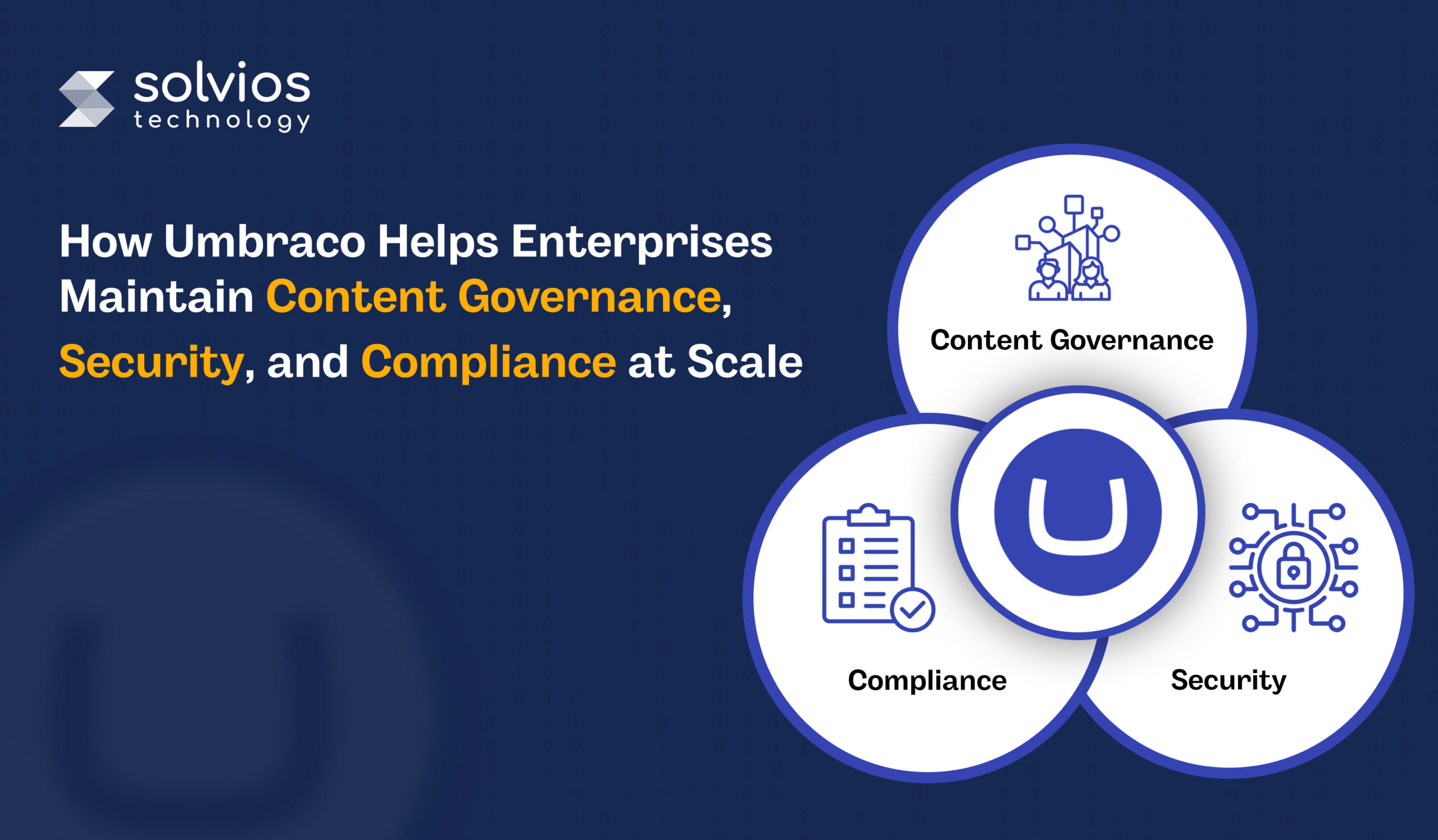
This is why enterprise teams often evaluate platforms like Umbraco, not just as a security add-on, but as a CMS supported by expert umbraco development services to ensure governance, protection, and compliance as scale becomes unavoidable.
Continue reading as we learn more about Umbraco’s role in content governance, security, and compliance at scale.
What Enterprise Security & Compliance Really Mean
In large organizations, security and compliance don’t appear as clear rules at first. They surface slowly, through everyday work. More users gain access, content scales, and move between teams. At this stage, small inconsistencies begin to matter.
Content Governance:
Content governance usually shows up early. Access that once felt flexible starts becoming confusing. Approvals take longer. Changes are harder to trace. Teams need to know who touched what, and when, simply to keep work moving.
Security Posture:
Security becomes noticeable when systems connect and exposure increases. Vulnerabilities aren’t significant at first; they’re subtle, and as access expands, data travels farther. It enables complete security throughout the operations.
Compliance Measure:
Compliance tends to enter the picture gradually. It’s noticed when questions start coming up about where data sits, who can access it, and how long information is kept. Rules vary by region, and those differences affect daily decisions more than policy documents do.
Once your business has scaled, these concerns don’t feel like a different part of your operations. Working with a CMS that integrates security, governance, and compliance into its operations is crucial.
Built-In Security Features of Umbraco
A. Open-source and ongoing security testing :
Security questions tend to come up once systems are in use, not during setup. Umbraco regularly tests its core platform and cloud services. Reviews happen more than once, often before teams notice an issue themselves.
B. Automated updates on Umbraco Cloud:
Outdated software is a common source of risk. On Umbraco Cloud, updates are handled automatically. This functionality removes the gap between when fixes are released and when they are actually applied in live environments.
C. Security controls built into the platform:
Some security measures are expected to be in place without additional work. HTTPS is enforced. Credentials are handled securely. Login protection is part of the default setup. Health checks exist to surface weak configurations before they turn into problems.
D. Integration with corporate identity and access management:
At a certain size, logins are no longer handled within the CMS. Access moves to systems teams already use elsewhere. Umbraco fits into that shift by integrating with enterprise identity platforms such as Microsoft Entra ID, where authentication rules and multi-factor policies are already defined.
These elements don’t stand out on their own. They’re noticed when nothing breaks, access stays controlled, and issues don’t surface unexpectedly as usage grows.
Looking to strengthen your Umbraco platform?
Contact Expert NowSecurity & Governance Controls for High-Scale Enterprises
Access control as teams grow:
Access usually starts simple and becomes complicated later. More people join, roles overlap, and responsibilities shift. Limiting who can edit or publish content becomes a way to keep daily work from drifting rather than a strict security exercise.
Administrative actions and traceability:
Although administrative changes are infrequent, they leave a trace. A setting is adjusted, a permission changes, and weeks later, questions appear. Being able to see what changed, and when, often matters more than stopping changes entirely.
Authentication outside the CMS:
At scale, logins rarely stay inside individual tools. Authentication moves to systems already used across the organization. The CMS follows those rules instead of defining its own, which keeps access consistent across platforms.
Platform & Cloud Security for Enterprise Deployments
A. Secure infrastructure through managed cloud environments:
When you start your operations, the infrastructure is usually a significant component. However, things tend to slow down as the team expands. With Umbraco’s access to Azure, teams can secure their operations while working in early environments. If you want to understand the foundation better, you can explore this detailed guide on cloud infrastructure explained.
B. Encryption in transit and at rest:
Encryption tends to fade into the background when it works correctly. Data moves over secure connections, and stored content remains protected without manual intervention. Enterprise setups expect these protections, especially as integrations and external access increase.
C. Web application firewall and network protection:
Public-facing systems attract attention over time. A web application firewall helps filter unwanted traffic and common attack patterns before they reach the application layer. These protections reduce noise and risk rather than eliminating threats.
D. Monitoring and telemetry visibility:
Security issues aren’t always obvious at first. Things feel slower. Requests don’t behave the same way. Teams start looking closer. Monitoring tools help surface patterns that aren’t visible until something feels slightly off.
Struggling with CMS governance or compliance challenges?
Talk to Experts NowCompliance Readiness: Support for Enterprise Regulations
Data privacy in real environments
Privacy concerns usually surface once data starts moving across regions. Teams begin asking where content actually lives and who can access it. With Umbraco Cloud, data location and encrypted connections are already defined, which removes some of that uncertainty early on.
Preparing for audits without rework
Audits tend to focus on how systems behave over time. Backups, incident response, and recovery practices matter more than feature lists. Umbraco helps brands manage content in these areas, providing teams with references before any inquiries arise.
Working alongside enterprise standards
A single system rarely handles compliance standards on its own. While Umbraco Cloud runs on a compliant cloud infrastructure, most organizations layer their controls on top of it. This shared responsibility is how teams usually demonstrate readiness without overloading the CMS itself.
Content Governance Best Practices Enabled by Umbraco
1. Workflows and approval habits:
Publishing doesn’t start with a formal structure. Over time, that stops working. Content moves faster than reviews, and decisions become harder to trace. Structured workflows help slow things down just enough for reviews and approvals to occur consistently, rather than relying on memory or manual checks.
2. Version history and rollback safety:
Mistakes aren’t rare when many people edit content. Version history becomes useful once changes overlap. Being able to look back, compare versions, or restore an earlier state helps teams fix issues without escalating or recreating content from scratch.
3. Editorial control across teams and regions:
As more regions and teams contribute, rules start to vary. Some publish quickly. Others wait. Central controls help keep expectations aligned while still allowing local teams to work within agreed boundaries. Scaling your operations can compromise this balance.
Common Misconfigurations & Threat Vectors CIOs Should Avoid
Outdated core or packages
Most systems don’t fall behind all at once. Updates are skipped because everything seems stable. Months pass. Eventually, an issue surfaces, and it turns out fixes already existed, just never applied. This Umbraco CMS optimization guide covers high-traffic enterprise best practices.
Exposed back-office access
Admin access is often opened early for speed. Over time, that access remains wider than necessary. What once felt harmless becomes visible from places it shouldn’t be, usually noticed only after traffic increases.
Weak identity rules or missing MFA
Single-factor access often stays longer than intended. It works, so it’s left alone. As more users log in, that choice starts to feel fragile rather than convenient.
Permissions that never shrink
Access is granted easily and rarely taken back. People move roles, teams change, but permissions remain. Eventually, it’s unclear who actually needs what, which creates risk without intent.
No clear patching rhythm
When something breaks, teams fix it. When nothing breaks, updates wait. Without a regular rhythm, small issues linger quietly and only get attention when timing is no longer ideal.
How Solvios Can Help – Enterprise Security, Governance & Compliance
Security and governance problems in enterprise CMS environments rarely arrive together. They show up in pieces. Access feels inconsistent. Ownership becomes harder to define. Updates fall behind because nothing seems urgent enough on its own. Over time, these gaps start to overlap.
At this stage, choosing the right CMS approach becomes equally important. If you’re evaluating broader CMS options alongside Umbraco, this comparison of CMS eCommerce platforms can help guide your decision.
This is usually when Solvios enters the picture. Not to make sweeping changes, but to look closely at how Umbraco is actually set up today. Configuration, access, and workflows are reviewed in context, the way they’re being used, not the way they were intended.
As scale increases, the work shifts toward maintaining stability while complying with security and governance requirements.
Request a Security & Compliance Audit
Conclusion – Secure, Compliant, and Enterprise-Ready
Enterprise systems don’t fail loudly. They become harder to control.
More users, more content, more pressure.
The systems that once worked effortlessly require more security, compliance, and governance as you scale. Besides, controlling your operations as you scale isn’t about rules; it’s about setting the foundation early.
That difference is usually what separates stable platforms from ones that need constant fixing.
Need reliable Umbraco development services for your enterprise?
Get a Free CMS ConsultationFrequently Asked Question
Content governance in an enterprise CMS refers to the processes, workflows, and permissions that control how content is created, reviewed, approved, and published. It ensures consistency, accountability, and compliance across teams at scale.
An enterprise CMS should include role-based access control, multi-factor authentication (MFA), encryption, audit logs, and regular updates. It should also integrate with identity systems and support compliance standards like GDPR.
Umbraco ensures security through built-in controls like secure authentication, automated updates on cloud environments, HTTPS enforcement, and integration with enterprise identity providers such as Microsoft Entra ID.
A CMS supports compliance by managing data access, storing content securely, enabling audit trails, and controlling data retention. It also helps organizations align with regional data privacy regulations through structured processes.
An enterprise should upgrade its CMS when it faces issues like unclear content ownership, inconsistent permissions, delayed approvals, or lack of visibility into content changes. These are signs that governance and control are breaking down at scale.
Umbraco is a strong choice for enterprises due to its flexible architecture, scalable cloud infrastructure, built-in security features, and ability to integrate with enterprise systems, making it suitable for governance and compliance needs.
About Author
Like What You See? Share with a Friend
Turn Insights Into Action
Planning something next? Let’s turn ideas into action.
How HubSpot AI Features Help Businesses Scale Marketing, Sales & CRM Operations
- 13 Min Reads
-
- By Dhwani Shah
- Why AI Is Critical for Modern Business Operations
- What Are HubSpot AI Features? An Overview
- HubSpot AI Features for Marketing Teams – Scale Strategy & Execution
- HubSpot AI Sales Features for Smarter Revenue Growth
- HubSpot AI CRM Features for Customer Success & Operational Efficiency
- HubSpot AI Automation Features – Connect, Optimize & Scale
- Real-World Use Cases & Results
- How to Choose the Right HubSpot AI Features for Your Business
- Best Practices for Implementing HubSpot AI Features
- Challenges & How to Overcome Them
- How Solvios Can Help – HubSpot AI Strategy & Integration Services
Key Takeaways
- HubSpot AI helps businesses scale marketing, sales, and CRM operations by automating lead scoring, content creation, forecasting, customer support, and workflow management.
- The most valuable HubSpot AI features for business growth include predictive lead scoring, AI content generation, SEO topic clustering, CRM automation, and AI-powered sales forecasting.
- Businesses achieve better results from HubSpot AI when CRM data is clean, workflows are structured, and AI features are connected to marketing, sales, and customer service goals.
- Current AI trends in HubSpot focus on automation, first-party CRM data, conversational AI, predictive analytics, and integrated tools like ChatSpot, Zapier, n8n, and LLM-powered workflows.
Why AI Is Critical for Modern Business Operations
Growth doesn’t wait for manual processes to catch up.
Teams chase leads, marketing builds campaigns, the sales team executes deals, and service handles requests.
Every function moves data, but most of that movement is manual. AI changes the speed at which decisions happen.
When AI sits inside a CRM, it doesn’t replace teams; it removes the repetitive work that slows them down:
- Lead scoring happens automatically
- Email subject lines get tested before campaigns launch
- Call summaries write themselves after conversations end.
HubSpot AI features are built directly into the platform where marketing, sales, and service teams already operate. That proximity matters. AI applied to incomplete data or disconnected systems produces noise. AI applied to unified customer records produces clarity.
This is why many businesses rely on hubspot consulting services to structure their CRM data, workflows, and automation before deploying AI features effectively.
This guide explores the key HubSpot AI features that help businesses scale marketing, sales, and CRM operations.
What Are HubSpot AI Features? An Overview
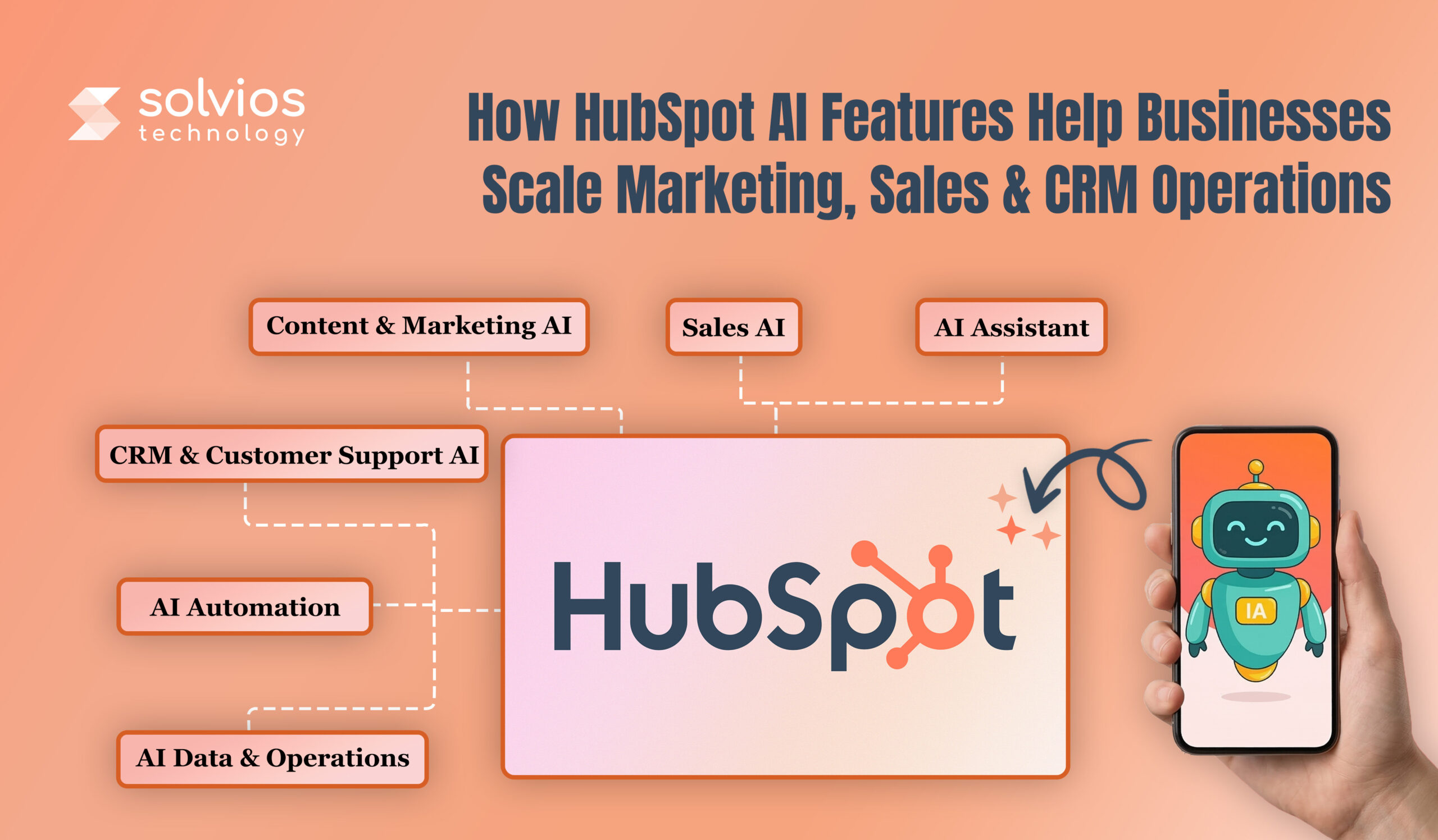
HubSpot AI features operate on two levels: native AI capabilities inside HubSpot and integrations through its ecosystem.
Native AI features are built directly into HubSpot, helping businesses across various aspects of their operations. Businesses exploring AI adoption often begin with a HubSpot AI guide for businesses to understand how automation and intelligence work across marketing, sales, and CRM operations.
Here’s what HubSpot brings into your workflow:
- Content Assistant generates copy
- ChatSpot interprets natural language queries
- Predictive lead scoring ranks contacts automatically
- Forecasting flags pipeline risk before deals collapse
Similarly, integrated AI connects through HubSpot’s API and App Marketplace. Here’s what the HubSpot Native AI Ecosystem looks like:
1. Marketing Hub:
- Content generation and optimization
- Campaign performance prediction
- SEO recommendations tied to topic clusters
2. Sales Hub:
- Conversation intelligence and call analysis
- Deal forecasting and pipeline health scoring
- Email reply prediction and send-time optimization
3. Service Hub:
- Ticket routing based on intent classification
- Response suggestions pulled from knowledge base articles
- Customer sentiment tracking across support interactions
4. Operations Hub:
- Data quality automation and duplicate management
- Workflow recommendations based on usage patterns
- Predictive analytics for custom reporting
AI integrated with CRM systems doesn’t just analyze faster; it improves overall operations. It closes the loop between insight and action. Recommendations don’t sit in reports. They trigger the next steps automatically.
Need help implementing HubSpot AI features for your business?
Book Free Strategy CallHubSpot AI Features for Marketing Teams – Scale Strategy & Execution
Marketing teams hit capacity before demand. Content calendars slip, personalization breaks at scale, and segmentation happens manually or stops. HubSpot AI is designed to remove such bottlenecks.
Here’s how it helps strategy and execution:
AI Content Creation & Optimization
The content Assistant allows teams to streamline content operations by providing blog outlines, landing page variants, and email copy. The platform suggests SEO recommendations, including keyword gaps, internal links, and meta descriptions. Content is published with structure, not after cleanup.
Many businesses combine AI content capabilities with HubSpot marketing automation strategies to streamline campaign creation and distribution across multiple channels.
Impact: Higher output without a drop in quality. Production time decreases, and SEO aligns as you draft the content.
AI-Powered Campaign Personalization
Static campaigns are hard to scale. HubSpot AI personalizes it with behavioral data – page views, open history, and conversions. It also triggers dynamic workflows based on engagement signals.
Impact: HubSpot AI improves conversions by delivering the right message at the right stage, with zero manual work.
AI-Driven SEO & Topic Clustering
HubSpot AI simplifies SEO and topic clustering by suggesting topic clusters around content pillars. It identifies content gaps and highlights structures competitors rank for.
Impact: SERP rankings climb through structured content. Traffic grows as topic authority builds across clusters.
Smarter Audience Segmentation
Manual segmentation is challenging. Manual segmentation doesn’t provide the flexibility to analyze user behavior, visits, and engagement in detail. However, AI segmentation automates such aspects, focusing on patterns that can’t be analyzed manually.
Impact: Budgets focus on segments that convert. Targeting sharpens, and there’s zero friction.
Looking to scale your business with AI-powered HubSpot automation?
Schedule a Call NowHubSpot AI Sales Features for Smarter Revenue Growth
Sales reps today spend more time qualifying leads than closing them. Pipelines are filled with paused deals, forecasts don’t align with reality, and outreach feels like a copied effort. However, that’s where HubSpot AI introduces the difference in your workflow:
Predictive Lead Scoring
Predictive lead scoring adds numbers to leads, helping the sales team focus on leads that matter. It categorizes leads by conversion likelihood, prioritizing high-intent leads so sales reps can focus on qualified leads rather than qualifying them. Businesses that adopt HubSpot lead scoring models often see improved pipeline efficiency and shorter sales cycles.
AI-Enhanced Outreach & Email Optimization
HubSpot AI helps businesses improve outreach and optimization by suggesting subject lines and body copies. It analyzes user behavior and past performance to help brands create templates by deal stage. Additionally, HubSpot AI automatically runs A/B tests to improve reply rates and outreach.
Deal Insights & Forecasting
AI analyzes your workflow to identify patterns and highlight the different aspects of your sales pipeline. Forecasts use past data to understand what halts deals, how long customers take to convert, and what drives them to leave. Organizations exploring AI in HubSpot CRM often combine forecasting with deeper CRM analytics to improve revenue predictability.
AI-Driven Prospecting
AI recommends the next steps. For instance:
- Customers inquire about pricing but don’t buy – suggest case studies.
- Customer buys Product A – flag cross-sell for Product B.
- Recommendations appear in contact records and timelines.
- Cross-sell revenue grows. Opportunities surface before competitors act.
Struggling to set up lead scoring and AI automation in HubSpot?
Talk to an ExpertHubSpot AI CRM Features for Customer Success & Operational Efficiency
Support teams answer the same questions daily. CRM records stay half-empty. Sentiment tracking happens through guesswork. Follow-ups fall through because no one remembers. AI handles what humans shouldn’t.
1. AI Chatbots & Conversational Assistants
Bots field FAQs, sort tickets, and capture leads. Complex issues move to reps with full context already attached. No one asks the same question twice.
Response times collapse. Support teams focus on problems bots can’t solve.
2. Automated CRM Data Enrichment
Missing job titles, industries, revenue figures – AI fills them. Enrichment runs as records arrive. Profiles don’t stay incomplete because someone forgot to update them. Segmentation sharpens. Personalization works when the data actually exists.
3. Customer Feedback Analysis & Sentiment Scoring
AI analyzes tickets, surveys, and chat logs to detect patterns before issues escalate. Accounts are flagged under the following categories: at-risk, delays, and escalations. The platform helps find problems early before team frustration peaks.
4. Workflow Automation with AI Triggers
Behavior drives action, not calendar reminders. Customer goes dark for two weeks? Task created. Deal untouched for a week? Rep gets pinged. Ticket escalates twice? Manager notified. Nothing waits for manual checks. The system responds when conditions are met.
HubSpot AI Automation Features – Connect, Optimize & Scale
Workflows fail when volume outpaces manual work. Leads don’t get tagged, there are no follow-ups, and summaries pile up unwritten. AI executes what teams can’t keep up with.
AI-Triggered Workflows in HubSpot
Workflows don’t just shuffle data; they decide and act. AI reads form responses and tags leads instantly. Calls end, summaries appear in the CRM. Follow-up emails are sent automatically.
Here’s how it looks inside a system:
- Does Lead mention the budget in a form? Tagged “high intent,” routed to sales now.
- Ticket language turns sharp? Escalated before anyone replies.
- Notes scattered across five calls? Consolidated into one update without a rep lifting a finger.
Actions cross hubs, marketing triggers sales tasks, and service updates feed back into campaigns.
Companies building advanced automation workflows often experiment with LLM integration with HubSpot to expand AI capabilities beyond native tools.
Tools That Extend Workflow Automation
Zapier
Zapier links HubSpot to thousands of apps and drops AI into the middle. Form comes in, data enriches elsewhere, contact lands back in HubSpot already scored.
n8n
n8n runs custom workflows that process files, write content, and read sentiment. Results update HubSpot without manual syncing.
Workato
Workato orchestrates across entire tech stacks – CRM, ERP, support tools. Workflows span systems. AI routes, approves, and flags problems. Teams rarely need manual intervention unless an issue occurs.
Extensions kick in when HubSpot’s logic hits its ceiling or outside systems need decisions baked in.
Real-World Use Cases & Results
Marketing: Email Production Automated
The marketing team launched four campaigns per month, and creating text became a problem for them. Content Assistant now writes several versions of emails, subject lines, and calls to action. AI determines the best times to transmit based on how people have interacted with your messages in the past.
Result: 3x campaign output. Open rates climbed 22% because messaging matched behavior patterns rather than assumptions.
Sales: Predictive Scoring Focuses Effort
Reps chased every lead equally. Half went cold. Predictive lead scoring now ranks contacts by their likelihood of conversion based on firmographics and engagement signals. High-intent leads route immediately. Low-fit leads enter nurture automatically.
Result: Sales cycles shortened by 18 days. Conversion rates improved because reps worked qualified contacts first.
Support: Automation Cuts Response Times
Support handled more than 200 tickets per day, and most of the time, customers had generic queries. AI chatbots can now quickly answer common questions. Agents receive full context, so they don’t need to repeat questions when handling complex issues.
Result: First response time dropped from 4 hours to under 30 minutes. NPS rose 14 points. CSAT hit 91%.
How to Choose the Right HubSpot AI Features for Your Business
Not every AI feature fits every business. Deploy the wrong ones and teams ignore them, deploy the right ones and operations shift immediately. Here’s how to choose the right HubSpot AI for your business:
Business Goals Alignment
AI doesn’t solve vague problems. Define what breaks first. Lead generation stalls? Use predictive scoring and content automation. Revenue flatlines? Deploy deal forecasting and prospecting features. Efficiency gaps drain time? Activate workflow automation and chatbots. AI features must align with business goals, otherwise they remain unused.
Integration Depth
Native tools like ChatSpot, Content Assistant, and predictive scoring run faster because they extract data from the CRM without configuration. Similarly, external tools like n8n and Zapier need integration to work seamlessly. Therefore, it’s best to use external tools once native tools reach their limits.
Data Readiness
AI performs as well as the data feeding it. Incomplete records produce weak scores. Missing history breaks forecasts. Duplicates confuse segmentation. Audit CRM hygiene first. Clean data, then deploy tools. Garbage in still means garbage out.
Scalability & Governance
Features that work for 500 contacts might not work for 50,000. Test at the predicted scale, not the existing scale. Assign different roles for team members – who check scores, authorize content, and analyze triggers. Governance saves automation from drifting.
Cost vs ROI
Native AI bundles with HubSpot subscriptions. External features add costs. Calculate ROI using time saved and revenue gained. Once the scoring cuts the sales cycle by 2 weeks, measure how quickly the deal closes.
Best Practices for Implementing HubSpot AI Features
AI implementations fail when deployed everywhere at once. Start narrow, scale what works, and remove what doesn’t.
Audit and Clean CRM Data First
Dirty data breaks AI before it starts. Duplicate contacts confuse scoring. Incomplete records weaken personalization. Missing deal history kills forecasting accuracy. Run a data audit. Merge duplicates. Fill critical gaps. Then activate AI.
Start with Pilot Workflows
Don’t automate everything day one. Pick one workflow with clear metrics, such as lead scoring for sales, email optimization for marketing, and ticket routing for support. Deploy. Monitor. Adjust. Expand only after the pilot proves ROI.
Track Key KPIs
Check the email engagement rates, the increase in lead-to-opportunity conversion, the decrease in average response time, and the cost per lead before and after. If AI doesn’t change these statistics within 30 days, the features or workflow must be modified.
Avoid Over-Automation
AI doesn’t replace judgment. For big decisions like approving deals, escalating support tickets, and launching big campaigns, keep people in the loop. Make repetitive things automatic. Look at the results often. Override when AI misses something that only people can see.
Iterate Based on Performance Insights
AI workflows drift over time. What worked during integration might cause friction after a few weeks. Therefore, it’s best to review the performance weekly until it’s stable.
Challenges & How to Overcome Them
Data Privacy & Security
AI touches customer records: contact details, behavior logs, and deal history. GDPR and CCPA restrict how that data can be used and shared. Compliance gaps become legal exposure.
Solution: Set guardrails before turning anything on. Lock down data access and anonymize datasets where regulations require it. Use HubSpot’s privacy controls for consent and retention. Map AI workflows against compliance requirements with legal input, not assumptions.
AI Output Quality (Hallucination)
AI’s main goal is to produce high-quality work. It doesn’t address non-existent contacts; instead, it highlights contacts who don’t respond. It gives predictions with patterns that differ from one another.
Solution: Lock prompts to confirmed data sources. Set limits on what AI can and can’t look at. Add review loops to the output that customers see. Check accuracy weekly. When errors cluster, tighten the prompt or kill the workflow.
Integration Complexity
Native features turn on fast. External connections don’t. APIs drop. Webhooks stall. Syncs fail quietly, and no one notices until the data’s already wrong.
Solution: Instead of making your own, use Zapier or Workato to connect routes. Certified HubSpot partners know how to work with broken connections. Don’t do it yourself unless developers will be around to keep it up to date.
How Solvios Can Help – HubSpot AI Strategy & Integration Services
Most businesses don’t lack AI features; they lack a plan for using them.
- Tools get activated without a strategy
- Workflows automate the wrong tasks
- Data stays messy. Teams don’t adopt what they don’t understand
- ROI never materializes.
Solvios closes that gap.
We integrate HubSpot into your workflow, design custom automations, integrate the platform with your ERP, train teams, and monitor performance as your business scales.
AI workflows drift over time. We optimize continuously, so ROI doesn’t.
Ready to deploy AI that actually delivers?
Book Your Free Strategy Call NowAbout Author
Like What You See? Share with a Friend
Turn Insights Into Action
Planning something next? Let’s turn ideas into action.