
Month: December 2025
How HubSpot’s Lead Scoring Can Boost Sales Conversions
- 8 Min Reads
-

- By Dhwani Shah
Introduction
In most B2B environments, the cost of selling is already high.
When sales teams spend hours chasing low-value leads, the loss isn’t just time; it’s real revenue leaking out of the pipeline.
The root cause is almost always the same: generic lead scoring that only tracks surface-level activity. It sees clicks and page views, but it doesn’t know what actually predicts a deal: renewal windows, past spend, open invoices, or product-line interest buried inside your ERP.
That’s the gap this model is designed to fix.
The strongest scoring systems blend HubSpot’s flexibility with data-rich signals coming from ERP, CRM, and internal systems, giving your team a clearer picture of who is genuinely ready to buy. When these sources work together, sales stops guessing and starts prioritizing with confidence.
Solvios builds the architecture behind this shift. We design the scoring strategy, create the integration layer, and ensure your systems talk to each other in real time, giving you a predictive engine rather than another marketing checklist.
Why “Out-of-the-Box” Lead Scoring Fails the Enterprise
Most platforms promise instant lead scoring with a few clicks. It works for small teams, but the moment an enterprise steps in, those preset rules start missing the signals that actually drive revenue.
Here’s what generally fails:
The Custom ERP Blind Spot
A default score has no visibility into the information in your ERP: historical purchase volume, support history, contract renewal windows, outstanding invoices, or interest in a specific product line. These data points usually predict intent far more accurately than page views or email opens. When scoring isn’t tied to the ERP, sales teams lose the context that matters most.
The Complexity of the B2B Buyer
Enterprise selling rarely revolves around a single contact. A CIO reviewing long-term scalability carries a different weight than an intern downloading a brochure. Out-of-the-box scoring treats these interactions as equal. It cannot adjust the score based on seniority, buying authority, or the role each stakeholder plays in the decision cycle.
Lack of Bi-Directional Feedback
Your data is crucial to sales. Therefore, there must be a reliable scoring model that evolves with sales. However, when your workflow lacks integration with HubSpot and your ERP, the system fails to learn about leads and their patterns. The score remains static, even though your sales data shows what works.
Out-of-the-Box Lead Scoring Isn’t Built for Enterprise Revenue
Talk to an expertThe Solvios 3-Tiered Predictive Scoring Architecture
Most teams start scoring with what HubSpot already offers, but enterprise sales need something far more layered. Solvios uses a three-tier model that builds the score gradually, starting with who the lead is, then how they behave, and finally weighing what their ERP history suggests about their actual buying intent.
Here’s a closer look at our tiered process:
Tier 1: Firmographic & Intent (The Foundation)
The score begins by identifying whether the person is even worth pursuing. A CTO in a scaling tech firm tells a very different story than an intern filling out a form. We match roles, revenue bands, industry fit, and team size.
What’s more? Our team tracks intent-heavy digital activity pages on Migration Services, Custom ERP Development, Digital Transformation and HubSpot-ERP Integration for Enterprise Digital Leaders.
This filters out the noise so that higher tiers aren’t wasted on poor matches.
Tier 2: Behavioral Qualification (The Activity Layer)
Next comes behaviour. HubSpot logs visits, webinar attendance, and repeat visits to pricing or service pages. A notable change in this phase is how the points age.
Instead of keeping a permanent score, we allow older points to fade out after 30–60 days. This keeps “old interest” from clouding the view and helps sales focus on active leads, not those who downloaded a PDF last quarter.
Tier 3: Transactional Enrichment (The Revenue Predictor)
This is the phase that standard scoring systems can’t reach. Once HubSpot is integrated with your ERP or CRM, the score starts reflecting real buying conditions:
- Specific product interest, captured from quotes or configuration data.
- Renewal cycles, which naturally bump up urgency.
- Past spend or LTV, helping sales prioritise proven buyers.
This tier only works when HubSpot can read ERP fields through a custom API or middleware layer, which is where Solvios steps in. Instead of a generic score, you get a model shaped by your revenue patterns and actual customer behavior.
See How Predictive Lead Scoring Works in Real Enterprise Environments
Start ImplementationImplementation & Operationalizing the Score for Sales Conversions
A scoring model only delivers value when sales can act on it instantly, which is why many enterprises rely on HubSpot consulting services to design workflows, thresholds, and system integrations that align with real sales operations. Once a lead crosses the SQL threshold, HubSpot shouldn’t leave the next step to guesswork.
The Handoff Protocol: What Happens the Moment a Lead Qualifies
HubSpot marketing automation strategies that move to the sales funnel and boost revenue is entirely automated. When the score meets the configured SQL threshold, HubSpot assigns the lead to the most appropriate BDR based on the lead’s area, industry, or product line.
Along with the assignment, the system creates a personalized job that displays everything the rep requires, including the score breakdown, the latest activity date, firmographic information, and the high-value ERP signals that drove the lead over the finish line.
Nothing gets lost, and no rep wastes time trying to interpret intent from scattered data.
Measuring Conversion ROI: Turning Scoring Into a Revenue Story
Once live, the score becomes a quantifiable value. Over time, you can monitor how quickly qualified leads go through the pipeline, how their deal values compare to generic inbound contacts, and whether the custom score improves your time-to-first-touch.
Patterns often emerge quickly: leads enhanced with ERP data convert faster, remain more engaged, and deliver higher pipeline value. Access to accurate data enables business owners to understand ROI and use a scoring system that not only sorts leads but also improves conversion rates and sales.
Turn Your Lead Score Into a Sales-Ready System
Start ImplementationSolvios: Your Full-Stack Partner in B2B Revenue Optimization
Designing a basic scoring model is simple. Designing one that actually shapes revenue outcomes by blending firmographic signals, behavioral intent, and deep ERP intelligence. It requires a very different level of strategy and engineering. That’s where most teams stall, and where Solvios steps in.
Our advantage is end-to-end ownership. We’re there in the boardroom, defining what “qualified” truly means, and we’re there in the backend building the custom APIs and middleware that push real operational data into HubSpot. The result is a scoring model that adapts, learns, and supports sales with context they can act on immediately.
If you’re ready to replace guesswork with predictive insight, Solvios can help you build a scoring framework that sharpens focus, lifts conversions, and strengthens your entire pipeline.
Start Your HubSpot Customization & Integration Inquiry
Frequently Asked Question
HubSpot lead scoring ranks leads based on fit and intent, helping sales teams focus on prospects most likely to convert instead of wasting time on low-quality leads.
Out-of-the-box scoring relies mostly on marketing activity and ignores critical ERP and transactional data that often predict real buying intent in enterprise sales.
ERP data adds signals like past spend, renewal cycles, open invoices, and product interest, making lead scores more predictive of actual revenue potential.
Predictive lead scoring combines firmographic data, behavior, and historical transaction signals to identify leads that are genuinely sales-ready, not just engaged.
Custom scoring prioritizes high-intent leads, automates sales handoffs, and gives reps clear context, reducing response time and increasing close rates.
Businesses should consider custom scoring when sales cycles are complex, multiple stakeholders are involved, or ERP and CRM data play a major role in buying decisions.
About Author
Like What You See? Share with a Friend
Turn Insights Into Action
Planning something next? Let’s turn ideas into action.
ERPNext + Payment Gateways: Seamless Invoicing and Collection
- 9 Min Reads
-
- By Dhwani Shah
For most CFOs, the real financial pressure isn’t the invoice; it’s the delay that follows.
Your DSO (Days Sales Outstanding) is extended because payment links aren’t integrated to your ERP, confirmations arrive late, and teams spend hours reconciling mismatched entries.
If you’re new to ERPNext or planning a structured rollout, you can refer to this ERPNext implementation overview
for clarity on how the platform should be deployed to support financial accuracy.
Every extra day in the cash conversion cycle carries a cost: tighter working capital, slower decisions, and an endless dependency on manual checks.
Most businesses try to fix this by adding a simple “Mode of Payment” or a basic gateway button inside ERPNext. But that setup only records intent, not the actual settlement.
The finance team still ends up comparing bank statements, cross-checking gateway dashboards, and updating ledgers by hand; the very inefficiencies the ERP was meant to remove.
Solvios approaches the problem differently.
Our thesis is simple: You cannot control DSO without a real-time, bi-directional connection between your payment gateway and ERPNext’s General Ledger. That level of accuracy requires custom APIs, authenticated webhooks, and a workflow that updates invoices, payment entries, and financial reports in real time as money moves.
This blog shows how that architecture turns collections into a seamless, automated cycle.
The Critical Business Case for True Integration
Most ERPNext users don’t struggle because their invoicing tool is weak; they suffer due to the gap between sending an invoice and collecting the money.
If you’re evaluating how ERPNext compares with other enterprise systems, you may find this ERPNext vs traditional ERP comparison helpful.
A payment link that opens in a new tab, a delay in ledger updates, or a missing reconciliation record may seem minor. Still, when repeated for hundreds of invoices, the cost becomes measurable. This is where a tightly integrated ERPNext + payment gateway setup changes the entire financial rhythm of a business.
1. Guaranteed Reduction in DSO (Days Sales Outstanding)
ERPNext offers a frictionless payment option to your customers. When you share invoice links with integrated payment links via ERPNext invoice (not as an external button or a redirect), payment becomes a simpler experience. They don’t have to log in or follow manual steps, which avoids any confusion.
Businesses that shift to embedded links consistently see DSO drop because what once took days (email reminders → approvals → manual payment) now takes minutes. The invoice becomes both the request and the payment interface.
2. The Elimination of Reconciliation Labor
Previously, finance professionals would spend hours checking bank statements, payment gateway displays, and ERPNext entries to verify that every dollar was accounted for.
A reliable gateway integration avoids this entirely: payments, references, fees, and settlement statuses all sync with ERPNext immediately. These reductions save time for core operations and allow your workforce to focus on customer service.
3. Enhanced Payment Visibility for Decision-Makers
Executives rely on accurate, real-time numbers to decide on cash allocation, procurement cycles, and credit control. When ERPNext pulls payment confirmations, settlement updates, and fetches gateway logs without delay, leadership finally sees the actual state of receivables. If you’re designing dashboards or planning long-term adoption, the ERPNext complete guide for businesses offers a structured breakdown.
No stale dashboards, no guessing cash flow. It allows businesses to integrate visibility with financial predictability. That’s a milestone businesses can’t achieve with disconnected payment systems.
Not sure how to optimize your ERPNext payment workflows?
Contact us NowThe Solvios Blueprint: The Architecture of Seamless Collection
When most teams think of adding a payment gateway to ERPNext, they picture a simple “collect the payment and move on” setup.
In practice, a system that tightens your cash cycle, removes reconciliation from your to-do list, and updates your books the moment a customer pays.
That’s the foundation of the Solvios blueprint: an architecture designed to keep collections clean, fast, and dependable.
Stage I – Gateway Selection for Enterprise (API Maturity Comes First)
Not all gateways behave the same once you start integrating them into an ERP. Some offer low fees but very little technical depth. Others provide reliable APIs, detailed webhook events, and transparent settlement data, the things that matter when you want ERPNext and the gateway to speak the same language.
Solvios chooses based on API maturity, not price. A reliable payment gateway helps you push verified payment data while handling partial payments, ensuring the ERP receives clean data.
Stage II – The Automated Invoicing Workflow Inside ERPNext
Once the gateway is finalized, the invoicing chain inside ERPNext is rebuilt to prevent manual steps from creeping back in. The flow usually follows a simple rhythm:
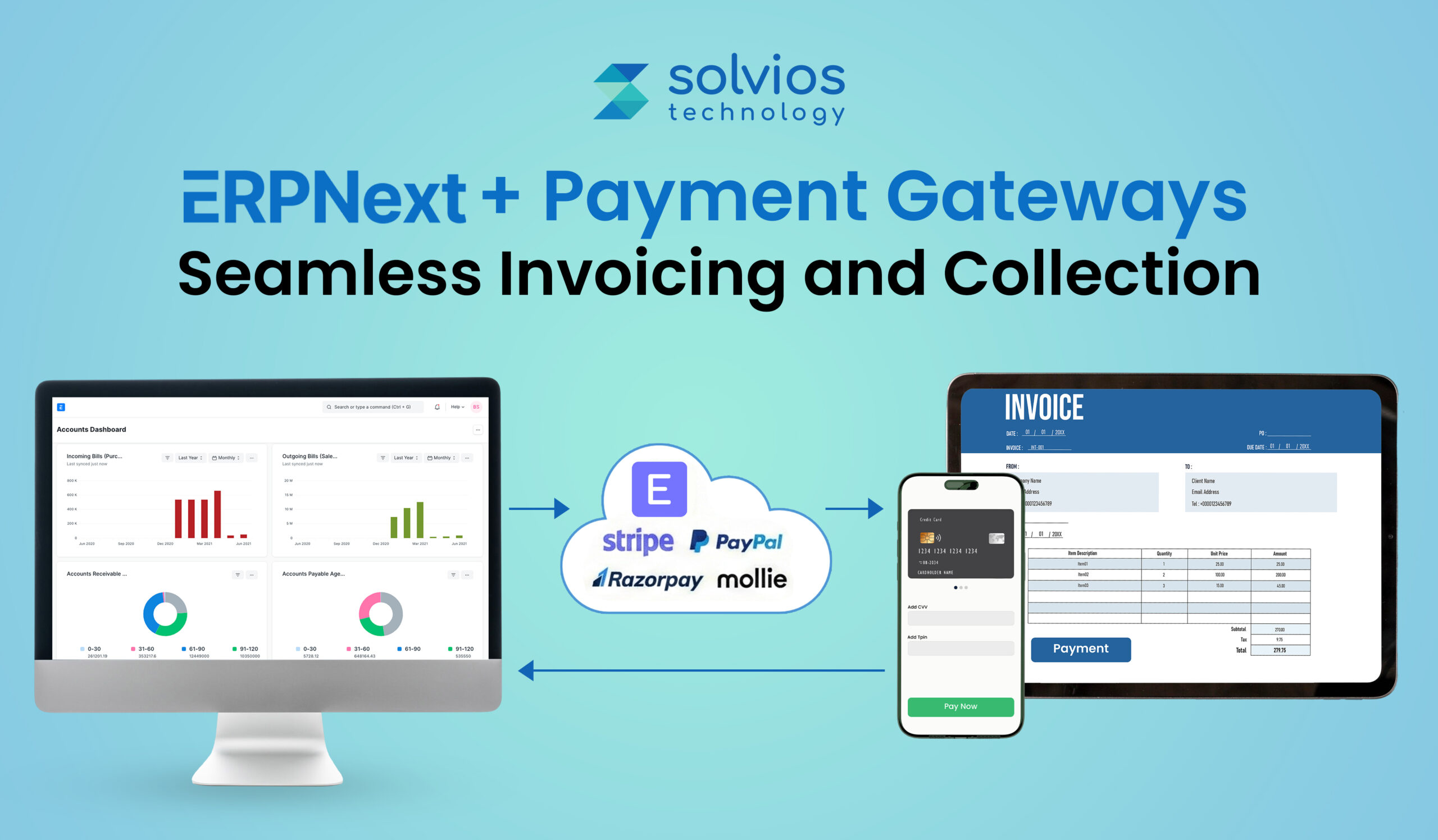
Sales Order → Delivery Note → Auto-Created Invoice → Secure, Embedded Payment Link
The link is generated within ERPNext itself and is tied to that specific invoice. Customers pay through a trusted interface, and finance teams avoid chasing screenshots or mismatched references.
This step helps speed up collections because every invoice leaves your system fully ready for payment.
If you’re evaluating this upgrade, take a look at our comprehensive ERPNext pricing insights and discover the plan that aligns with your business goals.
Stage III – Bi-Directional Synchronization (The Solvios Difference)
The actual value appears after the customer pays. A basic setup will show a payment on the gateway dashboard. A well-built integration updates ERPNext instantly, and this happens only when the gateway fires a Webhook back to your system with an authenticated payload.
Solvios validates that payload, prevents duplicates, and then lets ERPNext take over:
- A Payment Entry is created.
- The General Ledger updates.
- The invoice switches to Paid without anyone touching it.
No matching line items. No daily reconciliation. No silent errors sitting in a spreadsheet.
This closed loop is what distinguishes “payments received” from “payments accounted for.” And that’s precisely what Solvios engineers for every integration.
Struggling with long DSO or manual reconciliations?
Talk to an expertAutomation ROI: Beyond Just Getting Paid
For leadership teams, collections are only one part of the story. The real value of integrating ERPNext with a mature payment gateway shows up in the processes that become smoother afterward; the work your teams stop doing, and the visibility you finally gain.
Automated Dunning & Collections
Once payment status updates flow into ERPNext in real time, the system can handle the follow-up for you. Reminder sequences run on clear rules: overdue dates, partial payments, or invoices that haven’t been viewed yet.
Because every reminder is backed by a bill payable, which customers receive promptly. It helps the finance team to spend less time chasing and more time guiding the cash flow.
Enhanced Payment Gateway Reporting Inside ERPNext
With reconciled data coming straight into the system, dashboards finally show the numbers that matter. Access to such seamless integration allows the finance team to track:
- Daily cash position
- DSO movements
- Aging receivables
- Collection bottlenecks
All without exporting or massaging spreadsheets. When payment entries land the moment a transaction is confirmed, forecasting stops feeling like guesswork and starts becoming a reliable part of daily operations.
Security and Compliance, Built Into the Architecture
A professional integration keeps sensitive payment details out of ERPNext entirely, as it should. The gateway handles card data, encryption, tokenization, and PCI compliance, while ERPNext only stores the verified transaction reference.
This reduces your compliance exposure and protects your environment without adding extra tools or manual checkpoints.
Wondering how to get real-time financial visibility in ERPNext?
Schedule a callSolvios: Your Full-Stack ERPNext Integration Partner
The more profound truth behind this topic is simple: ERPNext already provides businesses with a strong foundation, but the platform reaches its full potential only when payments, billing, and reconciliation flow through the system without friction.
That level of automation does not happen with plug-and-play settings. It requires clean architecture, dependable APIs, and a workflow that reflects how your finance team actually operates.
Ready to unlock faster collections and an error-free financial cycle? Learn more about how ERPNext deployment options can support your integration strategy: ERPNext Deployment Models: Cloud vs On-Premise
At Solvios, we don’t just integrate ERPNext with your payment gateway; we create an ecosystem that combines your workflow, improves cash flow, and eliminates reconciliation.
Ready to unlock faster collections and an error-free financial cycle?
Solvios builds the custom ERPNext integrations that turn payments, reconciliation, and reporting into a seamless, real-time engine for growth.
Frequently Asked Question
A direct integration automates payment posting, removes manual reconciliation, and updates invoices in real time, helping businesses reduce DSO and maintain accurate financial records instantly.
Integrated payment links allow customers to pay invoices instantly, eliminating delays caused by manual steps, approvals, and reminders—resulting in consistently faster collections.
Webhooks push verified payment data to ERPNext instantly, enabling automatic payment entries, GL updates, and accurate invoice status changes without manual intervention.
Yes. With a mature payment gateway and proper API design, ERPNext can record partial payments, update balances, and adjust ledger entries automatically.
Real-time payment confirmations, settlements, and reconciled reports give leaders accurate cash flow insights, enabling faster decisions and more predictable financial planning.
No. Sensitive card or customer payment data remains with the gateway. ERPNext stores only validated transaction references, ensuring compliance and secure financial processing.
About Author
Like What You See? Share with a Friend
Turn Insights Into Action
Planning something next? Let’s turn ideas into action.
Tracking Customer Satisfaction with Dynamics 365 Surveys and Feedback Tools
- 10 Min Reads
-
- By Dhwani Shah
Introduction
Customer churn rarely happens overnight; it builds quietly when feedback is collected but never acted on.
For large enterprises, that silence is expensive. Unheard complaints, unresolved service issues, and stalled follow-ups create the single biggest threat to growth: preventable customer loss.
Interestingly, this is where most companies fail. Sending a Dynamics 365 Customer Voice survey is easy; treating the response as a real operational signal is where the gap widens.
When survey data sits in Dataverse without context, automation, or urgency, the insight and the customer slip away.
Solvios approaches Customer Voice differently. We treat feedback as a real-time trigger. With D365 CV capturing sentiment and Power Automate enforcing structured, measurable actions, businesses unlock a Predictive CX Strategy, not another passive survey tool.
This blog takes a closer look at how Solvios leverages Dynamics 365 to track and maintain customer satisfaction. Let’s get started.
The Anatomy of an Integrated D365 Feedback Loop
A mature customer-experience engine inside Dynamics 365 starts with one foundational idea: creating seamless feedback. However, feedback only creates value when it flows back into the business, not when it sits in isolated survey reports. For most organizations, that loop begins inside the Microsoft Dataverse. A successful Microsoft Dynamics 365 implementation ensures that every survey response flows directly into Dataverse without manual touchpoints.
Here’s a closer look at the different components of a professional CX system:
1. The Centralized Data Source
Every response captured through Dynamics 365 Customer Voice is automatically imported into the Dataverse, Microsoft’s unified data layer across the Power Platform. It also allows NPS comments, CSAT ratings, and customer notes to be instantly linked to core records, including Contacts, Accounts, Cases, Orders, and Projects.
This way, D365 creates a unified system with no manual exporting or scattered spreadsheets. It creates one source of truth that every team can rely on.
To understand how this foundation supports wider digital transformation, explore our Complete Guide to Microsoft Dynamics 365 for Businesses.
2. CX Metrics Executives Actually Take Seriously
A complete feedback loop isn’t about collecting more data; it’s about capturing the right signals.
The three metrics that consistently shape boardroom decisions are:
- NPS (Net Promoter Score): A clear predictor of long-term loyalty.
- CSAT (Customer Satisfaction Score): A score for overall customer satisfaction.
- CES (Customer Effort Score): A direct indicator of friction in your processes.
These score metrics help business owners understand different aspects of their operations, making them a crucial metric for leadership.
3. Connecting Feedback to Real Operational Work
Feedback without context can cause friction within your operation. D365 solves this by attaching each survey response back to the specific Case, Work Order, Sales Order, or Project milestone that triggered the experience.
Service agents can see exactly what happened, when it happened, and who handled it, allowing them to respond quickly and accurately. Managers get a trail of actionable insight instead of disconnected comments.
To avoid typical deployment pitfalls that break this loop, check out Common Dynamics 365 Implementation Mistakes.
Integration Checkpoint: Is Your CX Data Working Hard Enough?
Most teams only scratch the surface of what Customer Voice can do.
Solvios runs a D365 CX Optimization Audit to build automated Power Automate flows that turn low NPS or poor CSAT into immediate, trackable service-recovery actions.
[Request a D365 CX Optimization Audit]
Not sure how to set up automated feedback loops in Dynamics 365?
Contact us NowArchitectural Strategy: Power Automate for Service Recovery
Service recovery inside Dynamics 365 only works when feedback triggers an action the moment it arrives. That’s why most mature CX setups lean on Power Automate. It links Customer Voice responses with the teams responsible for fixing what went wrong and amplifying what went right.
Here’s a closer look at what the architectural strategy looks like in action:
1. Automated “Fire-Fighting” for Low Scores
When a customer leaves a poor NPS or CSAT rating (anything below 6), the system shouldn’t wait for someone to notice it during a weekly review. The workflows we configure usually follow a simple chain:
- The low score enters the Dataverse
- A priority Task or Case is created right away
- It’s routed directly to the service-recovery group, not general support
- A clear SLA is attached, so the team knows exactly how long they have to respond
- Managers get the escalation trail if the deadline slips
This turns negative feedback into an immediate operational signal instead of something that gets lost in a dashboard.
2. Marketing Automation for Promoter Scores
High scores deserve the same urgency, just in a different direction. When someone gives an NPS of 9 or 10, Power Automate moves it into a lighter, marketing-leaning path:
- A quick thank-you goes out
- The customer receives a link for a public review (G2, Clutch, or whichever platform matters to the business)
- Their profile is tagged internally as a Promoter for future campaigns
Optional: Route them into referral or testimonial programs
Most teams find that this simple loop consistently brings in social proof without extra hand-holding.
3. Building a Rolling “Sentiment Timeline”
Feedback becomes useful only when teams can see it in context. To make that possible, we extend the Account or Contact record with a Sentiment Timeline, a running view of all recent scores and customer comments.
It usually shows:
- The last few NPS, CSAT, or CES results
- Which Case, Order, or Project each response was tied to
- Notable remarks or escalations
- Small shifts in sentiment that help sales or service teams prepare before speaking with the customer
This single panel prevents the “blind conversation” problem and keeps everyone aligned on how the customer is actually feeling, not what the internal notes suggest.
If you are considering upgrading or expanding your current system, check our guide on When to Migrate to Microsoft Dynamics 365.
Now that we have an idea of architectural strategy and the feedback loop, let’s understand the revenue view in the next section.
Struggling to convert customer feedback into actionable insights?
Talk to an expert now.The Revenue View: Visualizing CX Data with Power BI
For most CIOs and CTOs, feedback scores only matter when they connect to something measurable. That’s why the real value of Customer Voice emerges when it’s paired with financial and operational data inside Power BI.
Solvios builds these dashboards directly into Dynamics 365, so leadership sees CX not as an isolated survey tool, but as a revenue signal.
Integrated Dashboards Built for Decision-Makers
The dashboards we deploy typically blend three data threads:
- Customer sentiment
- Operational performance
- Revenue behavior
Our approach ensures that everything sits in the Dataverse, and Power BI can cross-reference these without extra manual mapping.
1. CX vs. Churn Rate
One of the clearest patterns we surface is the link between dropping NPS scores and non-renewal risk. By plotting NPS alongside contract end dates and support histories, the dashboard highlights accounts where sentiment has slipped for two or three consecutive cycles. This gives account managers early warning, well before churn becomes a commercial loss.
2. CSAT by Service Agent or Product Line
Teams often guess where service gaps exist; Power BI removes the guesswork.
An integrated workflow view allows business owners to see how CSAT behaves across teams, agents, or specific product categories. If a product category consistently receives lower ratings, the software analyzes patterns, such as delays, defects, or onboarding issues, to make operations more transparent.
3. The CLV Impact of High-NPS Customers
High-NPS customers typically spend more, renew faster, and escalate less. By linking NPS to purchase history and CLV (Customer Lifetime Value), Power BI presents the revenue story behind sentiment. Leadership can immediately see which relationships should be nurtured and which need intervention.
With these metrics in a single place on the dashboard, CX stops being feedback and becomes a financial strategy.
Looking to boost response rates on your customer surveys?
Get help today.Solvios: Your Strategic D365 Implementation Partner
Most teams collect customer feedback, but very few turn it into action. The real advantage doesn’t come from Customer Voice alone; it comes from building an integrated loop inside Dynamics 365 where every response triggers the right workflow, lands in the right queue, and appears in dashboards leaders actually use. That’s where Solvios stands apart.
Our strength lies in bringing together D365 customisation, Power Automate process design, and Power BI analytics into a single integrated system. The end result is a system that doesn’t wait for churn; it identifies risk early, supports service teams, and provides decision-makers with clear signals to act.
If AI is on your CX roadmap, explore how AI is Transforming Microsoft Dynamics 365 to enhance automation and predictive capabilities.
Transform your CX with Dynamics 365?
Get started with Solvios today.Frequently Asked Question
Dynamics 365 Customer Voice centralizes survey responses inside the Dataverse and links them to customer records, cases, work orders, and projects. This allows teams to see feedback in context and respond faster, reducing the risk of churn.
Power Automate turns passive feedback into automated workflows. Low NPS or CSAT scores can trigger instant service-recovery tasks, escalation alerts, and SLA-driven follow-ups. High promoter scores can trigger marketing actions like review requests and referral automation.
The most effective CX metrics in Dynamics 365 are NPS for loyalty prediction, CSAT for experience quality, and CES for identifying friction. Together, they help leadership spot gaps, understand customer sentiment, and make informed improvements across the customer journey.
Yes. When Customer Voice responses are stored in Dataverse, Power BI can correlate sentiment with churn risk, renewal cycles, service performance, and customer lifetime value (CLV). This transforms feedback from a qualitative signal to a financial decision-making tool.
Common challenges include disconnected feedback, slow responses to low scores, siloed insights, and dashboards that fail to drive action. Solvios overcomes this by building an integrated, automated feedback loop in Dynamics 365 that ensures timely responses and data-driven decisions.
Solvios designs end-to-end CX systems using Customer Voice, Power Automate, and Power BI. This includes workflow automation, escalation rules, real-time sentiment timelines, and dashboards that connect CX signals with revenue. The result is a proactive CX engine that prevents churn instead of reacting after it’s too late.
About Author
Like What You See? Share with a Friend
Turn Insights Into Action
Planning something next? Let’s turn ideas into action.

Need Project
Consultation? Let's Talk
We'd love to learn more about your project! Our team of project managers will carefully assess your requirements and provide a personalized proposal. The more details you share, the better we can understand and meet your needs. Fill out the form below and let's get started!
Never Miss a Beat
Join our community and get updates, insights, and ideas delivered right to your inbox. Stay connected!
 We respect your privacy. Unsubscribe anytime.
Our Partnerships